

 中文
中文 
dayanshenjun deepin
2021-01-12 20:08 deepin WPS卡死的时候有个.et的进程,把处理器给占满了,这个et无法正常关闭,只能结束进程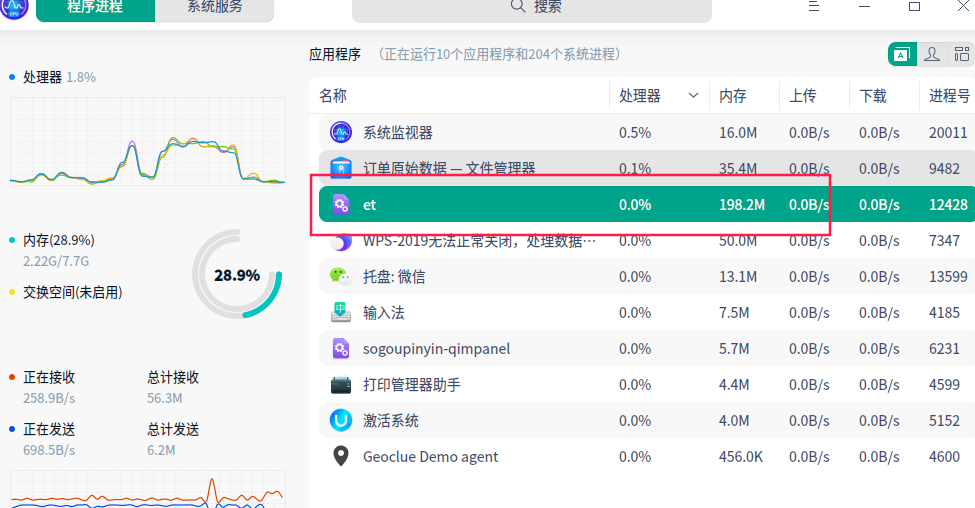
Reply Like 0 View the author
 deepin
 WPS卡死的时候有个.et的进程,把处理器给占满了,这个et无法正常关闭,只能结束进程
 deepin
 把用户目录wps的相关配置文件删除后再试试

 deepin
 我也经常遇到,要么结束进程,要么强制退出,可能是wps软件问题,其他没有遇到
 deepin
 这个et就是wps的表格处理啊

 deepin
 wps有时候操作着就卡死,有时点关闭无反映卡死,因为我一直使用wps办公,这种情况太多次了
deepin 就是因为wps的这些问题,我就换用过几其他好几款办公软件,但都不是很如意,还是继续使用wps,把系统管理器拖到任务栏,这样结束wps比较方便。
Popular Ranking
ChangePopular Events
More


 Deepin IDE?
WPS-2019无法正常关闭,点右上角关不掉,点任务栏关闭所有,也关不掉,只能用任务管理器结束进程,怎么回事?有知道的吗?处理数据时,软件还卡死了一次