

 中文
中文 
Ziggy deepin
2021-01-08 01:42 deepin 首先得要内核、网卡驱动和ubuntu一样再排除是不是驱动影响,对比标准至少得一致
Reply Like 1 View the author
 deepin
 首先得要内核、网卡驱动和ubuntu一样再排除是不是驱动影响,对比标准至少得一致

 deepin
 什么的网卡?
deepin 什么的网卡?


 deepin
 可以试试在同一时间段测试网速,直接在浏览器测速就可以了
中国这个网络环境,不同时间段差别是挺大的
我这个就是普通的主板自带螃蟹网卡,带宽100Mbps
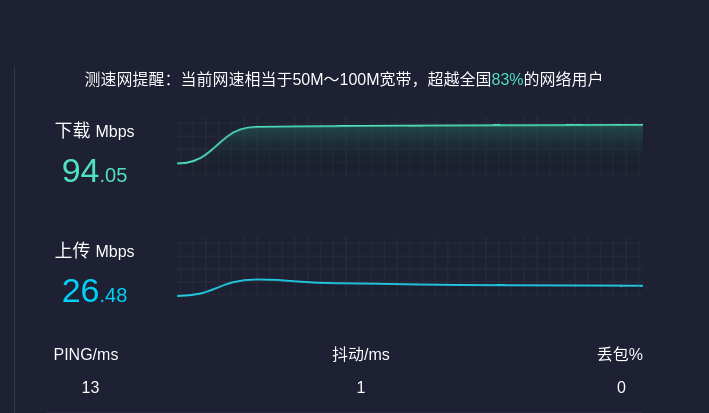

 deepin
多谢。
deepin 首先得要内核、网卡驱动和ubuntu一样再排除是不是驱动影响,对比标准至少得一致
好的
deepin
Intel Corporation Wireless-AC 9560 [Jefferson Peak] (rev 10)
deepin 什么的网卡?
driver: iwlwifi
version: 5.4.70-amd64-desktop
firmware-version: 46.6bf1df06.0
expansion-rom-version:
bus-info: 0000:00:14.3
supports-statistics: yes
supports-test: no
supports-eeprom-access: no
supports-register-dump: no
supports-priv-flags: no
Popular Ranking
ChangePopular Events
More


 Deepin IDE?
网络贷款100Mbps/s,对同一网站同一文件下载测试。
在同一物理机上安装不同系统比对网络传输:
1.Windows10:传输速率:6MB/s-7MB/s
2.Ubuntu2020:传输速率:3MB/s-4MB/s
3.Deepin2020:传输速率:1MB/s-2MB/s
希望官方能优化网络传输,眼不然开几个程序,在网络卡顿的话,程序就网络延迟表现出运行不流畅(比如视频软件),而且也没有充分利用网络资源。