

 中文
中文 
jingle deepin
2020-11-06 17:09 deepin 内核版本是多少,网卡型号是
Reply Like 0 View the author
 deepin
 内核版本是多少,网卡型号是

 deepin
 sudo systemctl enable NetworkManager
sudo systemctl start NetworkManager
试试

 deepin
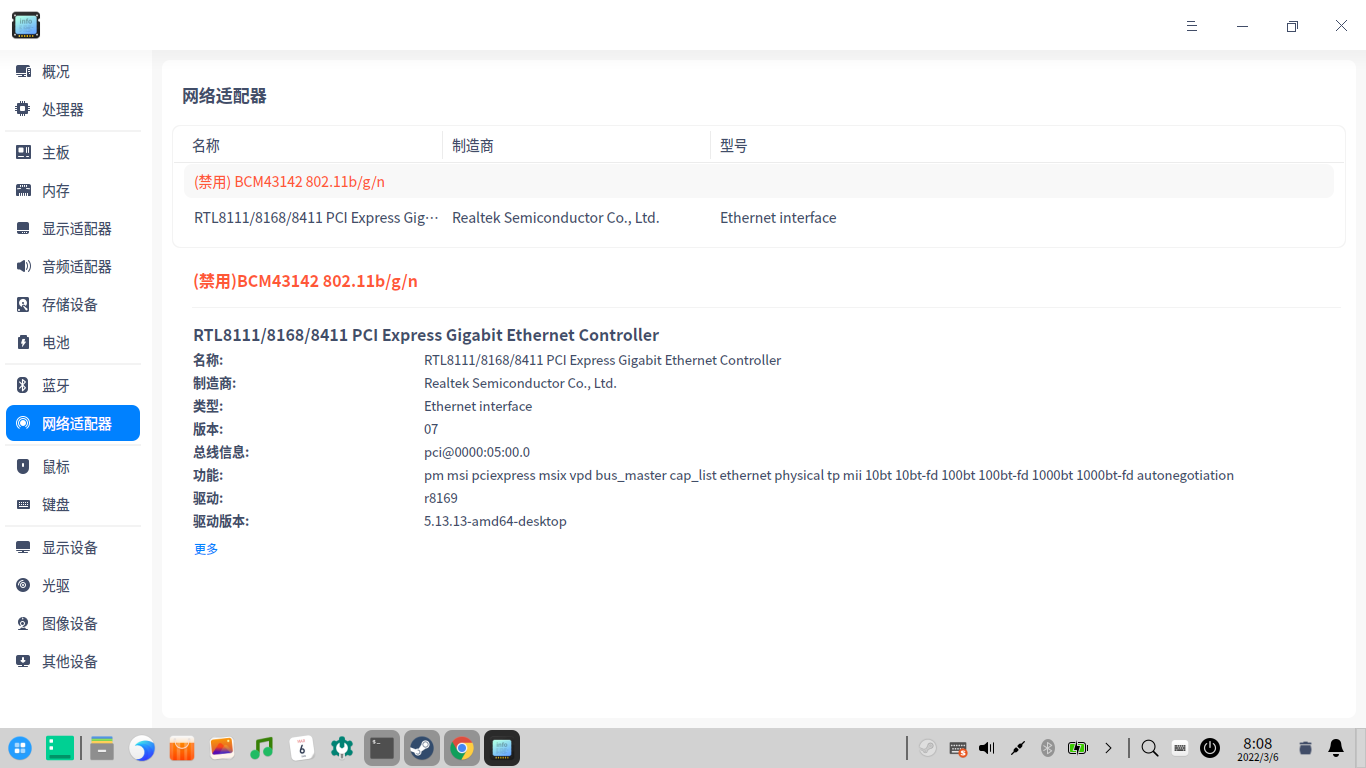
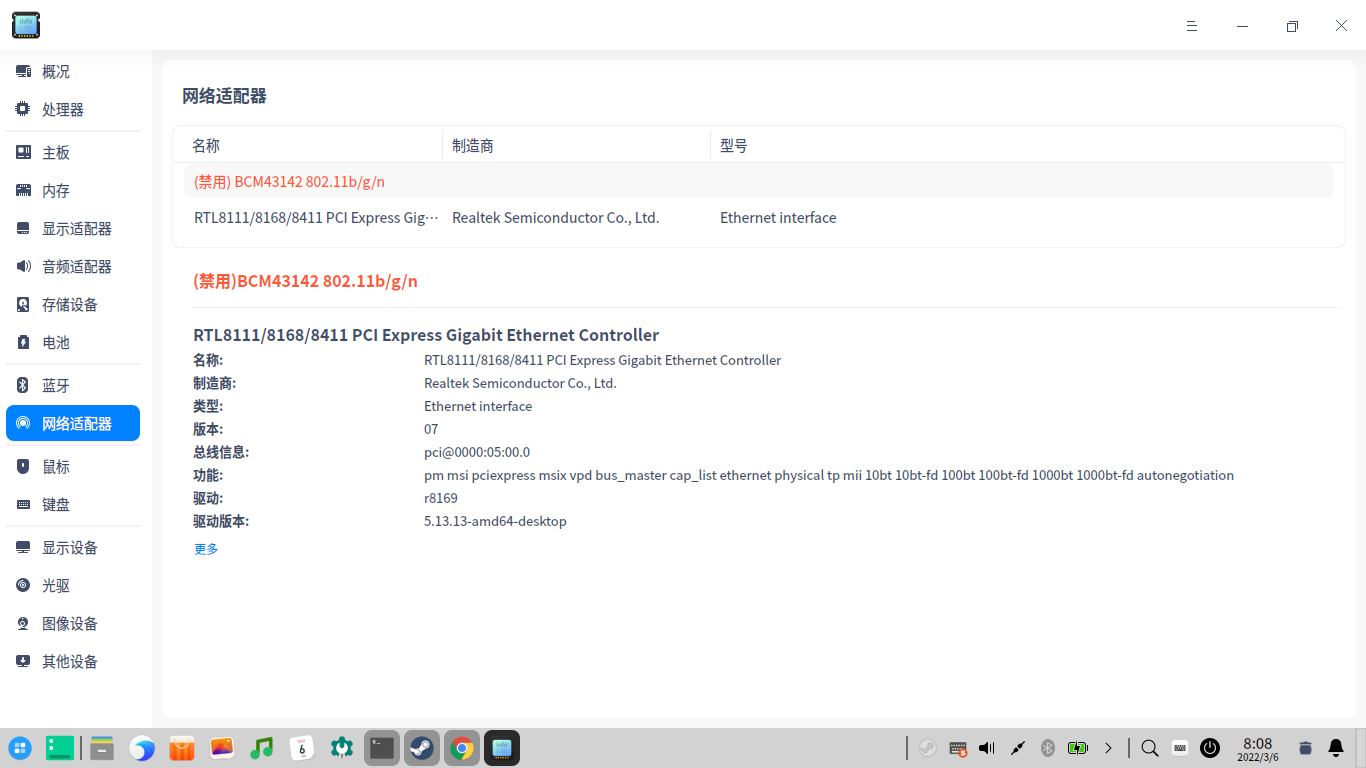
 我的设备管理器里也显示禁用,不过无线还能用。

 deepin
 不要瞎升级内核,你是不是加过了什么内核源,升级的时候,顺带升级了内核,要么重装wifi驱动,要么退回到原来内核
deepin 内核没有升级,就是官方的5.7的好像,网卡型号忘记了,升级之前是好的。
deepin 内核版本是多少,网卡型号是
内核没有升级,就是官方的5.7的好像,网卡型号忘记了,升级之前是好的。
deepin sudo systemctl enable NetworkManager
sudo systemctl start NetworkManager
试试
晚上回去试一下,谢谢!
deepin 内核没有升级,就是官方的5.7的好像,网卡型号忘记了,升级之前是好的。
那你有通过编译安装过wifi的驱动么?
 deepin
 先检查下是不是不小心把无线网开关关闭了,F1~F12。
Deepin的网络图标做得不人性化,cable图标画的跟传统的不一样,让人不容易看出来无线网关闭了。
deepin 先检查下是不是不小心把无线网开关关闭了,F1~F12。
Deepin的网络图标做得不人性化,cable图标画的跟传统的不一样,让人不容易看出来无线网关闭了。

如果你的网络图标是这个带红叉的,说不定是因为你不小心把wifi关了
deepin
如果你的网络图标是这个带红叉的,说不定是因为你不小心把wifi关了
是显示有个红叉叉
deepin 那你有通过编译安装过wifi的驱动么?
没有,就是系统提示升级,升级完重启就那样了
deepin 内核版本是多少,网卡型号是
我试了一下,是每次启动后,系统都会把网络设定成飞行模式,每次都要手动改回来,是什么原因呢?升级1002之前是好的。
deepin 内核版本是多少,网卡型号是
内核版本5.7, 网卡型号:RTL8723BE
 deepin
 我试了一下,是每次启动后,系统都会把网络设定成飞行模式,每次都要手动改回来,是什么原因呢?升级1002之前是好的。
您好,请问怎样把飞行模式改回来啊?我按了键盘f1~12,都没用。

 deepin
 sudo systemctl enable NetworkManager
sudo systemctl start NetworkManager
试试
启用无效呀!
deepin 我的是安装后就被禁用了,以前用统信UOS都不会,而且去设备管理器里启用还是不行
 deepin
如果你的网络图标是这个带红叉的,说不定是因为你不小心把wifi关了
我的就是这个关闭的。后面试了一下fn+F5,可以了。
关闭了飞行模式
deepin 我试了一下,是每次启动后,系统都会把网络设定成飞行模式,每次都要手动改回来,是什么原因呢?升级1002之前是好的。
怎么改飞行模式为普通模式。


家里的电脑,升级1003后,重启发现wifi没了,用设备管理器看,无线网卡被禁用了,怎么才能不被禁用呢?