有没有人能帮忙打包个nodejs的deb包,谢谢
Tofloor
poster avatar
灵兮之
deepin
2020-10-16 20:20
Author
https://nodejs.org/
nodejs官网上只有X64代码文件,没找到deb的安装包
按着介绍里面说的下面这两行操作,安装不了最新的v14版本,装完还是v10的版本
curl -sL https://deb.nodesource.com/setup_14.x | bash -
apt-get install -y nodejs
有没有人帮忙打包成deb的文件,谢谢
https://adminmac.lanzous.com/iAtMShgu8of

Reply Favorite View the author
All Replies
走钢丝
deepin
2020-10-16 20:38
#1
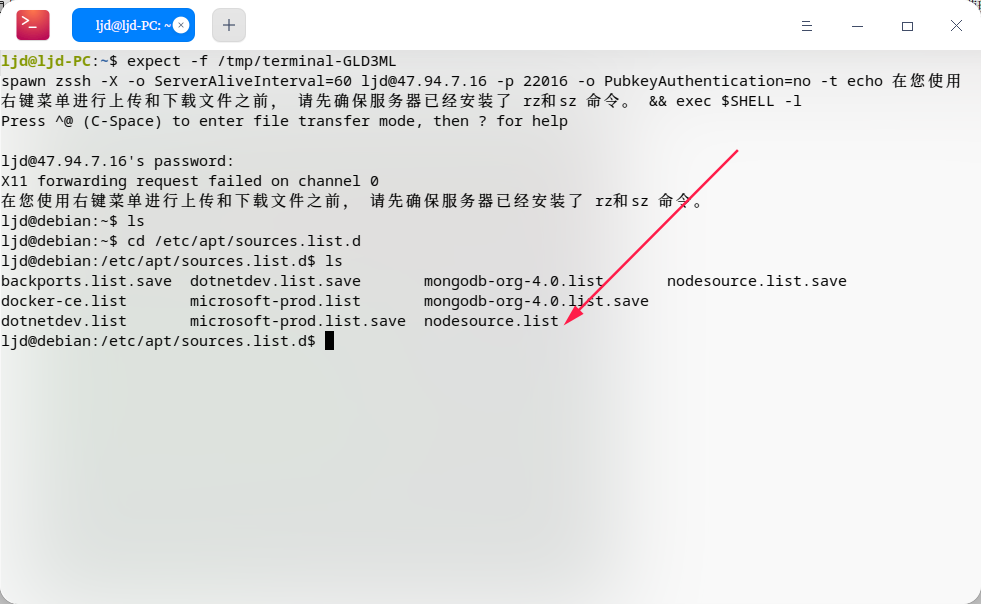
到 /etc/apt/sources.list.d/ 找到 node 的源,打开里面的链接就找到了。

https://deb.nodesource.com/node_14.x/pool/main/n/nodejs/

装完还是 v10?应该不会吧?原来 v10 的源没有删除吧。
Reply View the author
残念
deepin
2020-10-16 20:56
#2
推荐nvm   
Reply View the author
灵兮之
deepin
2020-10-16 21:08
#3
https://bbs.deepin.org/post/203920
到 /etc/apt/sources.list.d/ 找到 node 的源,打开里面的链接就找到了。

https://deb.nodesource.com/nod ...

你说的这个路径下没有有关node的信息
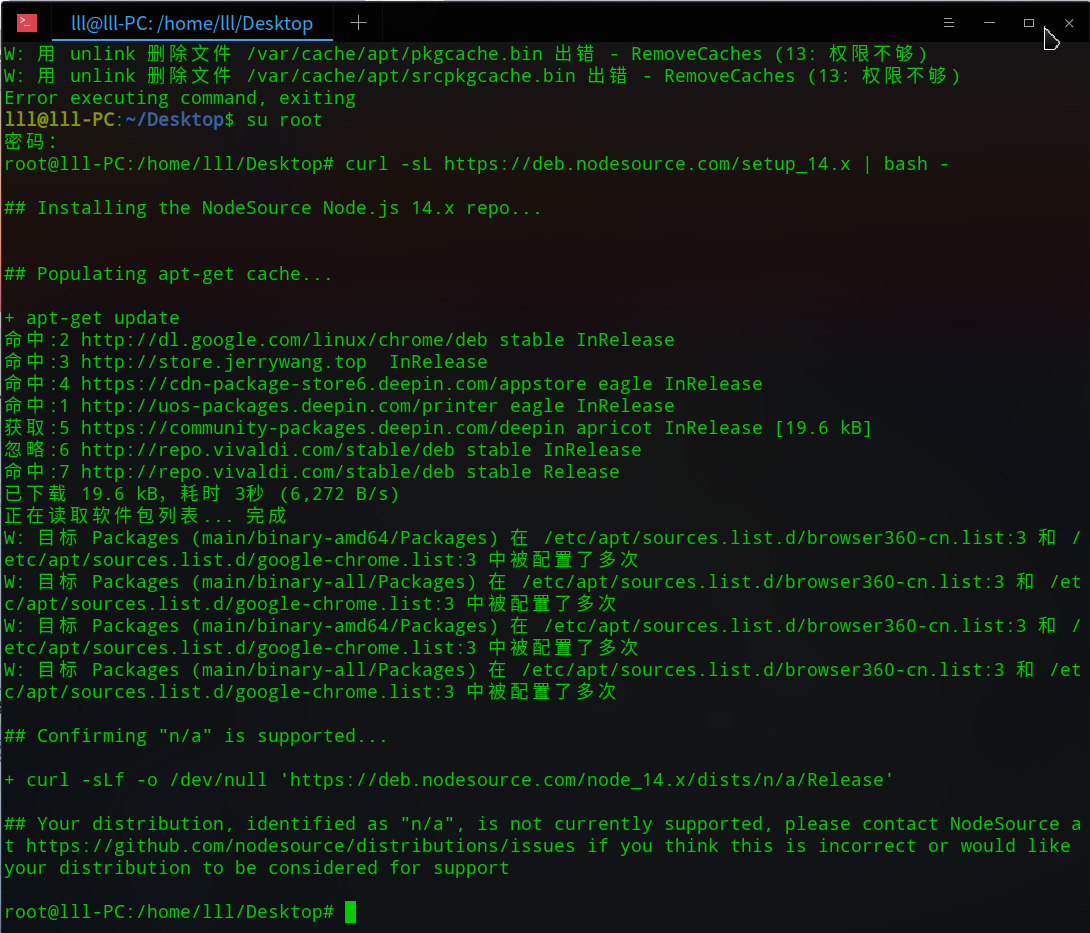
curl -sL https://deb.nodesource.com/setup_14.x | bash -
在终端里面输入这个,显示下面的信息,不知道是不是没有添加成功还是什么


nodejs卸载了再重新用apt-get install -y nodejs安装还是一样是v10,不是v14
Reply View the author
走钢丝
deepin
2020-10-16 21:16
#4

谁知道你上次把 node 的源添加到哪里去了。可以在 /etc/apt 下都找找。


Reply View the author
Shinglee
deepin
2020-10-17 00:54
#5
https://deb.nodesource.com/node_14.x/pool/main/n/nodejs/
看下脚本,就找到了下载地址,自己下个适合你的deb
Reply View the author
CN_GuGe
deepin
2020-10-17 01:04
#6
nodejs 直接官方包 自己配置一下不好吗  感觉这样比较方便
Reply View the author
灵兮之
deepin
2020-10-17 02:24
#7
https://bbs.deepin.org/post/203920
https://deb.nodesource.com/node_14.x/pool/main/n/nodejs/
看下脚本,就找到了下载地址,自己下个适合你 ...

谢谢,搞定
Reply View the author