
使用复制命令为什么无法复制?
Tofloor
poster avatar
shunqiziran66
deepin
2020-10-10 06:21
Author
比如要把文档中by.obt文件复制到下载中,计算机名称是wym:
输入命令 cp  home/wym/Documents/by.obt/home/wym/Downloads
输入后显示    在“home/wym/Documents/by.obt/home/wym/Downloads”后缺少了要操作的目标文件。是什么意思,为什么复制没有成功?

Reply Favorite View the author
All Replies
neko
deepin
Ecological co-builder
Q&A Team
2020-10-10 06:42
#1
这得问问你自己
Reply View the author
残念
deepin
2020-10-10 07:13
#2
应该是
  1. cp /home/wym/Documents/by.obt /home/wym/Downloads/by.obt
Copy the Code

  1. cp ~/Documents/by.obt ~/Downloads/by.obt
Copy the Code


Reply View the author
hetian2
deepin
2020-10-10 15:17
#3
cp  home/wym/Documents/by.obt/home/wym/Downloads
错误在于home/wym/Documents/by.obt与/home/wym/Downloads要有空格,如果是绝对路径要以/开头。

正确应该是
cp    /home/wym/Documents/by.obt       /home/wym/Downloads
Reply View the author
shunqiziran66
deepin
2020-10-10 16:54
#4
https://bbs.deepin.org/post/203585
cp  home/wym/Documents/by.obt/home/wym/Downloads
错误在于home/wym/Documents/by.obt与/home/wym/Downl ...

试过了,还是错误,说是没有home/wuyue/Documents/by.obt这个文件或目录,但这个文件确实有,还能打开。
Reply View the author
shunqiziran66
deepin
2020-10-10 16:55
#5

试过你的方法了,还是显示缺少目标文件。
Reply View the author
残念
deepin
2020-10-10 17:14
#6
本帖最后由 peterzhang1234 于 2020-10-10 09:15 编辑
https://bbs.deepin.org/post/203585
试过你的方法了,还是显示缺少目标文件。
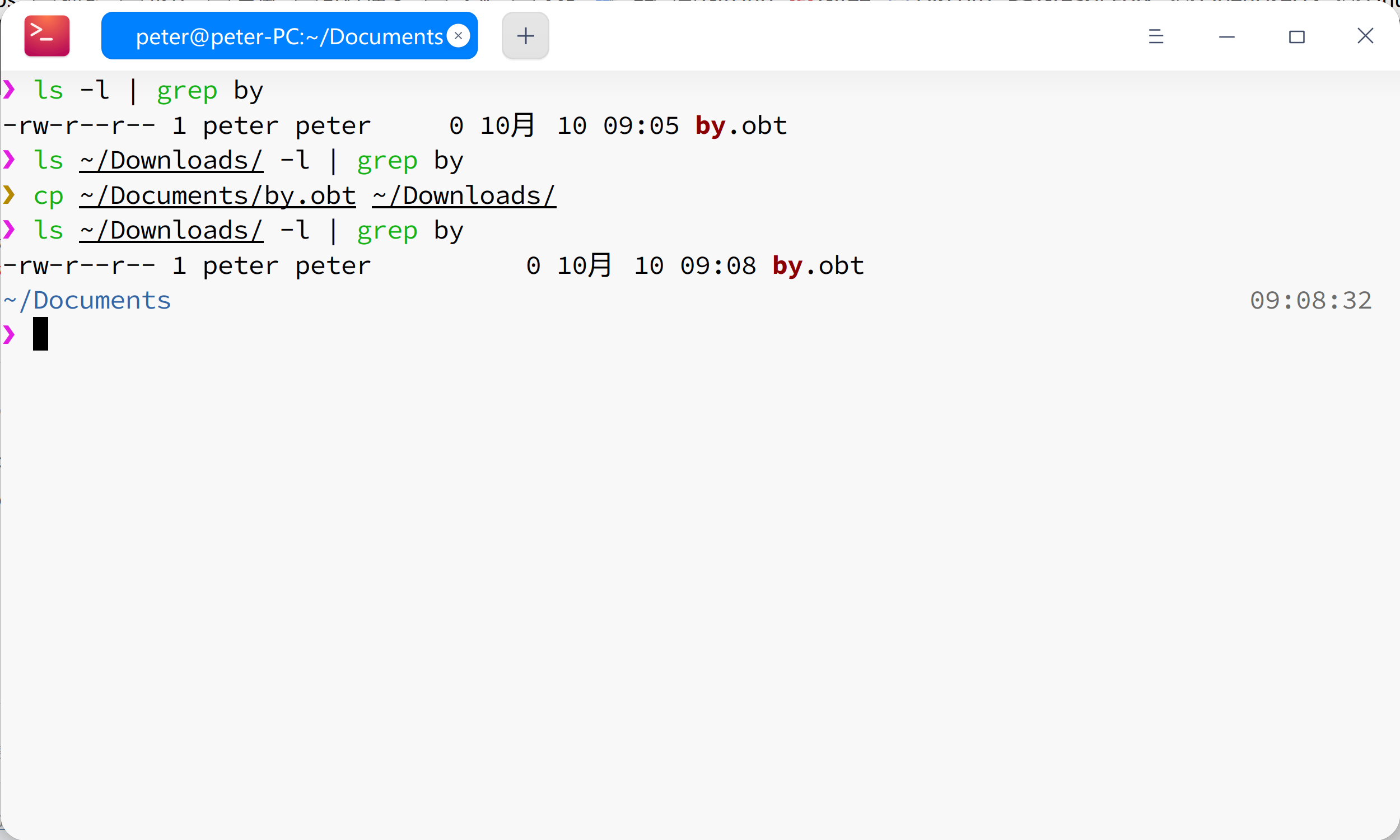

看一下这个 https://www.runoob.com/linux/linux-file-content-manage.html

Reply View the author
shunqiziran66
deepin
2020-10-10 17:38
#7
https://bbs.deepin.org/post/203585
看一下这个 https://www.runoob.com/linux/linux-file-content-manage.html

刚刚复制成功,正确的格式应该是这样的:    cp   ~/Documents/by.odt    ~/Downloads    在源文件和目标文件之间应该有空格。
Reply View the author
shunqiziran66
deepin
2020-10-10 17:39
#8
https://bbs.deepin.org/post/203585
cp  home/wym/Documents/by.obt/home/wym/Downloads
错误在于home/wym/Documents/by.obt与/home/wym/Downl ...

你说的是正确的,刚刚复制成功了。
Reply View the author
shunqiziran66
deepin
2020-10-10 17:43
#9
https://bbs.deepin.org/post/203585
看一下这个 https://www.runoob.com/linux/linux-file-content-manage.html

正确,应该两个文件之间有空格。
Reply View the author
观摩
deepin
2020-10-10 19:20
#10
路径前面如果没有 / 他默认当前工作目录,所以你的路径不对。
重点在自己搞清楚目录的层级,别人的建议都是评经验猜测,需要你根据实际情况套用,而不是直接搬过去用。
Reply View the author


