Win10&Deepin双系统如何在开机界面首选系统设置成Win10
Tofloor
poster avatar
mintcolor
deepin
2020-09-26 21:02
Author
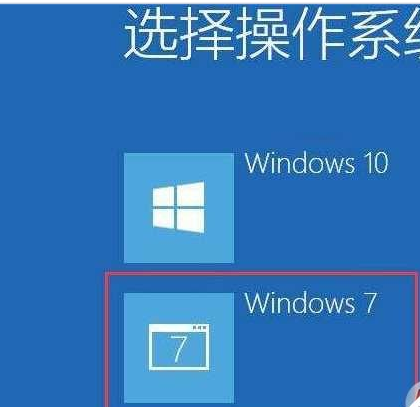
如图,想把Win10设置成第一个

Reply Favorite View the author
All Replies
SamLukeYes
deepin
2020-09-26 21:45
#1
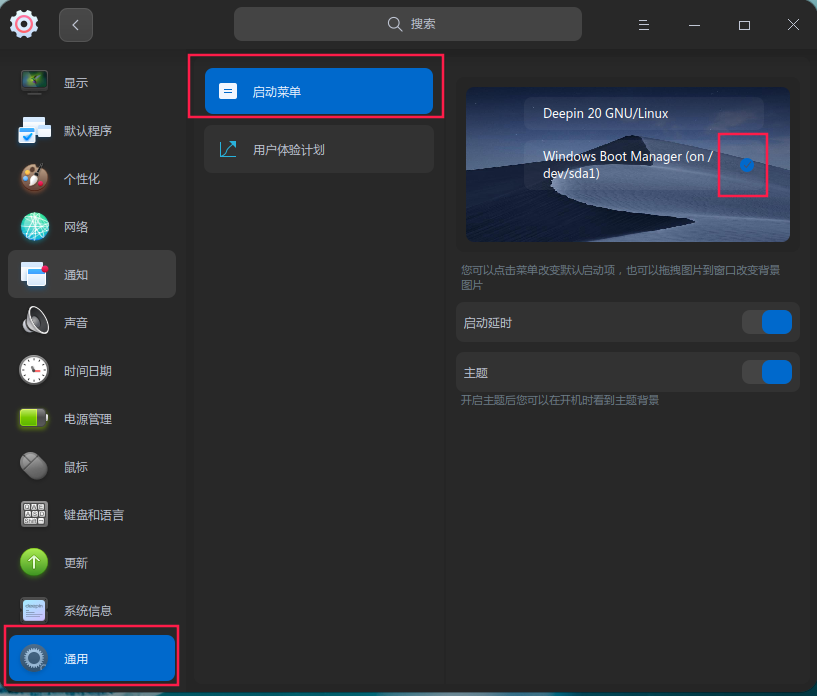
不用把 Win10 移动到第一个,在启动菜单设置中把 Win10 选为默认即可
Reply View the author
Ziggy
deepin
2020-09-26 23:00
#2
通用-启动菜单-点击windows
Reply View the author
152******14
deepin
2020-09-26 23:13
#3
deepin设置 》 通用》启动菜单》win 打勾 输入  密码
Reply View the author
rhw
deepin
2020-09-27 02:55
#4

Reply View the author
mintcolor
deepin
2020-09-27 18:42
#5
Reply View the author
k892372668
deepin
2020-10-06 01:26
#6
各位 请问一下  安装deepin完成之后 启动页面没有win10 引导这个问题应该如何解决  现在只有 deepin引导
Reply View the author
wangmj
deepin
2020-10-06 03:46
#7
https://bbs.deepin.org/post/202901
各位 请问一下  安装deepin完成之后 启动页面没有win10 引导这个问题应该如何解决  现在只有 deepin引导 ...

执行一下
  1. sudo update-grub
Copy the Code
Reply View the author
k892372668
deepin
2020-10-06 16:04
#8

试过了 没什么用
Reply View the author
abc32123
deepin
2022-01-18 02:58
#9
rhw

QQ图片20220117184217.png
有没有办法把这启动菜单添加到固态硬盘的win10系统的图形化启动菜单里?现在这个需要键盘切换,如果能添加到win10的启动菜单就方便了可以鼠标点击切换。

Reply View the author
rhymos
deepin
2022-01-18 03:08
#10
abc32123

QQ图片20220117184217.png
有没有办法把这启动菜单添加到固态硬盘的win10系统的图形化启动菜单里?现在这个需要键盘切换,如果能添加到win10的启动菜单就方便了可以鼠标点击切换。

据说uefi下win做不到... 没试过 传统引导下可以用EasyBCD添加

Reply View the author
abc32123
deepin
2022-01-18 05:13
#11
rhymos

据说uefi下win做不到... 没试过 传统引导下可以用EasyBCD添加

噢这样啊!

Reply View the author