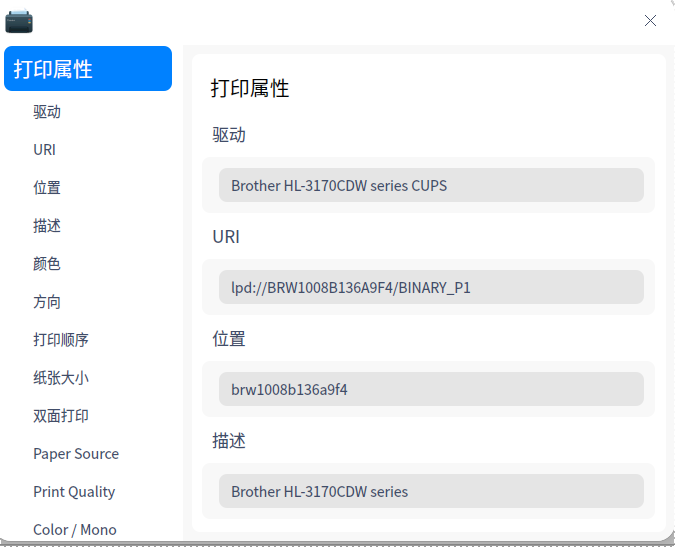
求助,如何安装兄弟HL-3170CDW打印机,实现网络打印?(已....
Tofloor
poster avatar
lanstr
deepin
2020-09-26 16:14
Author
本帖最后由 lanstr 于 2020-9-29 12:59 编辑

求助,如何安装兄弟HL-3170CDW打印机,实现网络打印?
此打印机在windows10中已配置好,装的双系统,
Reply Favorite View the author
All Replies
2 / 2
To page
lanstr
deepin
2020-09-29 16:31
#21

感谢,终于学会了
Reply View the author
deepinuser17
deepin
2020-09-29 16:39
#22
HL-3170CDW联网以后,会有一个IP地址。使用这个IP地址就可以连接了。不需要通过其它Windows机器共享模式连接。

地址用: ipp:///ipp/

IP地址可以在打印机的显示屏上显示,或是打出打印机配置信息。
Reply View the author
lanstr
deepin
2020-09-29 17:08
#23
https://bbs.deepin.org/post/202889
HL-3170CDW联网以后,会有一个IP地址。使用这个IP地址就可以连接了。不需要通过其它Windows机器共享模式连 ...
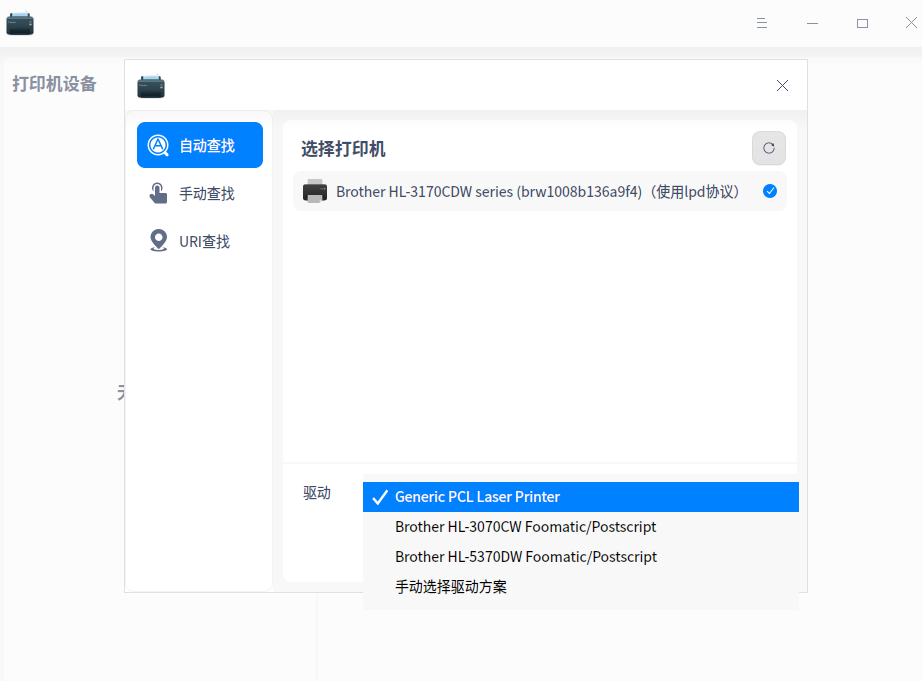
ip地址有,主要是无法找到驱动,电脑已装下载安装了官方lpr驱动英文版的,提示安装成功,但在打印机管理器里找不到这个驱动。你说的这这个方式在哪里操作呢?
Reply View the author
deepinuser17
deepin
2020-09-29 19:20
#24
https://bbs.deepin.org/post/202889
ip地址有,主要是无法找到驱动,电脑已装下载安装了官方lpr驱动英文版的,提示安装成功,但在打印机管理 ...

用最下边的"手动选择驱动方案”。

hl3170cdwcupswrapper-1.1.4-0.i386.deb安装到了/opt/brother/Printers/hl3170cdw.

  1. $ dpkg -L hl3170cdwcupswrapper:i386
  2. /.
  3. /opt
  4. /opt/brother
  5. /opt/brother/Printers
  6. /opt/brother/Printers/hl3170cdw
  7. /opt/brother/Printers/hl3170cdw/cupswrapper
  8. /opt/brother/Printers/hl3170cdw/cupswrapper/cupswrapperhl3170cdw
  9. /opt/brother/Printers/hl3170cdw/cupswrapper/brother_hl3170cdw_printer_en.ppd
  10. /opt/brother/Printers/hl3170cdw/cupswrapper/brcupsconfpt1
Copy the Code


需要的ppd文件路径是/opt/brother/Printers/hl3170cdw/cupswrapper/brother_hl3170cdw_printer_en.ppd。 手动选择这个文件就行了。
Reply View the author
lanstr
deepin
2020-09-29 19:43
#25
https://bbs.deepin.org/post/202889
用最下边的"手动选择驱动方案”。

hl3170cdwcupswrapper-1.1.4-0.i386.deb安装到了/opt/brother/Printer ...
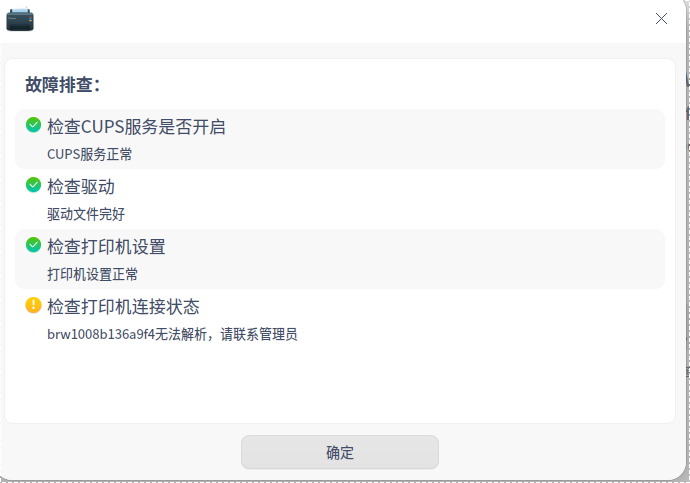
这个驱动装了后就变成USB连接了,我的打印机是网络打印,
Reply View the author
lanstr
deepin
2020-09-29 19:49
#26
已搞定,把那个位置改成ipp:///ipp可以了,多谢
Reply View the author
deepinuser17
deepin
2020-09-29 20:24
#27
本帖最后由 deepinuser17 于 2020-9-29 12:31 编辑
https://bbs.deepin.org/post/202889
已搞定,把那个位置改成ipp:///ipp可以了,多谢

如果打印机域名可以解析的话,用域名或IP地址都可以。


Reply View the author
2 / 2
To page