怎么添加 CUPS 共享的打印机?
Tofloor
poster avatar
frank-xin
deepin
2020-09-25 17:31
Author
我这里是这样的,用树莓派连接了一台打印机,使用 CUPS + HPLIP 添加好了,局域网中的 Windows 直接添加打印机立马就能搜索到,但是我在 deepin 中搜索打印机就搜不到,请问怎么添加?

Reply Favorite View the author
All Replies
frank-xin
deepin
2020-09-25 17:41
#1
我知道 CUPS 的访问地址,但是怎么使用这个地址添加呢?在手动查找里面输入 http://192.168.0.112:631 它说“无法解析”
Reply View the author
haohu1193
deepin
2020-09-25 17:56
#2
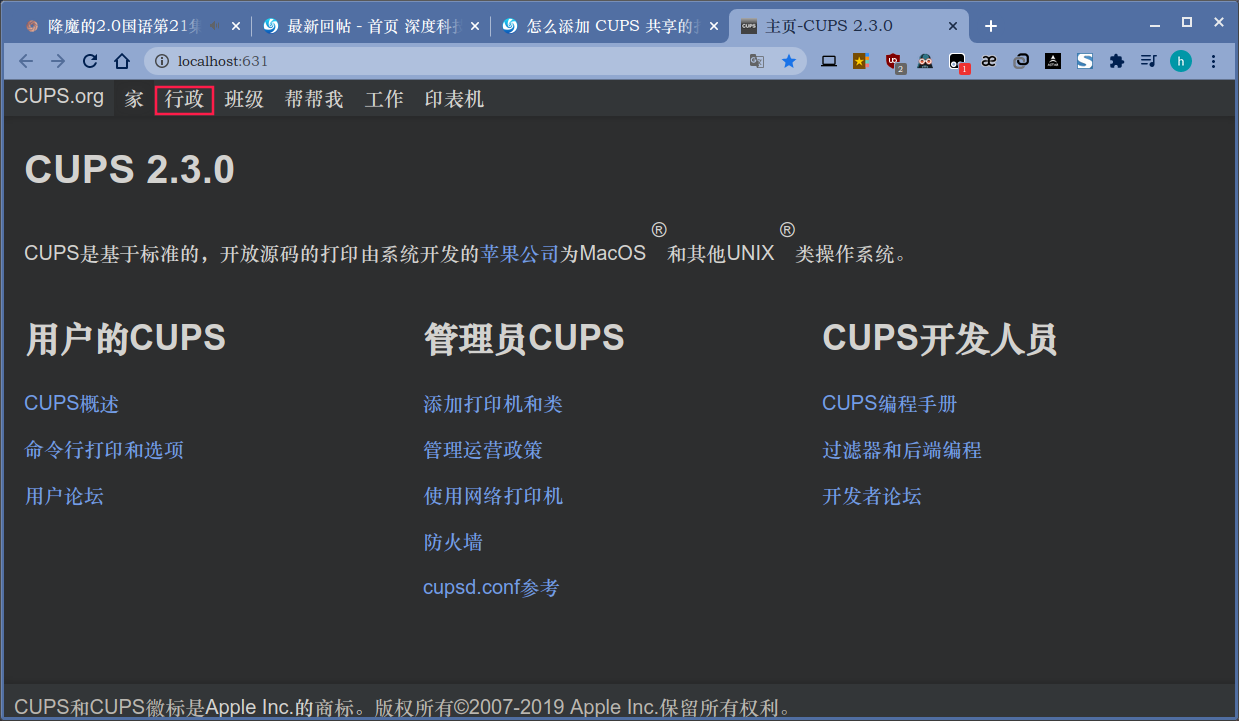
http://localhost:631/

没用过...试试看吧...


Reply View the author
zhangn1985
deepin
2020-09-25 19:09
#3
用什么方法共享的?smb?
Reply View the author
frank-xin
deepin
2020-09-25 22:08
#4
https://bbs.deepin.org/post/202827
http://localhost:631/

没用过...试试看吧...

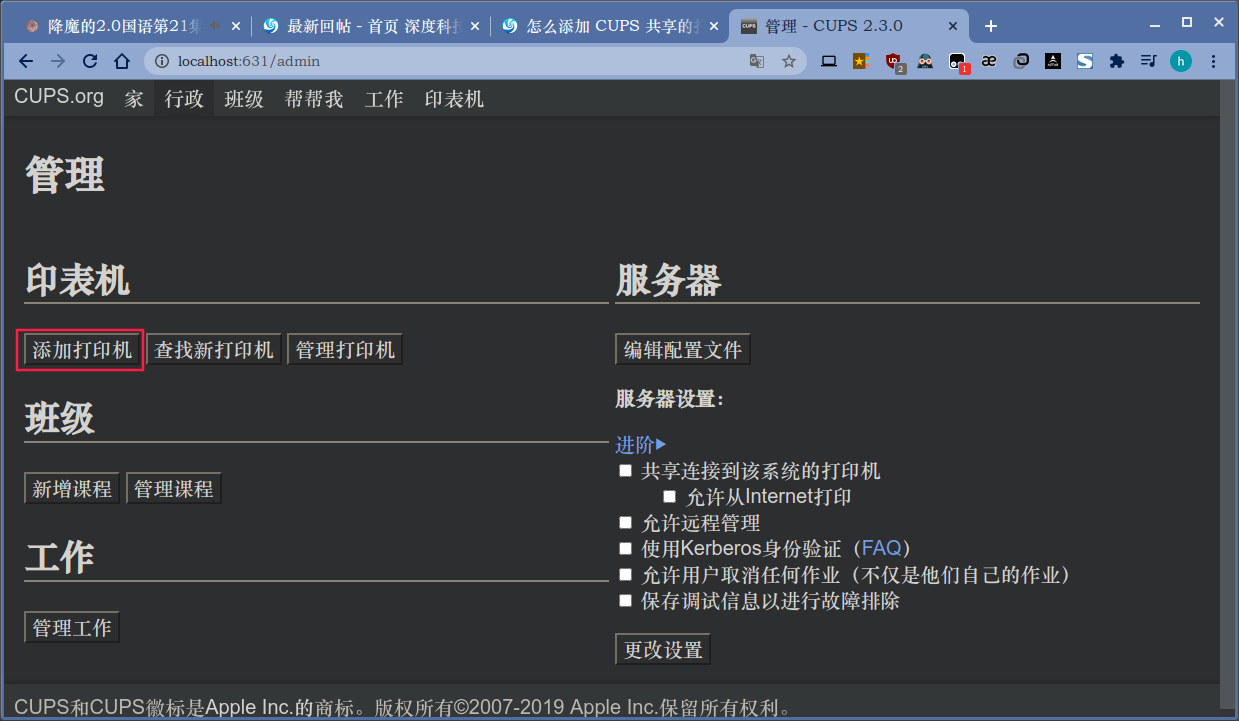
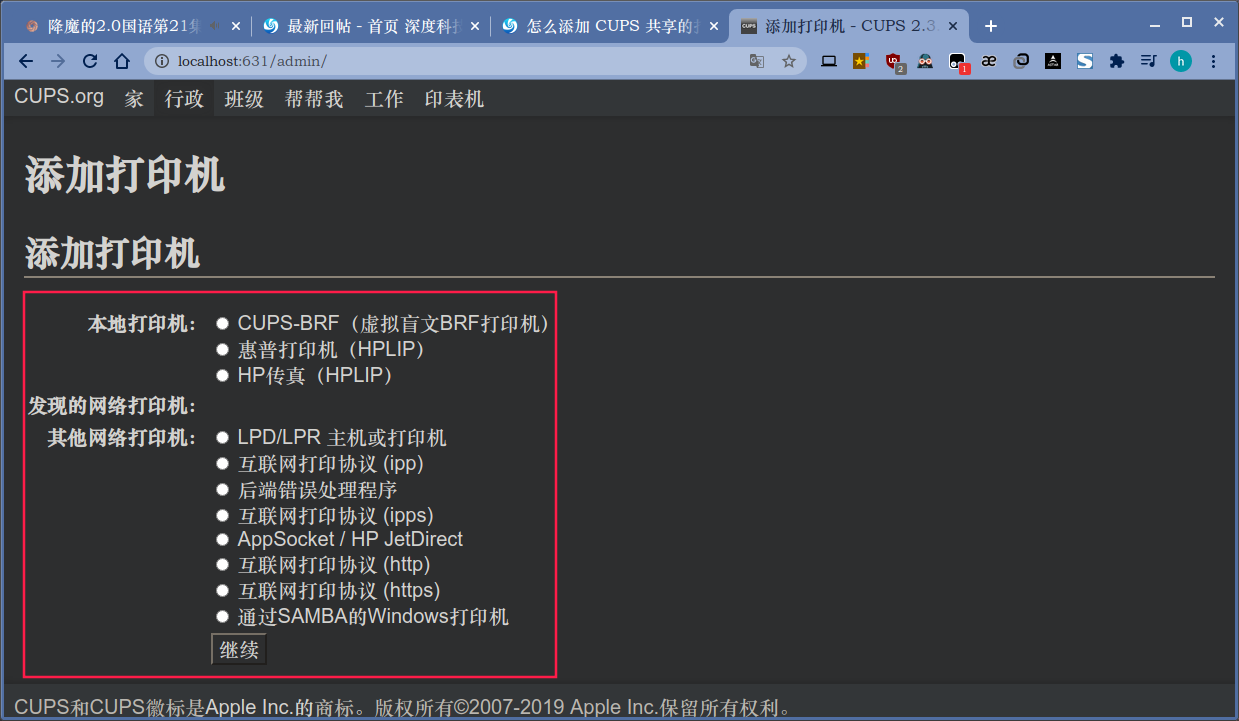
谢谢,按图索骥找到了
Reply View the author
frank-xin
deepin
2020-09-25 22:10
#5
说一下,这里就是通过 CUPS 的远程页面找到的地址,在 Manage Printer 的时候,第一次点进去显示的地址就是打印机的地址,把 http 变成 ipp 就行了,比如这里是 http://192.168.0.112:631/printers/HP_LaserJet_Professional_P1106 那么打印机添加的时候它的地址就是 ipp://192.168.0.112:631/printers/HP_LaserJet_Professional_P1106
Reply View the author