

 中文
中文 
superscan deepin
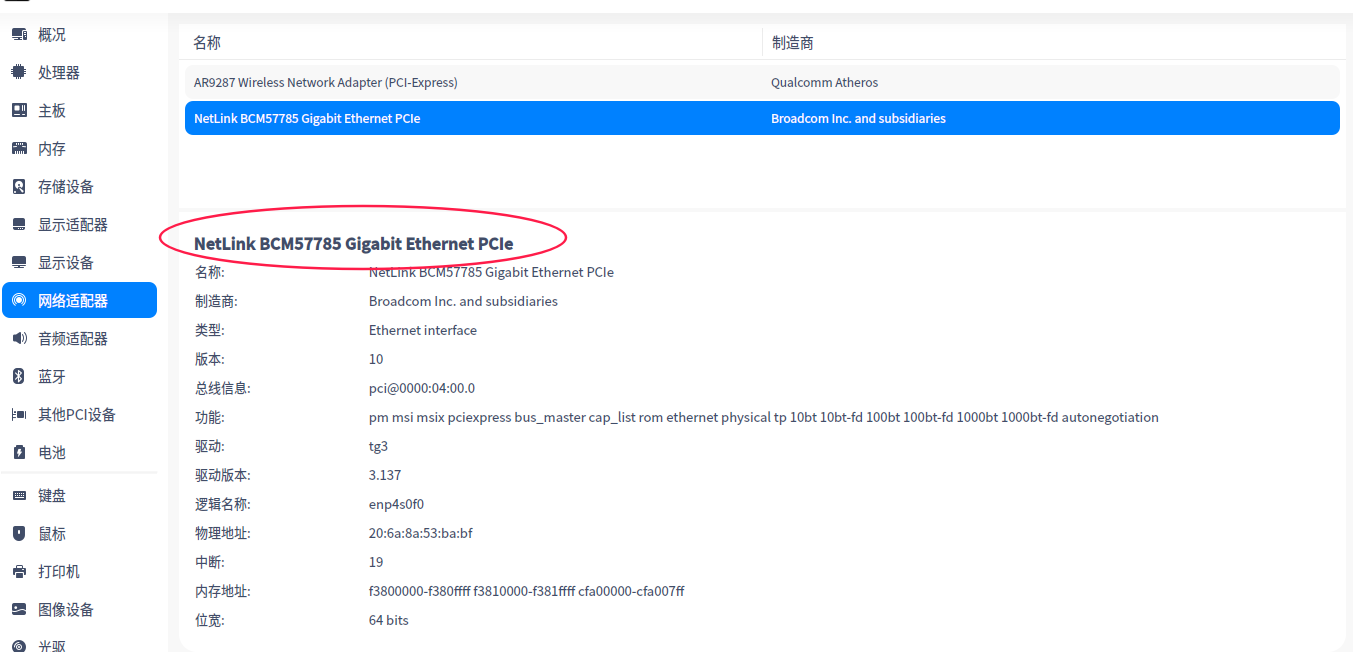
2020-09-22 13:01 deepin 我装的系统是最新的deepin 20系统,5.4内核,希望有人能帮忙解决,谢谢。
Reply Like 0 View the author
deepin 
 deepin deepin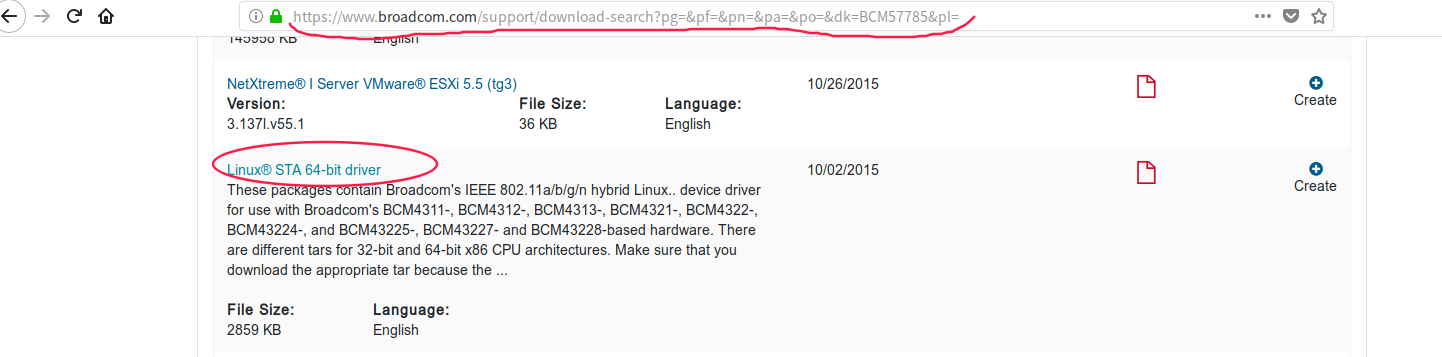
 deepin deepin
 deepin
 https://bbs.deepin.org/post/202604
使用APT安装broadcom-sta-dkms应该是需要联网的,我这里只有无线网络,没有有线网络。很尴尬的环境。
输入 ...


yawl@yawl-PC:~/Documents$ sudo make
KBUILD_NOPEDANTIC=1 make -C /lib/modules/`uname -r`/build M=`pwd`
make[1]: 进入目录“/usr/src/linux-headers-5.4.50-amd64-desktop”
CFG80211 API is prefered for this kernel version
Using CFG80211 API
CC [M] /home/yawl/Documents/src/wl/sys/wl_linux.o
/home/yawl/Documents/src/wl/sys/wl_linux.c: In function ‘wl_pci_probe’:
/home/yawl/Documents/src/wl/sys/wl_linux.c:772:2: warning: this ‘if’ clause does not guard... [-Wmisleading-indentation]
if ((val & 0x0000ff00) != 0)
^~
/home/yawl/Documents/src/wl/sys/wl_linux.c:774:3: note: ...this statement, but the latter is misleadingly indented as if it were guarded by the ‘if’
bar1_size = pci_resource_len(pdev, 2);
^~~~~~~~~
/home/yawl/Documents/src/wl/sys/wl_linux.c: In function ‘wl_init_timer’:
/home/yawl/Documents/src/wl/sys/wl_linux.c:2355:2: error: implicit declaration of function ‘init_timer’; did you mean ‘init_timers’? [-Werror=implicit-function-declaration]
init_timer(&t->timer);
^~~~~~~~~~
init_timers
/home/yawl/Documents/src/wl/sys/wl_linux.c:2356:10: error: ‘struct timer_list’ has no member named ‘data’
t->timer.data = (ulong) t;
^
/home/yawl/Documents/src/wl/sys/wl_linux.c:2357:20: error: assignment to ‘void (*)(struct timer_list *)’ from incompatible pointer type ‘void (*)(ulong)’ {aka ‘void (*)(long unsigned int)’} [-Werror=incompatible-pointer-types]
t->timer.function = wl_timer;
^
/home/yawl/Documents/src/wl/sys/wl_linux.c: In function ‘wl_monitor’:
/home/yawl/Documents/src/wl/sys/wl_linux.c:2918:10: error: ‘struct net_device’ has no member named ‘last_rx’
skb->dev->last_rx = jiffies;
^~
cc1: some warnings being treated as errors
make[2]: *** [scripts/Makefile.build:266:/home/yawl/Documents/src/wl/sys/wl_linux.o] 错误 1
make[1]: *** [Makefile:1706:/home/yawl/Documents] 错误 2
make[1]: 离开目录“/usr/src/linux-headers-5.4.50-amd64-desktop”
make: *** [Makefile:159:all] 错误 2
直接安装
yawl@yawl-PC:~/Documents$ sudo make install
install -D -m 755 wl.ko /lib/modules/`uname -r`/kernel/drivers/net/wireless
install: 无法获取'wl.ko' 的文件状态(stat): 没有那个文件或目录
make: *** [Makefile:168:install] 错误 1
还望大神指导安装,好惆怅!