kdenlive不能输入汉字,请大佬帮忙
Tofloor
poster avatar
小图巴巴
deepin
2020-09-18 06:14
Author
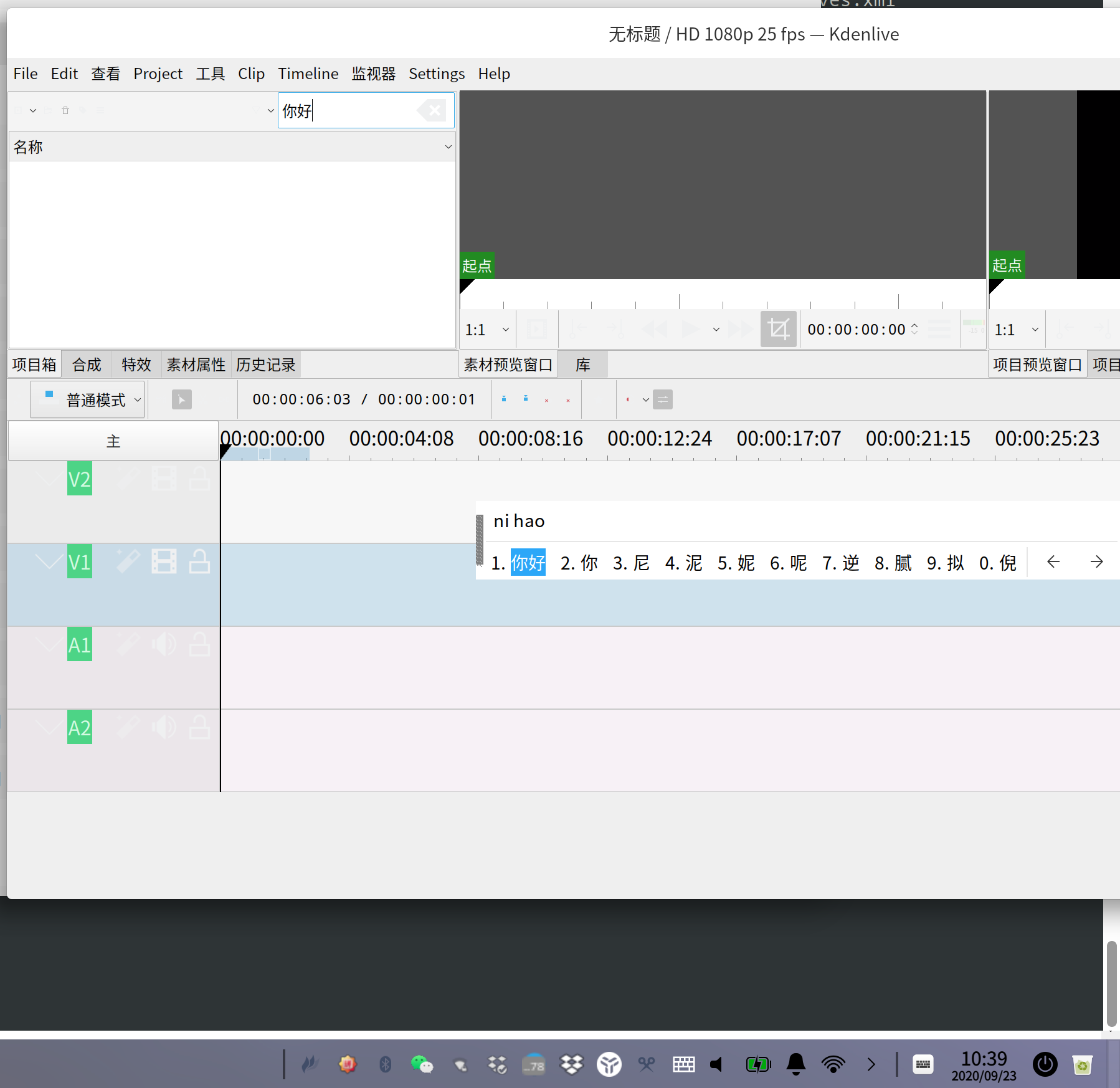
视频编辑软件 kdenlive不能使用汉字输入法,重命名,及字幕 ,都不能使用中文输入,不知道是什么原因。请哪位大师告之,谢谢
Reply Favorite View the author
All Replies
1 / 2
To page
jingle
deepin
2020-09-18 06:44
#1
Reply View the author
deepin_z
deepin
2020-09-18 21:53
#2
经过验证,确实存在无法使用汉子输入法的问题,我找技术人员确认下是否是应用本身设计如此,还是因为打包问题导致的。
Reply View the author
Comments
ghostry
2020-10-05 04:06
汉子 好评
小图巴巴
deepin
2020-09-19 00:42
#3
https://bbs.deepin.org/post/202387
经过验证,确实存在无法使用汉子输入法的问题,我找技术人员确认下是否是应用本身设计如此,还是因为打包问 ...

谢谢,我测试了一下,好像 .Appimage能直接运行的程序,都不能使用中文输入法,我想,是不是这类程序不能调用相关中文输入法的链接库。deepin用的是ificx 而不是ibus,在ubuntu里好像不存在这个问题。再次感谢
Reply View the author
小图巴巴
deepin
2020-09-19 00:45
#4
https://bbs.deepin.org/post/202387
谢谢,我测试了一下,好像 .Appimage能直接运行的程序,都不能使用中文输入法,我想,是不是这类程序不能 ...

fcitx  写错了  不好意思
Reply View the author
deepin_z
deepin
2020-09-21 22:35
#5
经过和技术这边确认了,和打包没有关系,应用本身无法在里面使用中文输入法!!
Reply View the author
小图巴巴
deepin
2020-09-22 04:43
#6
https://bbs.deepin.org/post/202387
经过和技术这边确认了,和打包没有关系,应用本身无法在里面使用中文输入法!! ...

,谢谢谢谢
Reply View the author
lbygljq
deepin
2020-09-22 15:05
#7
应用本身有问题,遇到这类问题,我一般都是复制/粘贴上中文
Reply View the author
小图巴巴
deepin
2020-09-22 16:04
#8
https://bbs.deepin.org/post/202387
应用本身有问题,遇到这类问题,我一般都是复制/粘贴上中文

只能这样了
Reply View the author
祖建
deepin
2020-09-22 16:54
#9
唉!啥叫应用本身有问题,人家用ubuntu时输入就正常的,用深度就不能输入了,肯定是系统兼容性问题吧。
Reply View the author
wtf4007
deepin
2020-09-22 17:19
#10
我这appimage应用可以输入中文
Reply View the author
Hello
deepin
2020-09-22 20:25
#11
https://bbs.deepin.org/post/202387
经过和技术这边确认了,和打包没有关系,应用本身无法在里面使用中文输入法!! ...

ubuntu是可以的,排查一下吧。。。。
Reply View the author
chinaelite
deepin
2020-09-22 21:50
#12
我用的ubuntustudio 还有windows版本都是没问题的。
Reply View the author
Guumi
deepin
2020-09-23 00:52
#13
https://bbs.deepin.org/post/202387
应用本身有问题,遇到这类问题,我一般都是复制/粘贴上中文

我也是这么干的,,,还有,你那边图标显示全么?我很多都看不到,只有鼠标放上去等待提示
Reply View the author
Guumi
deepin
2020-09-23 00:54
#14
kdenlive ,谁有汉化文档啊,英文不好,用起来好吃力
Reply View the author
ih******op@vip.qq.com
deepin
2020-09-23 01:47
#15
https://bbs.deepin.org/post/202387
经过和技术这边确认了,和打包没有关系,应用本身无法在里面使用中文输入法!! ...

明明是没有集成fcitx的QT插件被你们说成不支持输入中文,deepin的人现在都这么浮躁了么
Ubuntu能用是因为默认QT只集成ibus的输入法插件支持.而ubuntu用的是ibus输入法而deepin用的是fcitx 4

https://bbs.deepin.org/user/10352
Reply View the author
Comments
xiaotu88
2020-09-23 16:41
gao gao
小图巴巴
deepin
2020-09-23 04:44
#16
https://bbs.deepin.org/post/202387
kdenlive ,谁有汉化文档啊,英文不好,用起来好吃力

你下载win下程序,copy 汉化包   /*_zh/*.mo  好像是这个文件夹  到 deepin
Reply View the author
Guumi
deepin
2020-09-23 05:21
#17
https://bbs.deepin.org/post/202387
你下载win下程序,copy 汉化包   /*_zh/*.mo  好像是这个文件夹  到 deepin

收到,谢谢! 试试区
Reply View the author
小图巴巴
deepin
2020-09-23 18:00
#18
今天来个路径图片

Reply View the author
ih******op@vip.qq.com
deepin
2020-09-23 18:43
#19
本帖最后由 ihipop 于 2020-9-23 10:46 编辑

@xiaotu88
如果你一定要使用中文输入,除了修改appimg包,还有一个办法是同时运行ibus和fcitx,针对kdenlive专门使用ibus输入法
首先u确保你的ibus已经安装
  1. sudo apt install ibus-libpinyin
Copy the Code

然后新建这个脚本 保存为 /usr/local/bin/im_ibus
  1. #!/bin/bash
  2. ibus-daemon -dx
  3. export QT4_IM_MODULE=ibus
  4. export QT_IM_MODULE=ibus
  5. export GTK_IM_MODULE=ibus
  6. export XMODIFIERS='@im=ibus'
  7. export GTK_IM_MODULE=ibus
  8. exec=$1
  9. shift 1
  10. $exec "$@"
Copy the Code


  1. sudo chmod +x /usr/local/bin/im_ibus
  2. im_ibus ./kdenlive-20.08.1-x86_64.appimage
Copy the Code


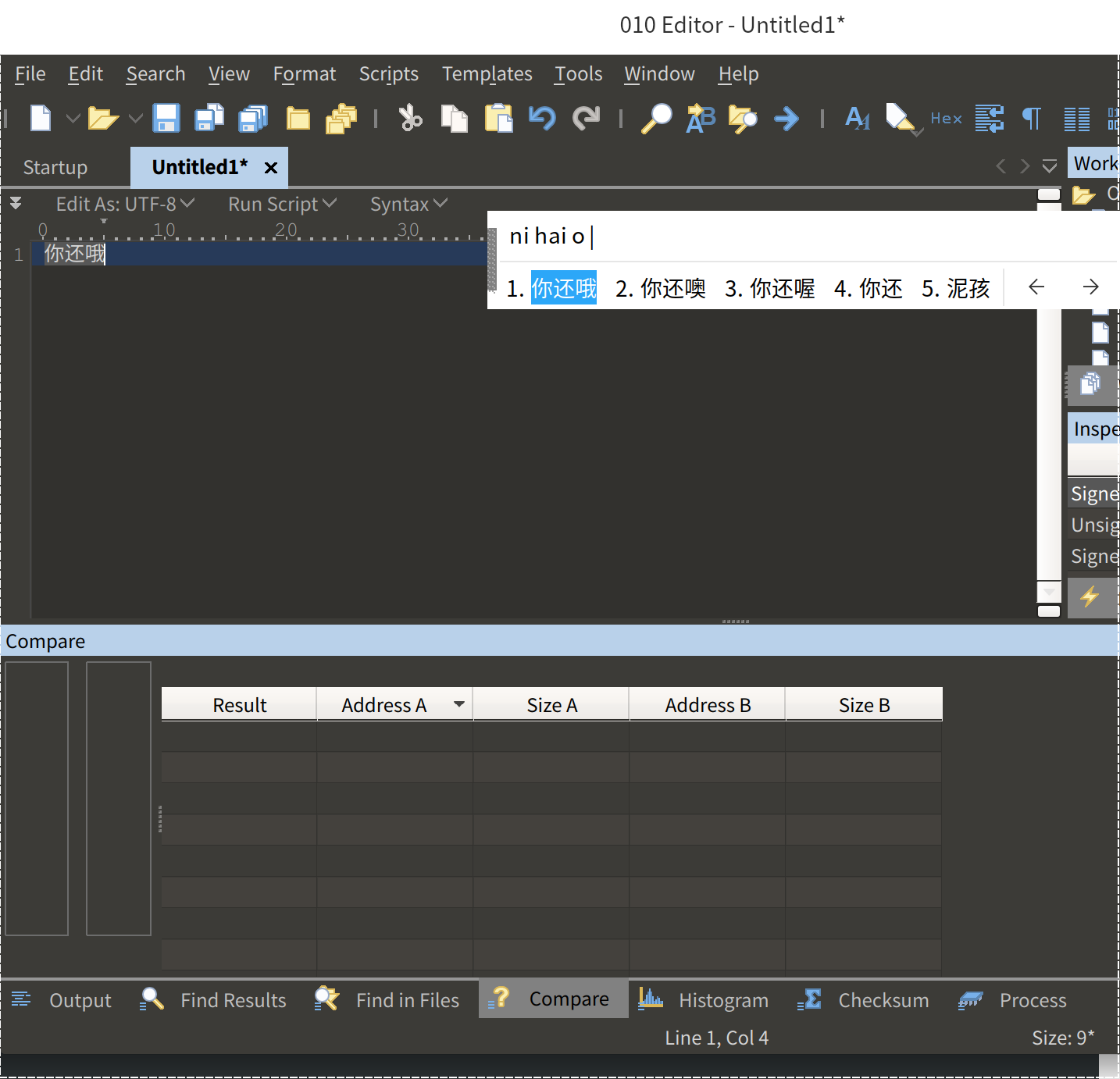
另一个没有编译fcitx支持的软件 010 editor 我也是这么运行的


Reply View the author
deepin_z
deepin
2020-09-23 22:48
#20
https://bbs.deepin.org/post/202387
@xiaotu88
如果你一定要使用中文输入,除了修改appimg包,还有一个办法是同时运行ibus和fcitx,针对kdenlive ...

你的办法很好用,我们技术用你的办法重新打包了,可以输入中文,会在今天更新之后上架,谢谢!!
Reply View the author
1 / 2
To page