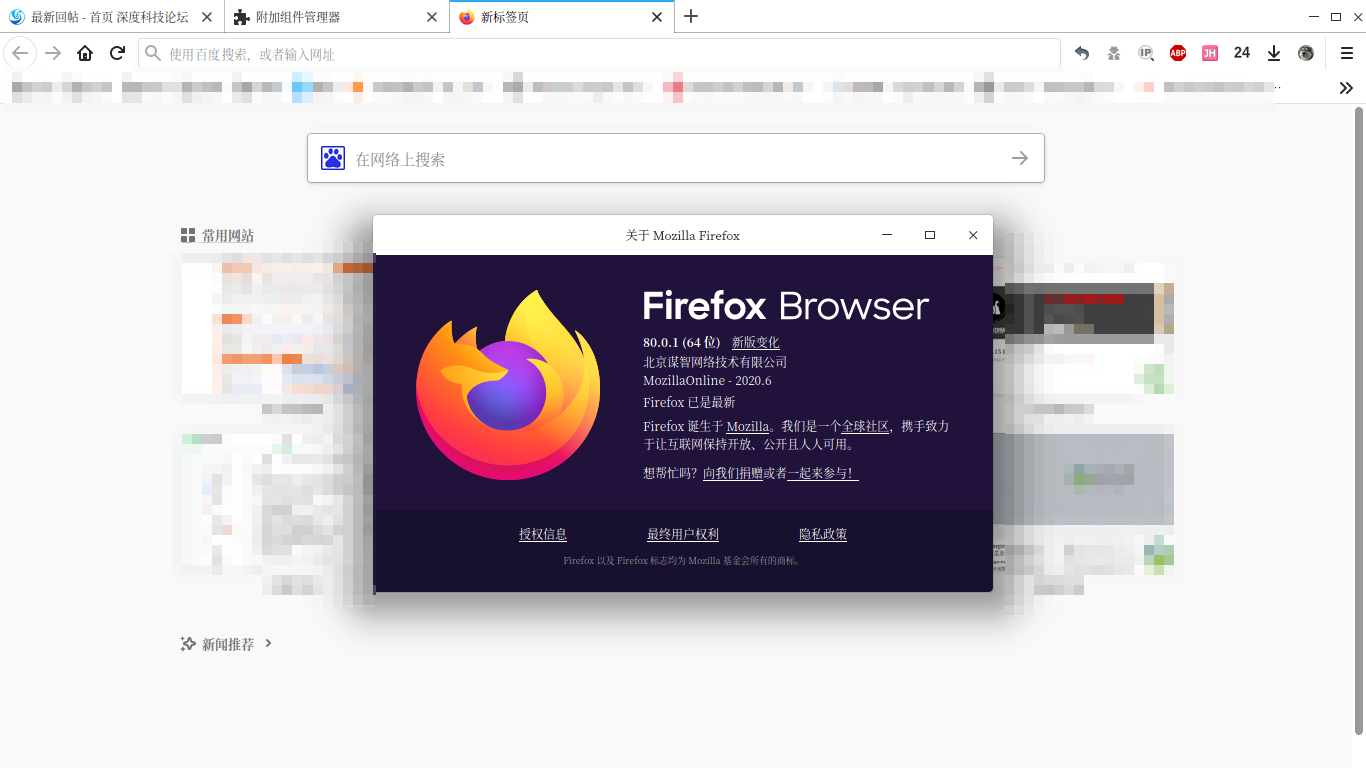
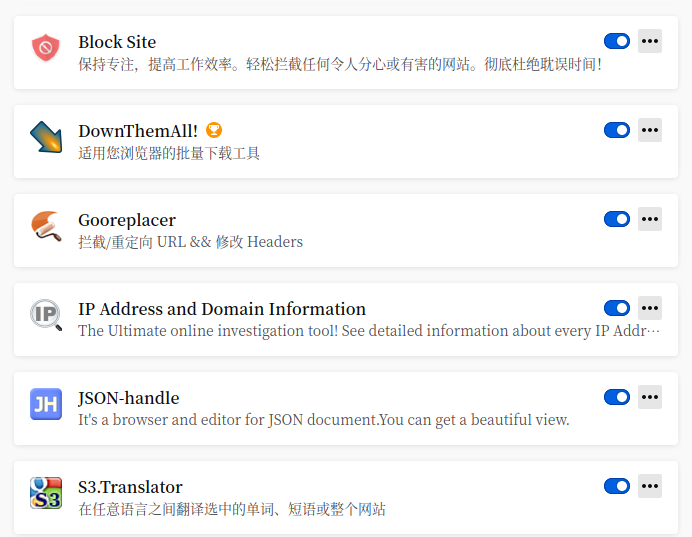
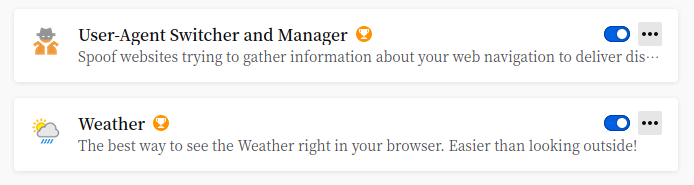
今天开始用 firefox,大家都用什么好的扩展分享下?
Tofloor
poster avatar
走钢丝
deepin
2020-09-17 18:14
Author
360 免费版不更新了,今天开始换用 firefox,大家都用什么好的扩展或技巧分享下?


Reply Favorite View the author
All Replies
走钢丝
deepin
2020-09-17 18:24
#1
firedog 镇楼


Reply View the author
element
deepin
2020-09-17 18:29
#2
个人建议还是用谷歌吧。。
Reply View the author
山高谷深
deepin
2020-09-17 18:49
#3
https://bbs.deepin.org/post/202336
个人建议还是用谷歌吧。。

火狐挺好的。
Reply View the author
走钢丝
deepin
2020-09-17 19:00
#4
找到一个方便的设置:

鼠标滚动标签

在地址栏输入 about:config 回车打开高级首选项,搜索 toolkit.tabbox.switchByScrolling 双击改为 true
Reply View the author
Ziggy
deepin
2020-09-17 19:02
#5
建议参考RunningCheese Firefox for Mac的拓展
Reply View the author
SamLukeYes
deepin
2020-09-17 19:05
#6
Pro Tip: Use the international edition

Reply View the author
走钢丝
deepin
2020-09-17 19:08
#7
https://bbs.deepin.org/post/202336
建议参考RunningCheese Firefox for Mac的拓展

多谢了。看了下,东西真不少。我慢慢试试。
Reply View the author
走钢丝
deepin
2020-09-17 19:09
#8
https://bbs.deepin.org/post/202336
Pro Tip: Use the international edition

国际版有啥好的?
Reply View the author
zerofancy
deepin
2020-09-17 19:11
#9
Bitwarden 虽然所有浏览器都自带密码管理器,但我更喜欢把密码保存在Bitwarden。能在不同设备、不同系统、不同浏览器之间保持同步。
Adblock Plus 广告屏蔽。
Tampermonkey 油猴脚本。
WhatRuns 分析当前网页用到的技术。
cliget 复制刚刚下载的文件到curl/wget/aria2,毕竟下载这东西很玄幻,说不定浏览器不能下载wget就能下载。
Vimium 用键盘操作浏览器。目前Firedox版还是Beta状态。
HTTPS Everywhere 在网站支持的情况下尽量使用https。
Decentraleyes 支持将部分静态资源做本地CDN

很多人安装Firedox苦于找不到国际版,在手机上可以通过FFUpdater安装。https://f-droid.org/en/packages/de.marmaro.krt.ffupdater/
Reply View the author
SamLukeYes
deepin
2020-09-17 19:13
#10
https://bbs.deepin.org/post/202336
国际版有啥好的?

干净一些,不会给你自作聪明预装插件,也不会给你预置奇奇怪怪的主页。唯一的缺点是国际版不能用国内的同步服务,但实际上在国内也可以用全球的同步服务。
Reply View the author
wanzhendema
deepin
2020-09-17 19:13
#11
XDM Browser Monitor      下载工具xdm的浏览器扩展
附加组件管理器              firefox国际版切换国内版
Infinity 新标签页 (Pro)    让你可以自定义你的新标签页
LastPass                        密码管理
Video Speed Controller    加速视频和广告播放速度
Reply View the author
SamLukeYes
deepin
2020-09-17 19:14
#12
https://bbs.deepin.org/post/202336
国际版有啥好的?

不过国内版把预装的那些插件都删了其实也差不多
Reply View the author
走钢丝
deepin
2020-09-17 19:21
#13
https://bbs.deepin.org/post/202336
XDM Browser Monitor      下载工具xdm的浏览器扩展
附加组件管理器              firefox国际版切换国内版 ...

Infinity 看起来不错。
Reply View the author
wanzhendema
deepin
2020-09-17 19:31
#14
https://bbs.deepin.org/post/202336
Infinity 看起来不错。

那是。这个有普通版和Pro版。Pro版功能多一点,不过登录有点问题。我用的微薄登录需要先登陆微薄在点登陆。
Reply View the author
skyround
deepin
2020-09-17 19:33
#15
https://bbs.deepin.org/post/202336
不过国内版把预装的那些插件都删了其实也差不多

对比过win下国际版国内版安装包,国内版就多个distribution文件夹,里面包括了预装的扩展,设置了国内同步服务地址,其他一模一样
Reply View the author
wanzhendema
deepin
2020-09-17 19:38
#16
https://bbs.deepin.org/post/202336
干净一些,不会给你自作聪明预装插件,也不会给你预置奇奇怪怪的主页。唯一的缺点是国际版不能用国内的同 ...

我试过全球同步服务,书签可以同步但插件不同步。
Reply View the author
laoliu945
deepin
2020-09-17 19:49
#17
只有一个 ublock origin
Reply View the author
走钢丝
deepin
2020-09-17 19:52
#18
迅雷的扩展居然不支持 linux 版迅雷。。
Reply View the author
KeiSyut
deepin
2020-09-17 20:41
#19
https://bbs.deepin.org/post/202336
我试过全球同步服务,书签可以同步但插件不同步。

firefox里面安装的扩展是可以同步的。不是从里面下载安装的是不会同步的。
Reply View the author
山高谷深
deepin
2020-09-18 01:42
#20
我来说说我用的插件:1.去广告的:ublock,开源,而且不会问你是否保留广告。
2.脚本管理器:暴力猴
3.翻译插件:侧边翻译、沙拉查词
4.图片插件:图片助手、浮图秀
5.下载相关插件:多线程下载管理器、DownThemAll!、Video DownloadHelper
6.视频插件:HLS.js Playback(装了浏览器就可以直接看m3u8视频了)
7.新建标签插件:Tabliss
8.鼠标手势插件:Gesturefy
9其他工具插件:SingleFile、User-Agent Switcher;还有两个火狐中国搞的插件:附加组件管理器和标签页优化,这两个火狐中国版自带,国际版想安装去火狐中国社区装(还挺好使的)。
10.隐私相关插件:隐私獾、CanvasBlocker、Decentraleyes、HTTPS Everywhere
还有我没启用的但是安装了的插件:Cookie AutoDelete、EPUBReader、VivaldiFox、Firefox Multi-Account Containers、Firefox Relay
可以抽时间去火狐商店每个搜索看一下,应该会有你需要的。
Reply View the author