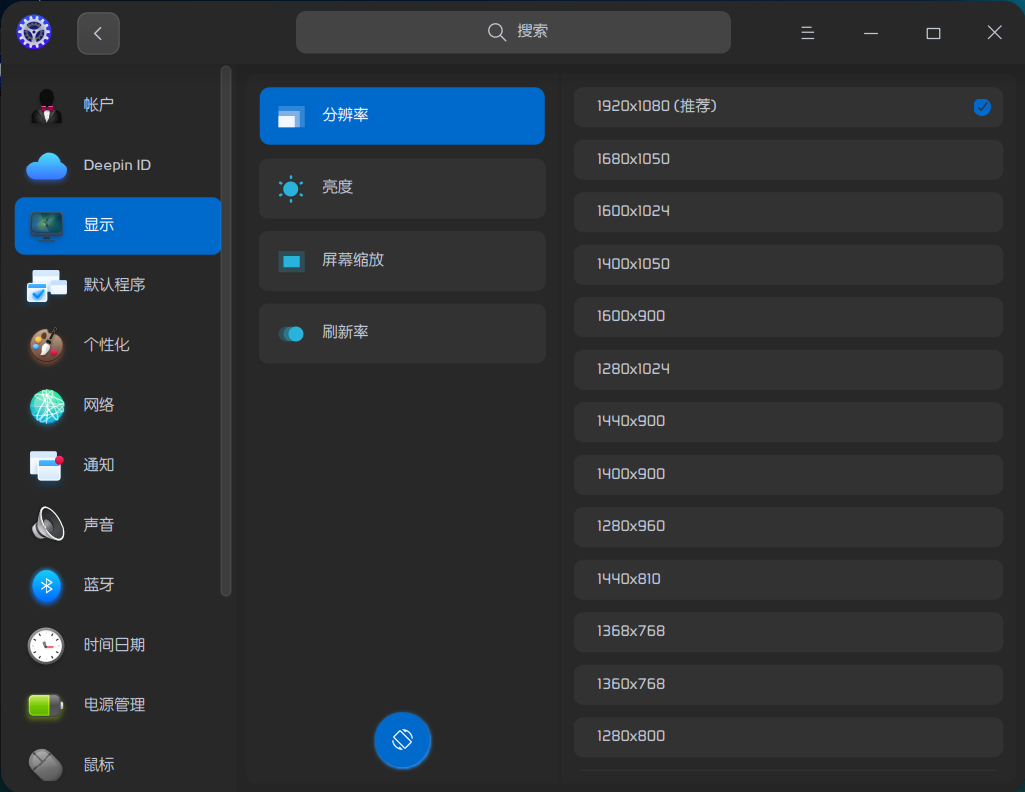
安装 Deppin 20 后,发现没有分辨 1920*1080
Tofloor
poster avatar
captainwoshijack
deepin
2020-09-14 00:59
Author
本帖最后由 captainwoshijack 于 2020-9-13 17:17 编辑

请问这个分辨率淘汰了吗?
Reply Favorite View the author
All Replies
marry100
deepin
2020-09-14 01:14
#1


有的啊
Reply View the author
captainwoshijack
deepin
2020-09-14 01:15
#2
如图如图如图
Reply View the author
captainwoshijack
deepin
2020-09-14 01:19
#3

我在虚拟机安装的,没有这个分辨率,你在哪里安装的
Reply View the author
marry100
deepin
2020-09-14 01:29
#4
https://bbs.deepin.org/post/201997
我在虚拟机安装的,没有这个分辨率,你在哪里安装的

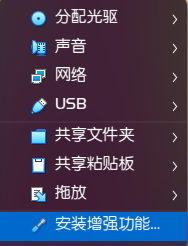
我虚拟机也安装过,现在实在笔记本上安的,如果是虚拟机安,如果用的是virtualBox的话,你需要在虚拟机系统里安装一下“增强功能”。这样就可以设置分辨率了
Reply View the author
haohu1193
deepin
2020-09-14 01:29
#5
https://bbs.deepin.org/post/201997
我在虚拟机安装的,没有这个分辨率,你在哪里安装的

虚拟机上发现的问题还是少提吧...实在没有意义啊...
Reply View the author
captainwoshijack
deepin
2020-09-14 01:32
#6
https://bbs.deepin.org/post/201997
我虚拟机也安装过,现在实在笔记本上安的,如果是虚拟机安,如果用的是virtualBox的话,你需要在虚拟 ...

之前使用 Vmware Workstation 安装没有问题,现在换了 Oracle VM Virtualbox,我安装增强工具看看
Reply View the author
captainwoshijack
deepin
2020-09-14 01:59
#7
https://bbs.deepin.org/post/201997
我虚拟机也安装过,现在实在笔记本上安的,如果是虚拟机安,如果用的是virtualBox的话,你需要在虚拟 ...

可以了,一时没有想起来增强工具这个东西,谢谢!
Reply View the author
═☆两马☆═
deepin
2020-09-14 02:05
#8
我的有一台老笔记本,安装uos后只有一个分辨率,显示也不正常,整体拉伸状态,显示显卡启动未安装,这要怎么安装显卡启动,网上搜了很多方发,都未能安装,基本都显示依赖不足。
Reply View the author
marry100
deepin
2020-09-14 02:05
#9
https://bbs.deepin.org/post/201997
可以了,一时没有想起来增强工具这个东西,谢谢!

不客气
Reply View the author
captainwoshijack
deepin
2020-09-14 03:27
#10
目前体验比之前 deepin 15还要差点,文件不能复制到物理机,点击文件没有反应,出现假死
Reply View the author
Ziggy
deepin
2020-09-14 04:33
#11
https://bbs.deepin.org/post/201997
我的有一台老笔记本,安装uos后只有一个分辨率,显示也不正常,整体拉伸状态,显示显卡启动未安装,这要怎 ...

我的帖子有
Reply View the author