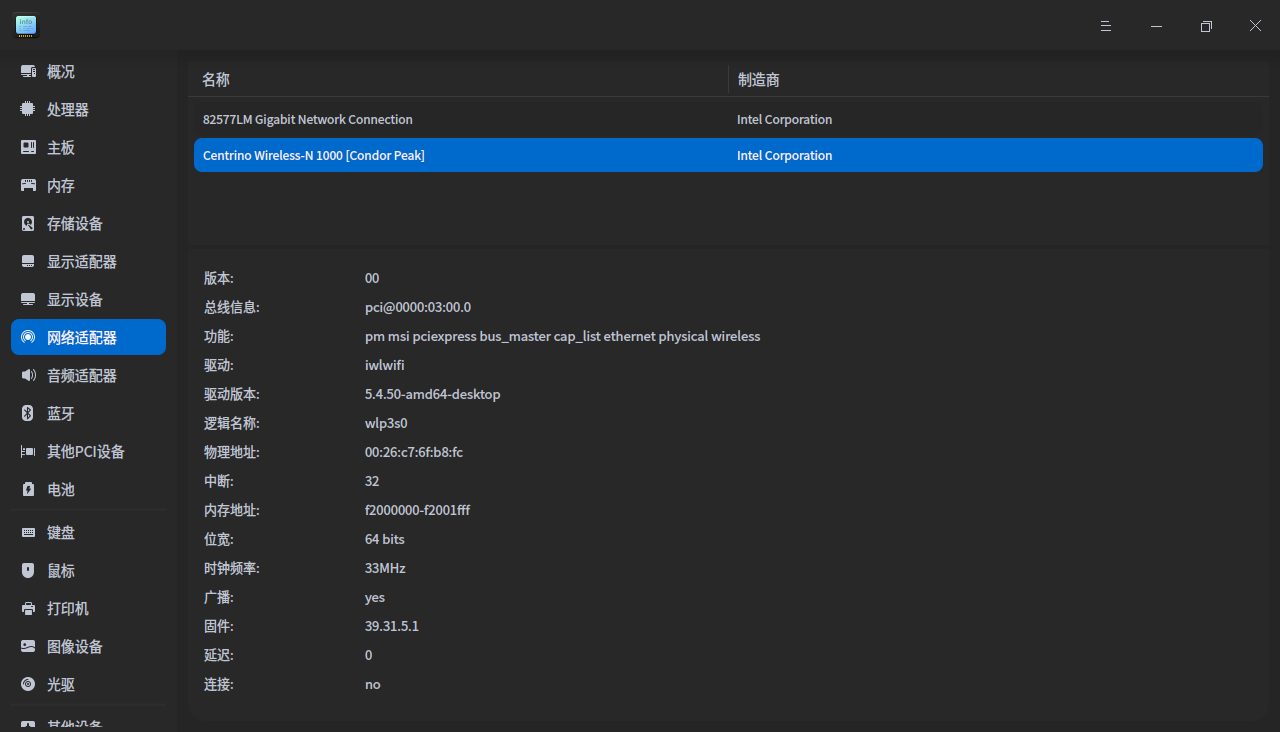
升级到1002后,wifi怎么就没有呢?
Tofloor
poster avatar
mardou
deepin
2020-09-13 00:30
Author
今天将deepin 20(1001)升级到(1002),重新启动后发现,原来的wifi失踪了。百度上找了一些方法,竟然都没有破解这个问题。


Reply Favorite View the author
All Replies
Ziggy
deepin
2020-09-13 00:46
#1
具体配置列一下
Reply View the author
kirin2020
deepin
2020-09-13 01:09
#2
我升级后一切正常,而且我自编译内核到最新版本5.8.8啦
Reply View the author
mardou
deepin
2020-09-13 02:52
#3

怎么检查具体配置?谢谢
Reply View the author
mardou
deepin
2020-09-13 03:08
#4
https://bbs.deepin.org/post/201891
我升级后一切正常,而且我自编译内核到最新版本5.8.8啦

怎么升级的,向各位坛友通报一下呢
Reply View the author
Ziggy
deepin
2020-09-13 04:16
#5
https://bbs.deepin.org/post/201891
怎么检查具体配置?谢谢

设备管理器,首页截个图
Reply View the author
mardou
deepin
2020-09-13 16:37
#6
https://bbs.deepin.org/post/201891
设备管理器,首页截个图

昨晚因为会见几个朋友,所以没有及时回复你的帮助,不好意思。设备管理器中显示的有线和无线网上貌似都正常,而且我的手提无线网上指示灯也是亮着的,就是没有无线。


Reply View the author
Ziggy
deepin
2020-09-13 19:16
#7
https://bbs.deepin.org/post/201891
昨晚因为会见几个朋友,所以没有及时回复你的帮助,不好意思。设备管理器中显示的有线和无线网上貌似都正 ...

https://downloadcenter.intel.com ... inux-?product=55350这个驱动参考一下
Reply View the author
mardou
deepin
2020-09-15 02:15
#8
https://bbs.deepin.org/post/201891
https://downloadcenter.intel.com/download/15817/Intel-Network-Adapter-Driver-for-PCIe-Intel-Gigabi ...

谢谢的帮助。昨天抽时间在你提供的链接上下载了一个格式为GZ 的文件,但怎么弄才能把这个驱动安装上去。根据百度上提供的“linux环境下的.gz的解压和安装”经验和步骤,试了两种方法步骤,却在过程中出现的提示与他们提供的却不同,所以仍然无法解决升级后没有“wifi”的这个奇怪的现象。
Reply View the author
Ziggy
deepin
2020-09-15 03:47
#9
https://bbs.deepin.org/post/201891
谢谢的帮助。昨天抽时间在你提供的链接上下载了一个格式为GZ 的文件,但怎么弄才能把这个驱动安装上去。 ...

https://downloadmirror.intel.com/15817/eng/readme.txt看To manually build the driver
Reply View the author
mardou
deepin
2020-09-15 05:38
#10
https://bbs.deepin.org/post/201891
https://downloadmirror.intel.com/15817/eng/readme.txt看To manually build the driver

好的。谢谢
Reply View the author