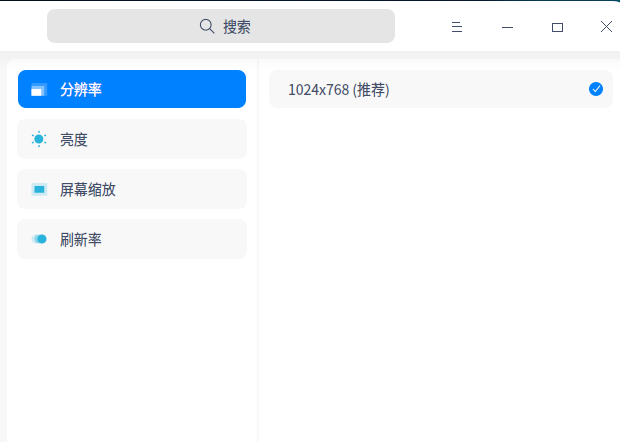
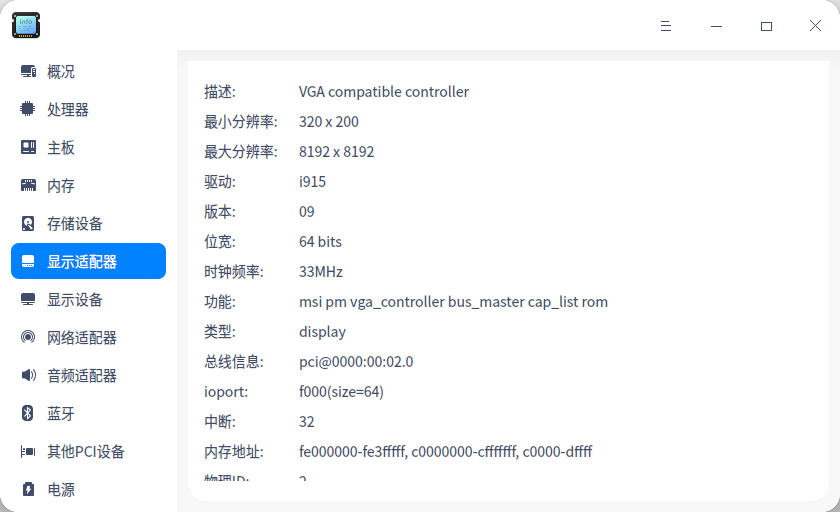
为什么只有一个分辨率可以选择?
Tofloor
poster avatar
yeshixin
deepin
2020-09-09 23:31
Author

Reply Favorite View the author
All Replies
beautycell
deepin
2020-09-10 00:12
#1
我猜猜你是升级内核了吧
Reply View the author
yeshixin
deepin
2020-09-10 00:39
#2
https://bbs.deepin.org/post/201638
我猜猜你是升级内核了吧

没升级过,装了20社区版后一开始就这样,以前装的15.5版本也是这样
Reply View the author
Ziggy
deepin
2020-09-10 01:20
#3
装闭源驱动吧,看我的帖子
Reply View the author
yeshixin
deepin
2020-09-10 01:46
#4
https://bbs.deepin.org/post/201638
装闭源驱动吧,看我的帖子

对了,我这台没有独显,只有英特尔自己的集显
Reply View the author
Ziggy
deepin
2020-09-10 03:39
#5
https://bbs.deepin.org/post/201638
对了,我这台没有独显,只有英特尔自己的集显

啊这,你装的是哪个系统?哪个内核?具体配置多少
Reply View the author
═☆两马☆═
deepin
2020-09-10 03:57
#6
我的同样也是只有一个分辨率。
Reply View the author
yeshixin
deepin
2020-09-10 03:58
#7
https://bbs.deepin.org/post/201638
啊这,你装的是哪个系统?哪个内核?具体配置多少

老机子了
设备:                  System manufacturer System Product Name (SKU) Desktop Computer
操作系统:                Deepin 20(https://www.deepin.org/) Linux version 5.4.50-amd64-desktop (deepin@deepin-PC) (Uos 8.3.0.3-3+rebuild) #74 SMP Mon Aug 24 20:15:37 CST 2020
处理器:                 Intel(R) Celeron(R) CPU G540 @ 2.50GHz (双核 / 双逻辑处理器)
主板:                  P8H61-M LX
内存:                  4GB(99P5474-014.A00LF DDR3 1067MHz (0.9ns))
存储设备:                WDC WD5000AAKX-003CA0 (500 GB)
Reply View the author
Ziggy
deepin
2020-09-10 04:04
#8
https://bbs.deepin.org/post/201638
老机子了
设备:                  System manufacturer System Product Name (SKU) Desktop Computer
操 ...

要不试一下升级安装源里的5.7内核?
Reply View the author
jfpwan
deepin
2020-09-10 09:00
#9
把显示器数据线两端都拔了,重新插紧,再开机!或是换上数据线!你可以这样试试!我也出现过!
Reply View the author
yeshixin
deepin
2020-09-10 21:17
#10
https://bbs.deepin.org/post/201638
把显示器数据线两端都拔了,重新插紧,再开机!或是换上数据线!你可以这样试试!我也出现过! ...

进deepin就这样,但是进windows好好地没什么问题
Reply View the author
jfpwan
deepin
2020-09-11 07:24
#11
https://bbs.deepin.org/post/201638
进deepin就这样,但是进windows好好地没什么问题

我也是双系统,WIN也没问题,拔了重新插紧试试!
Reply View the author