deepin备份还原
Tofloor
poster avatar
187******02
deepin
2020-09-06 23:18
Author
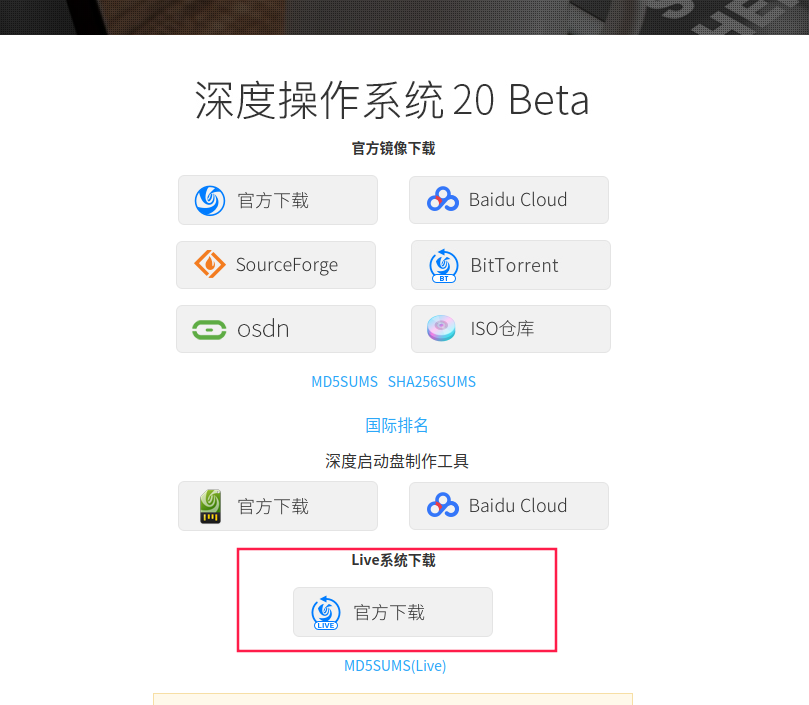
deepin官方提供了深度live系统,集成有系统修复和备份还原的功能,这个系统有点类似windows下的PE工具。
下载深度live系统:https://www.deepin.org/zh/download/
制作深度live启动盘
利用deepin自带的启动盘制作工具,把刚刚下载的深度live系统写入u盘,图形界面根据提示下一步下一步就好了,这里省略制作过程。
从u盘启动深度live系统
重启电脑进入u盘里的live系统(可设置bios启动项)
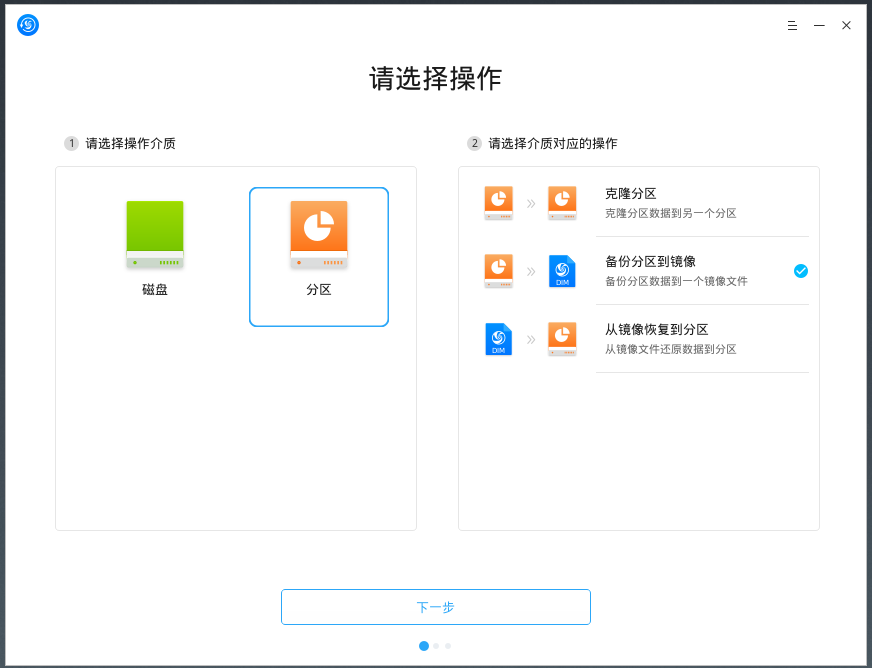
在live系统桌面上就有深度备份还原工具,双击打开
这里支持备份磁盘或者备份分区,如果只是备份deepin的系统盘那选择分区就好了,选择备份分区到镜像,点击下一步会提示选择分区,选择自己所需要的分区就可以备份到磁盘指定位置了。
这里选择从镜像恢复到分区就可以把之前备份的镜像一键恢复到分区了。
deepin团队把这些操作做成了图形化,很容易操作,最好像这样在u盘里运行live系统来备份,成功率比较大。

Reply Favorite View the author
All Replies
辉夜
deepin
2020-09-06 23:31
#1
不知道为啥,我虚拟机进不了live
Reply View the author
187******02
deepin
2020-09-06 23:33
#2
https://bbs.deepin.org/post/201480
不知道为啥,我虚拟机进不了live

你把live装进虚拟机里了?
Reply View the author
辉夜
deepin
2020-09-06 23:43
#3
https://bbs.deepin.org/post/201480
你把live装进虚拟机里了?

没~  只是开机加载进不去,变成直接进入系统了
Reply View the author
187******02
deepin
2020-09-06 23:48
#4
https://bbs.deepin.org/post/201480
没~  只是开机加载进不去,变成直接进入系统了

把live系统写入u盘里 在电脑bios那里设置启动项顺序 可以顺利进去
Reply View the author
kirin2020
deepin
2020-09-07 00:44
#5
谢谢分享,但如果能直接把备份、恢复功能落实在系统里就更加方便了,不用另外做启动盘。
Reply View the author
杨海瑞
deepin
2020-09-07 04:18
#6
我有一个记得分区就是解压的这个镜像 非常好用
Reply View the author
beautycell
deepin
2020-09-07 05:52
#7
https://bbs.deepin.org/post/201480
谢谢分享,但如果能直接把备份、恢复功能落实在系统里就更加方便了,不用另外做启动盘。 ...

我理解应该是已经无法进入系统的时候选择live
Reply View the author
beautycell
deepin
2020-09-07 06:19
#8
我都睡醒了 还是5%
Reply View the author
187******02
deepin
2020-09-07 06:46
#9
https://bbs.deepin.org/post/201480
我都睡醒了 还是5%

我这里一分钟就好了...
Reply View the author
deepin-mq
deepin
2020-09-07 16:23
#10
感谢分享
Reply View the author
xiguayuyichao
deepin
2021-01-08 05:20
#11

其他的Linux系统可以用么

Reply View the author
187******02
deepin
2021-01-27 03:53
#12
xiguayuyichao

其他的Linux系统可以用么

应该都可以吧 无非就是个打包加密压缩镜像到指定位置 再从指定位置解密解压缩还原文件的功能。

Reply View the author
SamLukeYes
deepin
2021-01-27 04:11
#13
xiguayuyichao

其他的Linux系统可以用么

不如 timeshift

Reply View the author
187******02
deepin
2021-02-18 18:57
#14
SamLukeYes

不如 timeshift

换到ubuntu20.04之后都是用ubuntu自带的备份工具做定时备份了 ,可以设置每周自动备份一次,ubuntu下面软件稳定一点。

Reply View the author