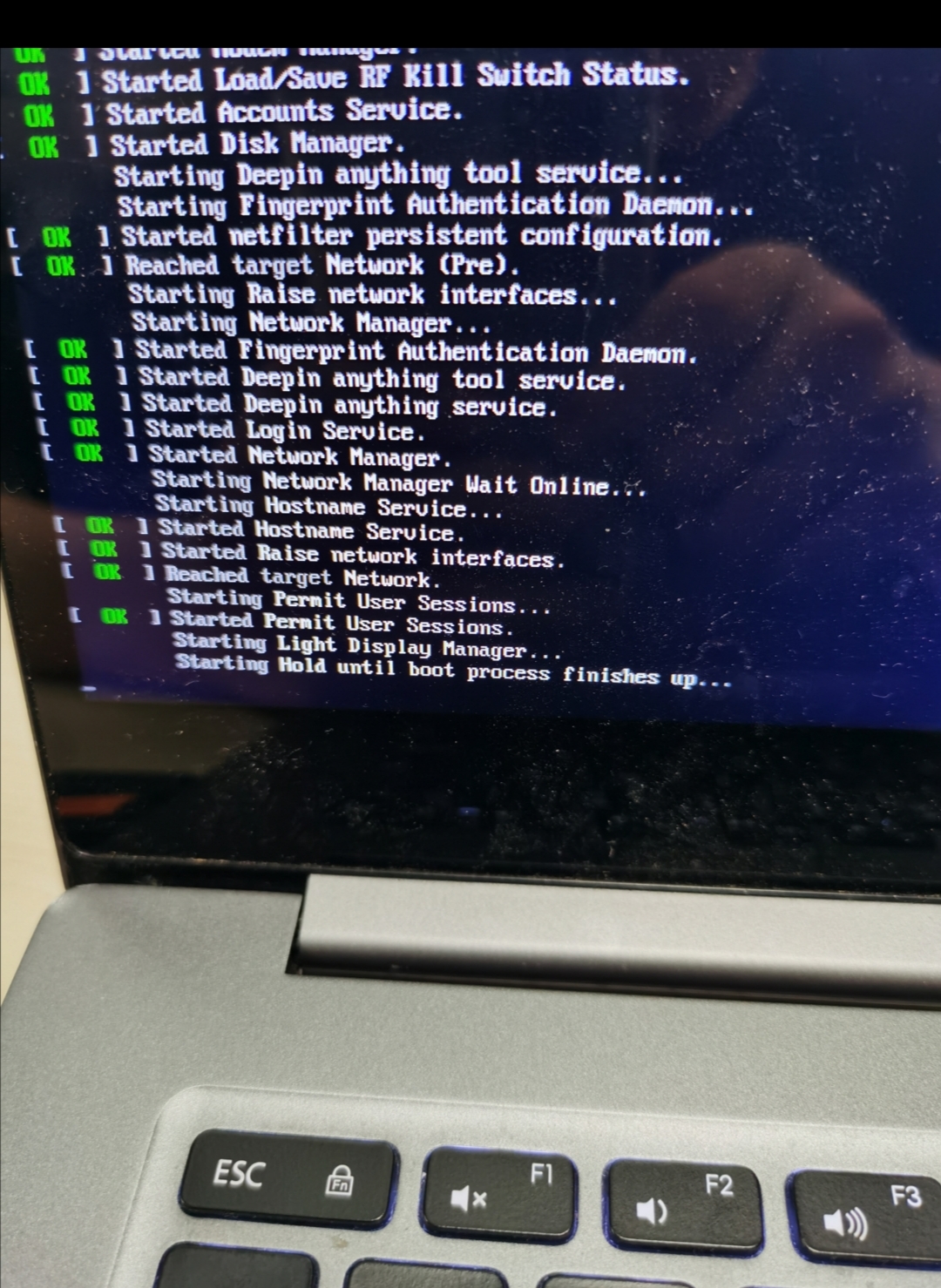
redshift无法调节色温,内核除了4.15.0会卡在如下界面
Tofloor
poster avatar
baolj
deepin
2020-09-04 06:41
Author
二楼放图
Reply Favorite View the author
All Replies
avatar
baolj
deepin
2020-09-04 06:47
#1

Reply View the author
avatar
baolj
deepin
2020-09-04 06:49
#2
然后关于redshift:
设置开机自启动后,虽然右下角有图标,但并未起效
用命令行 sudo redshift,就能生效
Reply View the author
avatar
baolj
deepin
2020-09-04 06:54
#3
发不了图。。。就是那个很多界面
starting hold until boot process finishes up
Reply View the author
avatar
baolj
deepin
2020-09-04 06:56
#4
就是那个很多行ok界面
Reply View the author
avatar
jingle
deepin
2020-09-04 07:09
#5
控制中心 有设置
Reply View the author
avatar
archlte
deepin
2020-09-04 08:26
#6
最新版可以在控制中心调色温了
Reply View the author
avatar
baolj
deepin
2020-09-04 08:36
#7
我在设置中心也一样无法调节色温;另外就是如果不使用4. 15内核启动,就会卡在这个界面
Reply View the author
avatar
ylxdxx
deepin
2020-09-04 19:41
#8
jingle 发表于 2020-9-3 23:09
控制中心 有设置

赞一个   
Reply View the author
avatar
baolj
deepin
2020-09-04 21:26
#9
https://bbs.deepin.org/post/201314
最新版可以在控制中心调色温了

我一样无法在控制中心调节色温,只有sudo redshift才有效;
Reply View the author
avatar
mcaoser
deepin
2020-09-05 18:25
#10
我的在控制面板里也调节不了,键盘自带的快捷键也调不了,在kubuntu和win7下用快捷键都可以调。thinkpad x61,很古老的机器。5.4和5.7内核均不行
Reply View the author