中文
中文 

 deepin


饮料再好也比不上麦芽发酵 deepin
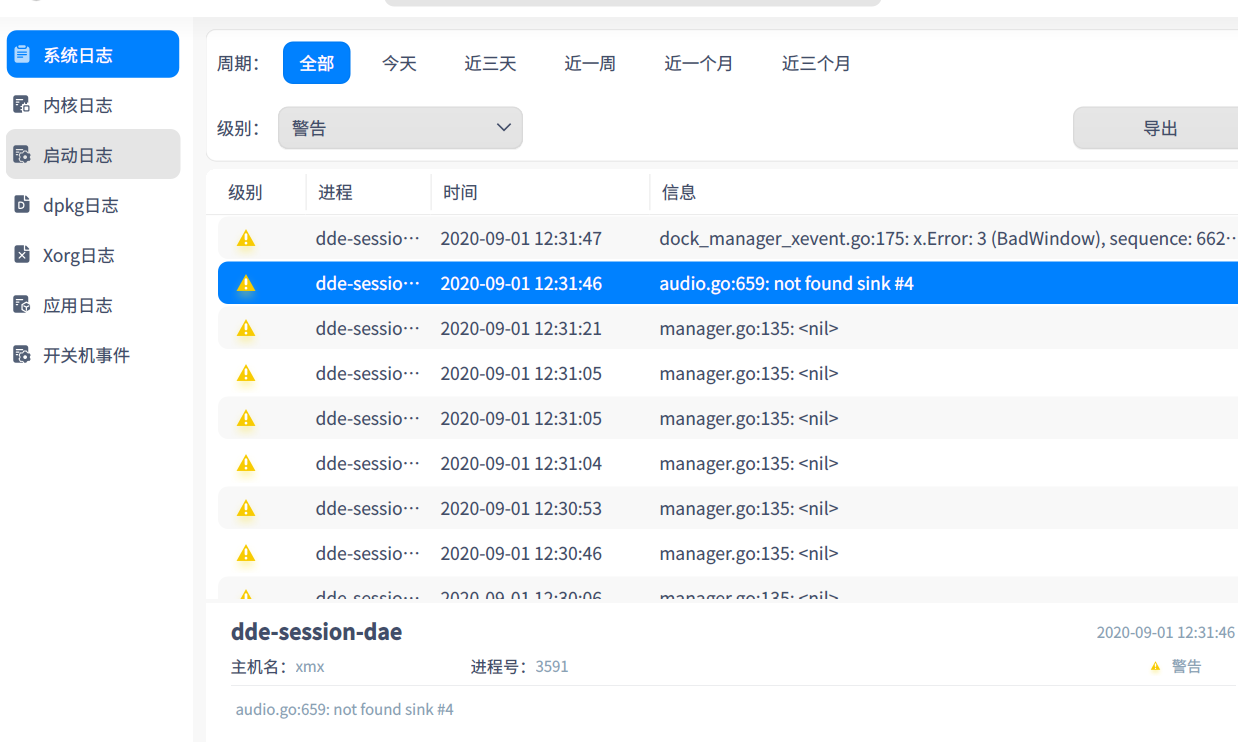
2020-08-31 17:29 deepin 我认为,可以理解为后台服务运行日志,就是systemd日志
honor@honor-PC:~$ journalctl -f
Hint: You are currently not seeing messages from other users and the system.
Users in groups 'adm', 'systemd-journal' can see all messages.
Pass -q to turn off this notice.
-- Logs begin at Sat 2020-08-29 16:53:53 CST. --
8月 31 09:20:51 honor-PC daemon/trayicon[4167]: traymanager.go:369: Add tray icon 62915487 name: "sogou-qimpanel"
8月 31 09:20:51 honor-PC x-event-monitor[4167]: manager.go:135:
8月 31 09:20:52 honor-PC x-event-monitor[4167]: manager.go:135:
8月 31 09:20:54 honor-PC x-event-monitor[4167]: manager.go:135:
8月 31 09:25:53 honor-PC startdde[3824]: startmanager.go:461: dispatcher.NewApp error: mkdir /sys/fs/cgroup/blkio/2@dde: permission denied
8月 31 09:25:53 honor-PC startdde[3824]: startmanager.go:546: send openapp message, app info /usr/share/applications/deepin-terminal.desktop/终端/deepin-terminal
8月 31 09:25:54 honor-PC daemon/dock[4167]: app_entry.go:239: attach window id: 102760458, wmClass: "deepin-terminal" "deepin-terminal", wmState: [], wmWindowType: [390], wmAllowedActions: [521 522 523 524 526 527 528 529 530], hasXEmbedInfo: false, hasWmTransientFor: false
8月 31 09:26:17 honor-PC x-event-monitor[4167]: manager.go:135:
8月 31 09:26:52 honor-PC x-event-monitor[4167]: manager.go:135:
8月 31 09:26:53 honor-PC x-event-monitor[4167]: manager.go:135:
honor@honor-PC:~$ journalctl -f
Hint: You are currently not seeing messages from other users and the system.
Users in groups 'adm', 'systemd-journal' can see all messages.
Pass -q to turn off this notice.
-- Logs begin at Sat 2020-08-29 16:53:53 CST. --
8月 31 09:20:51 honor-PC daemon/trayicon[4167]: traymanager.go:369: Add tray icon 62915487 name: "sogou-qimpanel"
8月 31 09:20:51 honor-PC x-event-monitor[4167]: manager.go:135:
8月 31 09:20:52 honor-PC x-event-monitor[4167]: manager.go:135:
8月 31 09:20:54 honor-PC x-event-monitor[4167]: manager.go:135:
8月 31 09:25:53 honor-PC startdde[3824]: startmanager.go:461: dispatcher.NewApp error: mkdir /sys/fs/cgroup/blkio/2@dde: permission denied
8月 31 09:25:53 honor-PC startdde[3824]: startmanager.go:546: send openapp message, app info /usr/share/applications/deepin-terminal.desktop/终端/deepin-terminal
8月 31 09:25:54 honor-PC daemon/dock[4167]: app_entry.go:239: attach window id: 102760458, wmClass: "deepin-terminal" "deepin-terminal", wmState: [], wmWindowType: [390], wmAllowedActions: [521 522 523 524 526 527 528 529 530], hasXEmbedInfo: false, hasWmTransientFor: false
8月 31 09:26:17 honor-PC x-event-monitor[4167]: manager.go:135:
8月 31 09:26:52 honor-PC x-event-monitor[4167]: manager.go:135:
8月 31 09:26:53 honor-PC x-event-monitor[4167]: manager.go:135:
Reply Like 0 View the author