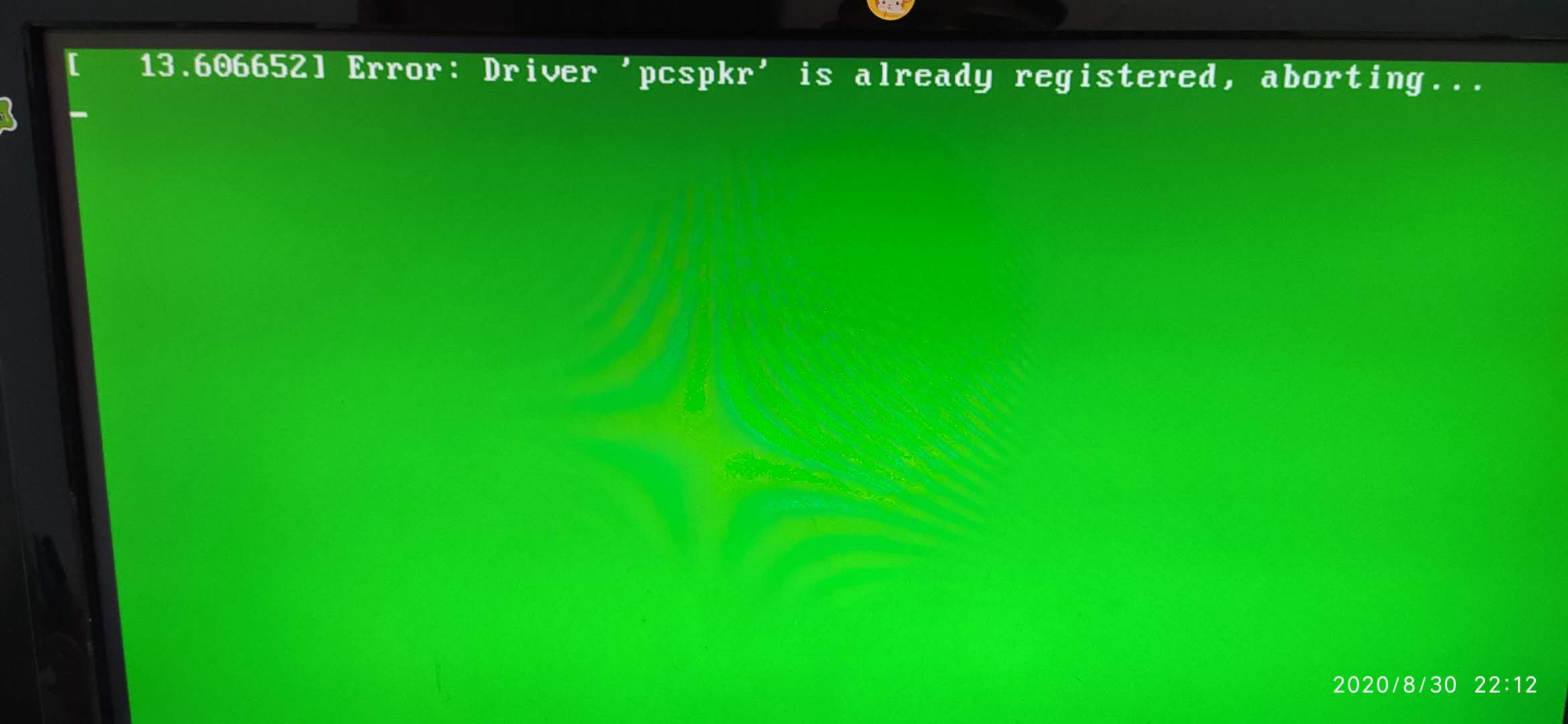
更新完后无法进入系统,怎么办
Tofloor
poster avatar
135******60
deepin
2020-08-31 03:51
Author
升级完后一直卡在这个绿色界面,之前手动安装了nvidia官方驱动,按ctrl+alt+f2也没有反应,按什么键都没有反应,怎么解决呢??

在开机选择系统界面,选择Advanced options for Deepin 20 GNU/Linux的第二个选项
Deepin 20 GNU/Linux, with Linux 5.3.0-3-amd64可以进入系统。


Reply Favorite View the author
All Replies
avatar
Ziggy
deepin
2020-08-31 04:08
#1
先进正常的系统卸载驱动,再通过apt重新安装
Reply View the author
avatar
135******60
deepin
2020-08-31 06:31
#2
https://bbs.deepin.org/post/200954
先进正常的系统卸载驱动,再通过apt重新安装

卸载后,重装驱动就成这样了。。


Reply View the author
avatar
Ziggy
deepin
2020-08-31 06:36
#3
https://bbs.deepin.org/post/200954
卸载后,重装驱动就成这样了。。

还没卸载完全吧,用什么命令安装的?
Reply View the author
avatar
135******60
deepin
2020-08-31 06:40
#4
https://bbs.deepin.org/post/200954
还没卸载完全吧,用什么命令安装的?

sudo sh XXX.run
Reply View the author
avatar
Ziggy
deepin
2020-08-31 06:41
#5

建议用apt安装,我帖子里有可以参考的,仅供参考
Reply View the author
avatar
135******60
deepin
2020-08-31 06:43
#6
https://bbs.deepin.org/post/200954
建议用apt安装,我帖子里有可以参考的,仅供参考

哪我现在怎么处理呢??
Reply View the author
avatar
Ziggy
deepin
2020-08-31 07:05
#7
https://bbs.deepin.org/post/200954
哪我现在怎么处理呢??

能进tty进行操作嘛?ctrl+alt+F2-6
Reply View the author
avatar
135******60
deepin
2020-08-31 07:10
#8
https://bbs.deepin.org/post/200954
能进tty进行操作嘛?ctrl+alt+F2-6

不能,只能选择Advanced options for Deepin 20 GNU/Linux的第二个选项
Deepin 20 GNU/Linux, with Linux 5.3.0-3-amd64进入系统。
Reply View the author
avatar
Ziggy
deepin
2020-08-31 07:18
#9
https://bbs.deepin.org/post/200954
不能,只能选择Advanced options for Deepin 20 GNU/Linux的第二个选项
Deepin 20 GNU/Linux, with Linux ...

引导完之后才能进的...系统都没加载,怎么tty
Reply View the author
avatar
qxqzx
deepin
2020-08-31 08:05
#10
我记得好像是sudo sh xxx.run-uninstall
Reply View the author
avatar
135******60
deepin
2020-09-01 05:15
#11
https://bbs.deepin.org/post/200954
引导完之后才能进的...系统都没加载,怎么tty

一直卡在哪个画面啊。。等十多分钟还是一样啊。。按什么键都没有反应。。
Reply View the author
avatar
Ziggy
deepin
2020-09-01 06:49
#12
https://bbs.deepin.org/post/200954
一直卡在哪个画面啊。。等十多分钟还是一样啊。。按什么键都没有反应。。 ...

在卡住的地方试试ctrl+alt+F2-F6
Reply View the author
avatar
135******60
deepin
2020-09-02 05:40
#13
https://bbs.deepin.org/post/200954
在卡住的地方试试ctrl+alt+F2-F6

试过了,全没响应
Reply View the author