旧版深度终端打包
Tofloor
poster avatar
忘记、过去
deepin
2020-08-26 06:54
Author
本帖最后由 zty199 于 2020-8-25 22:55 编辑

deepin-terminal-legacy.tar.gz


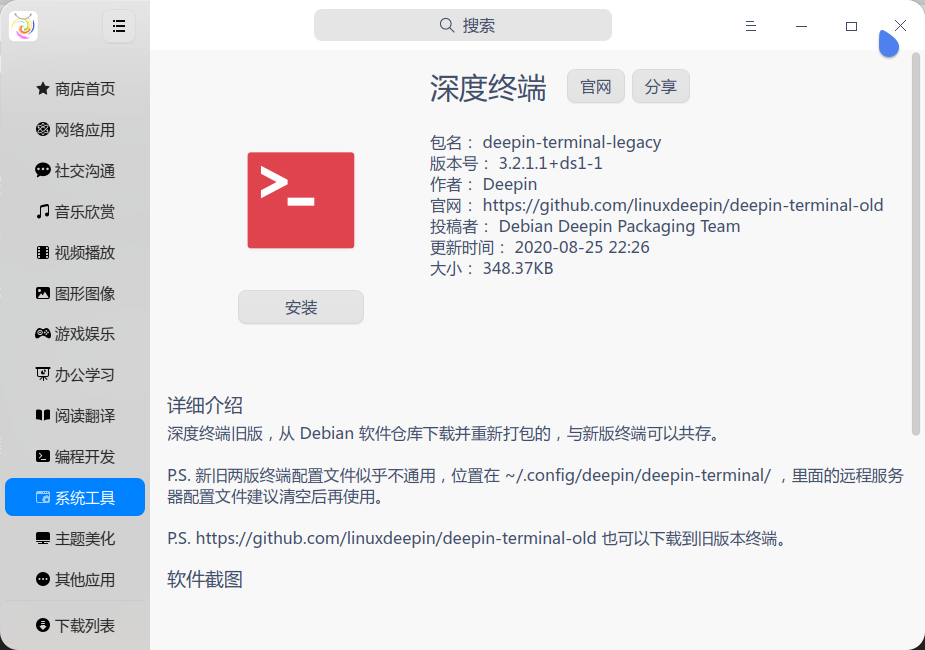
我这个包是从 Debian 的软件仓库下载的远古版本,其实从官方的GitHub仓库也可以下载到:https://github.com/linuxdeepin/deepin-terminal-old
重新打包过,可以和新版本共存。可以通过 deepin-terminal-legacy 调用。

顺便说下 远程管理自定义命令 的问题......

估计是新版和旧版储存的配置文件格式不同,两个版本的信息不能共用......存储位置在 ~/.config/deepin/deepin-terminal/server-config.conf 。自定义命令不太清楚,应该也有对应配置文件。建议删除旧文件之后再在终端重新保存写入文件,避免冲突。


Reply Favorite View the author
All Replies
avatar
忘记、过去
deepin
2020-08-26 06:57
#1
https://bbs.deepin.org/user/223313 老大的要求打包的,听说有人觉得新版本不好用来着......

顺便也上传星火商店了,方便其他发行版用户用(不过也没啥人在其他发行版装星火商店就是了,一共就几个人用过 Ubuntu, Linux Mint, Kali 啥的......)
Reply View the author
avatar
Fredoong
deepin
2020-08-26 10:21
#2
如果觉得更新后的版本不好用,直接用apt工具退回升级前的版本就是了,根本不需要额外的包。
Reply View the author
avatar
捕风
deepin
2020-08-26 14:57
#3
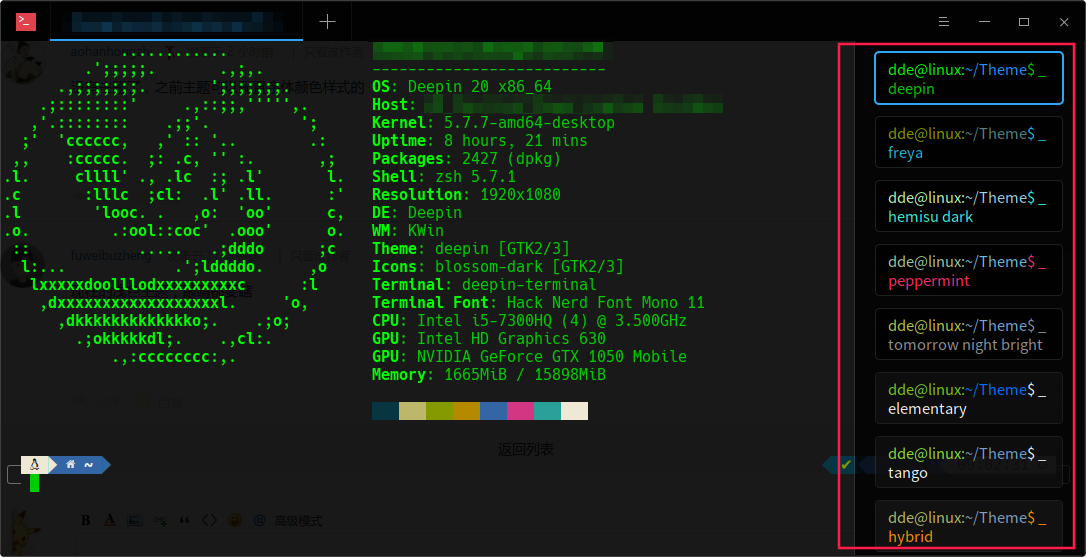
没有主题了,之前主题可以配置字体颜色样式的
Reply View the author
avatar
mzcc
deepin
2020-08-26 16:44
#4
现在的浅色主题,眼睛都要瞎
Reply View the author
avatar
忘记、过去
deepin
2020-08-26 17:04
#5
https://bbs.deepin.org/post/200387
没有主题了,之前主题可以配置字体颜色样式的


有主题啊......
Reply View the author
avatar
忘记、过去
deepin
2020-08-26 17:05
#6
https://bbs.deepin.org/post/200387
如果觉得更新后的版本不好用,直接用apt工具退回升级前的版本就是了,根本不需要额外的包。 ...

只是为了共存而已,觉得没必要就自己回退呗......给懒人和小白用的而已......
Reply View the author
avatar
捕风
deepin
2020-08-26 18:24
#7

新的没有这些主题了,只有两种,黑的白的
Reply View the author
Comments
zty199
2020-08-26 18:26
新版暂时没有,jingle 老大说后面会加回来的......
avatar
临之
deepin
2020-08-26 18:58
#8
历史的远程管理信息丢了真的有些麻烦
Reply View the author
avatar
忘记、过去
deepin
2020-08-26 19:43
#9
https://bbs.deepin.org/post/200387
历史的远程管理信息丢了真的有些麻烦

在 ~/.config/deepin/deepin-terminal/server-config.conf 里面,但是新版终端读不出来......
Reply View the author
avatar
神末shenmo
deepin
Spark-App
Q&A Team
2020-08-27 01:20
#10
winterfive 发表于 2020-8-26 02:21
如果觉得更新后的版本不好用,直接用apt工具退回升级前的版本就是了,根本不需要额外的包。 ...

官方新版可以正常更新,旧版可以一直共存
Reply View the author
avatar
haohu1193
deepin
2020-08-27 01:30
#11


也是一种选择...各取所需吧...
Reply View the author
avatar
booting
deepin
2020-09-04 19:23
#12
老哥有V20的终端打包吗?我的找不到了(具体看我帖子),希望能分享一个
Reply View the author