Home
Categories
WIKI
Topic
User
LANGUAGE:
中文
English
安装0825更新后,笔记本外接显示器的几个问题
Experiences and Insight
913
views ·
4
replies ·
To
floor
Go
hanshuiusl
deepin
2020-08-26 05:50
Author
笔记本通过HDMI接口外接显示器,设置关闭屏幕,只使用外接显示器。系统为从镜像全新安装的20Beta系统,在安装0825更新后,出现几个问题:
1、登录界面无法记住主显示器。每次登录框都出现在笔记本屏幕,需要移动鼠标切换到显示器。
2、在显示设置中选择“自定义设置”,有一定概率同时弹出主显示器选择界面和自定义设置界面。
3、如果更改自定义显示设置,则无法退出控制中心,鼠标移到控制中心图标上预览图是黑框。
4、更改显示设置后,时尚模式的任务栏向下延伸超出屏幕底端,与屏幕底端的缝隙消失。
Reply
Like 0
Favorite
View the author
All Replies
jingle
deepin
2020-08-26 06:22
#1
问卷日志反馈下吧
Reply
Like 0
View the author
hanshuiusl
deepin
2020-08-27 00:01
#2
https://bbs.deepin.org/post/200376
问卷日志反馈下吧
已反馈
Reply
Like 0
View the author
hanshuiusl
deepin
2020-08-27 00:03
#3
本帖最后由 hanshuiusl 于 2020-8-27 09:55 编辑
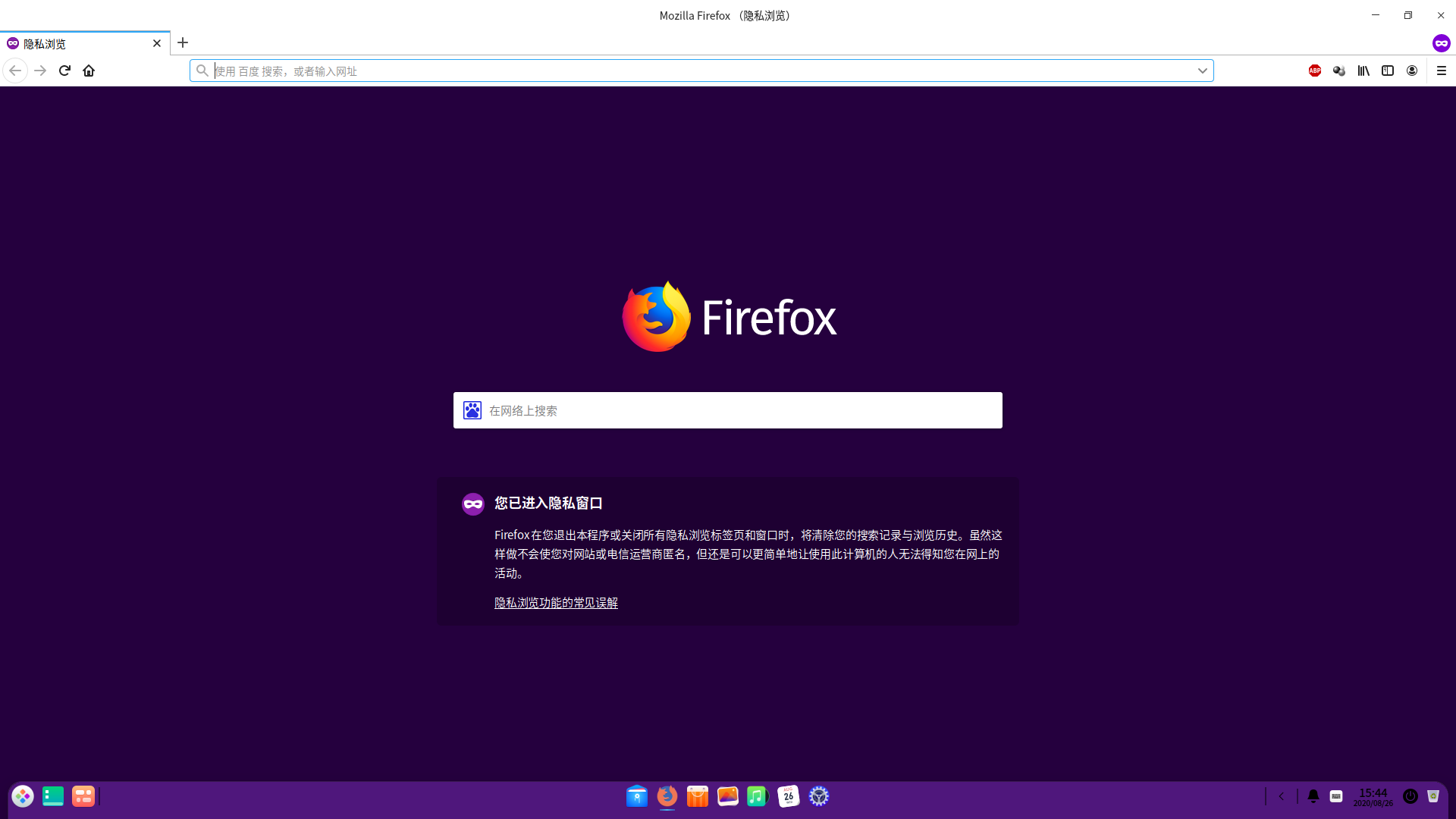
任务栏Bug截图:
程序窗口底端超出屏幕:
Reply
Like 0
View the author
hanshuiusl
deepin
2020-08-27 17:59
#4
点击“多屏显示设置”中的“自定义设置”,有一定概率同时弹出两个设置界面
Reply
Like 0
View the author
Please
sign
in first
Featured Collection
Change
[Tutorial] deepin25 WSL Offline Installation Guide
UOS AI 2.8 Released! Three New Intelligent Agents & Major Evolution
Solid Q&A | deepin 25 Common Questions – The Immutable System Edition
New Thread
Popular Ranking
Change
Website????
Popular Events
More


 中文
中文 
 deepin deepin
  deepin
 deepin deepin
 deepin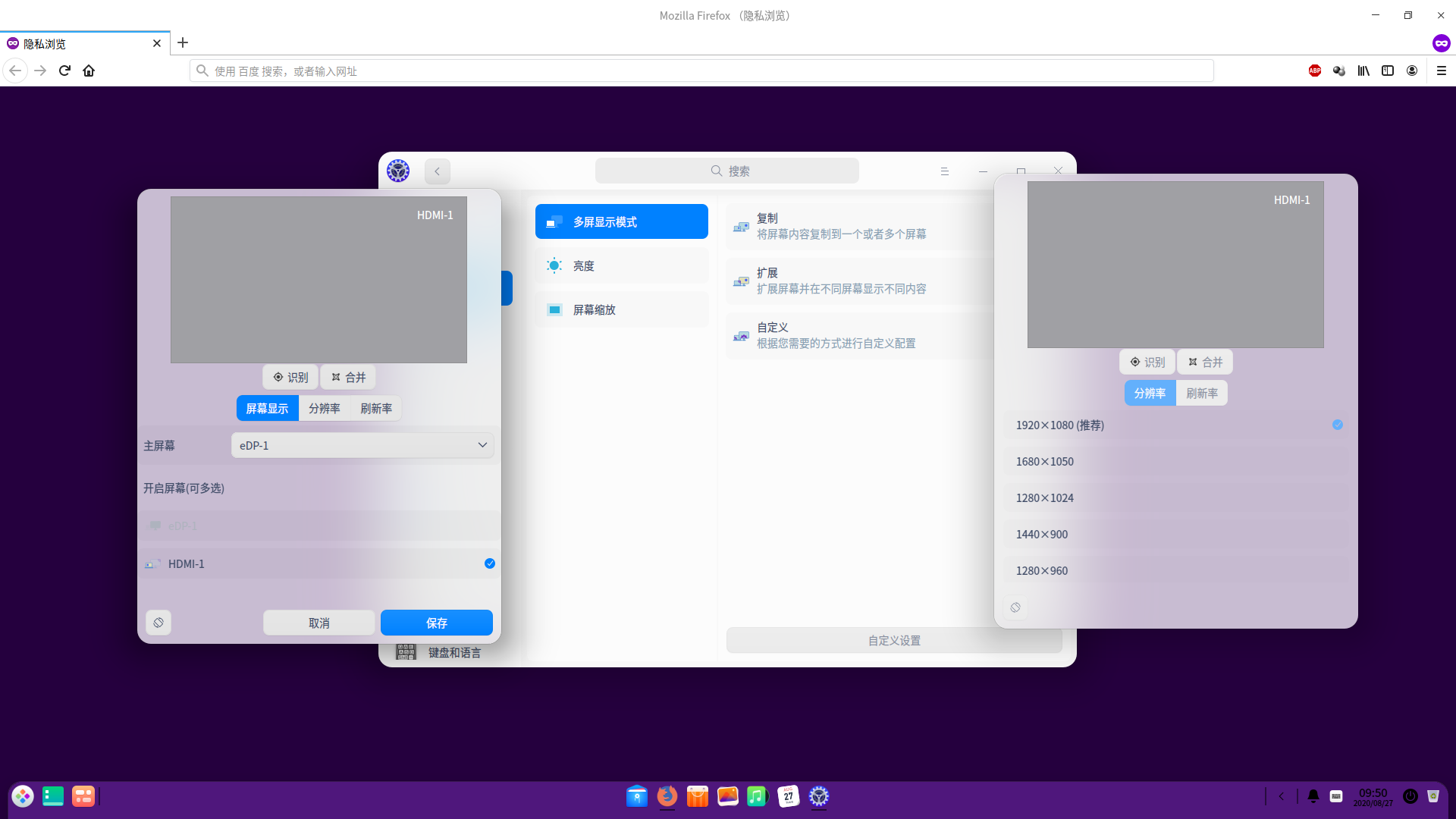


 Website????
1、登录界面无法记住主显示器。每次登录框都出现在笔记本屏幕,需要移动鼠标切换到显示器。
2、在显示设置中选择“自定义设置”,有一定概率同时弹出主显示器选择界面和自定义设置界面。
3、如果更改自定义显示设置,则无法退出控制中心,鼠标移到控制中心图标上预览图是黑框。
4、更改显示设置后,时尚模式的任务栏向下延伸超出屏幕底端,与屏幕底端的缝隙消失。