(解决方案)deepin V20电脑发热、风扇响、cpu频率高等问题
Tofloor
poster avatar
rison
deepin
2020-08-25 18:37
Author
本帖最后由 rison 于 2020-8-25 11:17 编辑

安装i7z查看cpu使用频率:
  1. sudo apt install i7z
Copy the Code
  1. sudo i7z
Copy the Code
安装tlp
  1. sudo apt install tlp tlp-rdw
Copy the Code
  1. sudo tlp start
Copy the Code
  1. tlp-stat -s
Copy the Code
启动之后再看一次i7z,完美解决。
  1. sudo i7z
Copy the Code
PS:以后开机都不用任何操作,默认会智能降频,保护电池和主板。
效果图:


Reply Favorite View the author
All Replies
avatar
jzc
deepin
2020-08-25 19:01
#1
我开发的CPUPowerGUI 了解一下, https://github.com/jiangzc/CPUPowerGUI   
Reply View the author
avatar
zzboat0422
deepin
2020-08-26 01:10
#2
牛啊,能介绍一下原理吗?
Reply View the author
avatar
rison
deepin
2020-08-30 05:47
#3
https://bbs.deepin.org/post/200312
牛啊,能介绍一下原理吗?

查看tlp工作原理:https://linrunner.de/tlp/introduction
Reply View the author
avatar
xmu714
deepin
2020-08-30 06:08
#4
AMD处理器可用吗
Reply View the author
avatar
咿呀
deepin
2020-08-30 06:58
#5
https://bbs.deepin.org/post/200312
我开发的CPUPowerGUI 了解一下, https://github.com/jiangzc/CPUPowerGUI
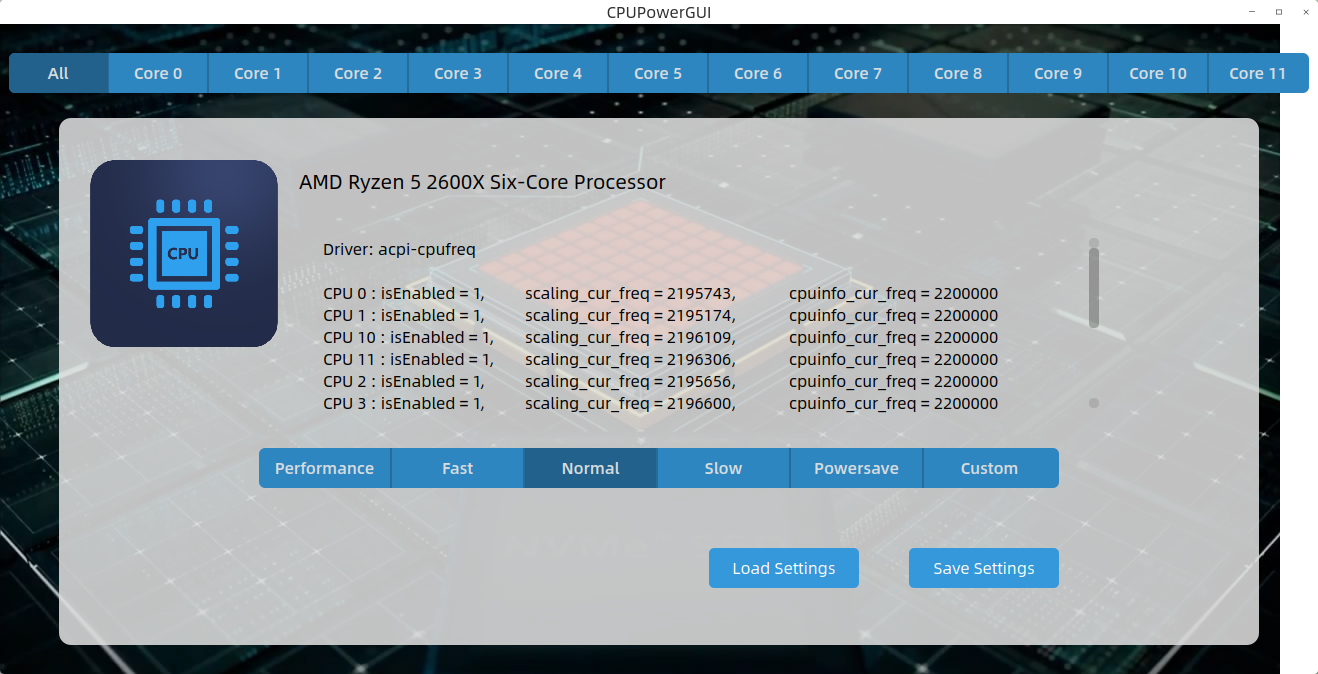
en~~~,我的cpu线程有点多,超出了背景图片了

Reply View the author