manjora中文输入法安装求助(版主别打我)
Tofloor
poster avatar
panasony
deepin
2020-08-15 05:46
Author
据说deepin社区有许多arch/manjora用户?
今天我来请教了
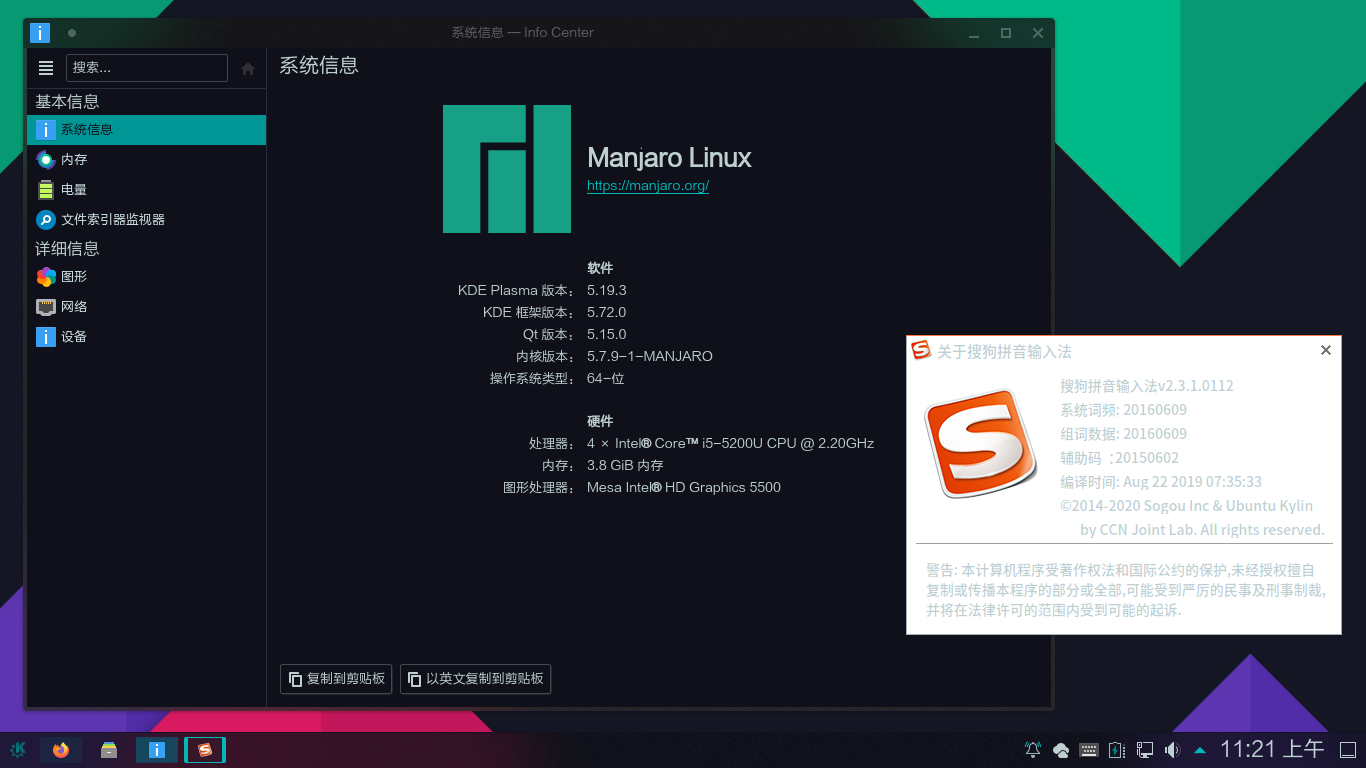
我新安装了manjora,现在需要安装中文输入法。
翻了网上的许多教程,我先换了国内的镜像源,再添加了archLinuxcn的源。
吧fcitx的依赖都装好以后,fcitx-sogoupinyin这个包终端里报错说没有这个包。
现在怎末解决呢?
请教一下,谢谢!


Reply Favorite View the author
All Replies
avatar
xmu714
deepin
2020-08-15 06:25
#1
先添加AUR,然后从AUR安装
  1. yay -S fcitx-qt4
  2. yay -S sogoupinyin
Copy the Code

注意是sogou不是sougou,差一个字母
Reply View the author
avatar
xmu714
deepin
2020-08-15 06:26
#2
我记不清当时是从CN 源装的还是从AUR装的了,反正包名要对
Reply View the author
avatar
SamLukeYes
deepin
2020-08-15 05:46
#3
本帖最后由 samlukeyes123 于 2020-8-15 21:59 编辑

搜狗拼音已经从 archlinuxcn 中移除,只能从 AUR 中安装:
  1. yay -S manjaro-asian-input-support-fcitx aur/fcitx-qt4 aur/fcitx-sogoupinyin
Copy the Code

其实搜狗拼音在 arch 系中的体验不佳,可以考虑用 fcitx 的谷歌拼音或者 fcitx5。
不建议同时用 manjaro 的 stable 分支和 archlinuxcn,因为 stable 分支的更新通常比 arch 滞后一两个星期,而 archlinuxcn 总是按照最新的 arch 环境打包的,两者同时使用可能会产生“部分更新”的情况,导致某些软件包损坏。
Reply View the author
avatar
xmu714
deepin
2020-08-15 07:23
#4
https://bbs.deepin.org/post/199490
搜狗拼音已经从 archlinuxcn 中移除,只能从 AUR 中安装:

其实搜狗拼音在 arch 系中的体验不佳,可以考虑 ...

我之前从cn源装的,用半年了一直没问题,deepin上装了一天就卡
Reply View the author
avatar
SamLukeYes
deepin
2020-08-15 08:05
#5
https://bbs.deepin.org/post/199490
我之前从cn源装的,用半年了一直没问题,deepin上装了一天就卡

我在 manjaro 上用过搜狗拼音,开机后要等半天它才加载好
Reply View the author
avatar
xmu714
deepin
2020-08-15 19:00
#6
https://bbs.deepin.org/post/199490
我在 manjaro 上用过搜狗拼音,开机后要等半天它才加载好

不要安装 fcitx-lilydjwg-git,fcitx-lilydjwg-git更新后有bug
安装 aur 里面的fcitx-qt4
我一开始也是直接装的CN源里面的fcitx-qt4,那个会提示装上fcitx-lilydjwg-git,所以开机卡一会
换成aur的就好了。deepin上现在也是,开机的时候搜狗出不来字,但是不知道deepin上换哪个
Reply View the author
avatar
MeowVing
deepin
2020-08-15 19:11
#7
https://bbs.deepin.org/post/199490
不要安装 fcitx-lilydjwg-git,fcitx-lilydjwg-git更新后有bug
安装 aur 里面的fcitx-qt4
我一开始也是直 ...

命令是
yay -S  aur/fcitx-qt4
不然还是会安装  fcitx-lilydjwg-git
Reply View the author
avatar
MeowVing
deepin
2020-08-15 19:16
#8
记得在主目录新建 .xprofile 文件
添加:
export GTK_IM_MODULE=fcitx
export QT_IM_MODULE=fcitx
export XMODIFIERS="@im=fcitx"
Reply View the author
avatar
MeowVing
deepin
2020-08-15 19:18
#9
https://bbs.deepin.org/post/199490
记得在主目录新建 .xprofile 文件
添加:
export GTK_IM_MODULE=fcitx

或者也可以新建 .pam_environment 文件
添加:
GTK_IM_MODULE=fcitx
QT_IM_MODULE=fcitx
XMODIFIERS=@im=fcitx
Reply View the author
avatar
MeowVing
deepin
2020-08-15 19:21
#10

Reply View the author
avatar
SamLukeYes
deepin
2020-08-15 19:29
#11
https://bbs.deepin.org/post/199490
记得在主目录新建 .xprofile 文件
添加:
export GTK_IM_MODULE=fcitx

这就是 manjaro-asian-input-support-fcitx 的作用,manjaro 是不需要手动设置输入法环境变量的
Reply View the author
Comments
akliusizhe
2020-08-15 19:30
啊?我不知道诶。。。
avatar
xmu714
deepin
2020-08-15 22:58
#12
https://bbs.deepin.org/post/199490
命令是
yay -S  aur/fcitx-qt4
不然还是会安装  fcitx-lilydjwg-git

卧槽,我说我当时咋用了yay还是不行,还以为我的源没配置好呢,后来直接去AUR页面上搜fcitx-qt4,硬是下载下来离线安装的
Reply View the author
avatar
MeowVing
deepin
2020-08-15 23:10
#13
https://bbs.deepin.org/post/199490
卧槽,我说我当时咋用了yay还是不行,还以为我的源没配置好呢,后来直接去AUR页面上搜fcitx-qt4,硬是下 ...

知道我为什么了解吗?
因为这坑我也踩过!
为了稳定性,只要软件源有,就不会装AUR的。。。
Reply View the author
avatar
oncemore
deepin
2020-08-15 23:50
#14
本帖最后由 oncemore 于 2020-8-15 15:52 编辑

搜狗输入法就别用了。推荐使用fcitx5, 可以使用搜狗的词库的,非常好用。再给你个链接吧。https://wiki.archlinux.org/index.php/Fcitx5_(%E7%AE%80%E4%BD%93%E4%B8%AD%E6%96%87)
Reply View the author
avatar
leeana0929
deepin
2020-08-16 02:00
#15
  1. sudo pacman -S fctix-im fcitx-configtool fcitx-googlepinyin
Copy the Code

(↑安装的是谷歌拼音输入法,Googlepinyin挺好用的啊,用搜狗的话我当时在yay和pacman都没找到)
(当然您可以尝试把搜狗拼音的deb包下下来debtap一下然后再pacman -U 一下,我没试过不知道行不行)
完事了后在主目录
  1. vim ~/.xprofile
Copy the Code

添加
  1. export GTK_IM_MODULE=fcitx
  2. export QT_IM_MODULE=fcitx
  3. export XMODIFIERS="@im=fcitx"
Copy the Code

保存后重启
完了后直接右下角配置就行了,arch的话需要手动添加googlepinyin
最好把那些没啥用的输入法删掉
(反正我当时在arch和manjaro都是这样做成的,,,反正都用Arch系了,不折腾对不起Arch#滑稽
Reply View the author
avatar
MeowVing
deepin
2020-08-16 02:27
#16
https://bbs.deepin.org/post/199490
(↑安装的是谷歌拼音输入法,Googlepinyin挺好用的啊,用搜狗的话我当时在yay和pacman都没找到)
(当然 ...

连 Arch 的官方源都把搜狗拼音扔了
可见搜狗拼音已经有多么落后了。。。
Reply View the author
avatar
SamLukeYes
deepin
2020-08-16 02:47
#17
https://bbs.deepin.org/post/199490
(↑安装的是谷歌拼音输入法,Googlepinyin挺好用的啊,用搜狗的话我当时在yay和pacman都没找到)
(当然 ...

我再重复一遍,用 manjaro-asian-input-support-fcitx,不用自行配置环境变量!!!
AUR 上也有 fcitx-input-support,是我从 manjaro 移植的,一样的效果!!!
Reply View the author
avatar
Cris.Q
deepin
2021-01-29 21:01
#18
xmu714
我记不清当时是从CN 源装的还是从AUR装的了,反正包名要对

AUR,cn没有这个包

Reply View the author
avatar
Cris.Q
deepin
2021-01-29 21:01
#19
MeowVing

原来你小子也是manjaro用户啊

Reply View the author