deepin v20开发者模式
Tofloor
poster avatar
gpf
deepin
2020-08-13 07:15
Author
deepin  v20如何进入开发者模式?
Reply Favorite View the author
All Replies
2 / 2
To page
avatar
deepin
2020-08-13 08:56
#21
https://bbs.deepin.org/post/199341
奇怪的事情发生了出现了错误竟然安好了

出现错误是因为有依赖没装,建议跑一下sudo apt install -f,避免出现软件莫名没法用的情况
Reply View the author
avatar
gpf
deepin
2020-08-13 08:57
#22

虽然上面出现错误,但可以正常使用。谢谢
Reply View the author
avatar
魔笛
deepin
2020-08-13 09:03
#23
其实在应用商店就有360的浏览器,不用自己去下载。
Reply View the author
avatar
魔笛
deepin
2020-08-13 09:04
#24
matrix-feather 发表于 2020-8-13 00:42
试试 cd ~/Downloads && sudo dpkg -i ./com.360*.deb && sudo apt install -f

表达的非常好,对新手容易接受。
Reply View the author
avatar
gpf
deepin
2020-08-13 09:10
#25
https://bbs.deepin.org/post/199341
其实在应用商店就有360的浏览器,不用自己去下载。

我没更新系统,旧的v20商店里没有,更新系统后,滚动电脑鼠标的滚轮不管打开什么应用都是一直在放大缩小界面,所以一直在用v20初始版本。我打开的网站有些还必须用360浏览器才能正常使用,所以没办法必须得用360浏览器
Reply View the author
avatar
魔笛
deepin
2020-08-13 09:14
#26
要更新系统的话,sudo apt-get update && sudo apt-get upgrade - y
Reply View the author
avatar
gpf
deepin
2020-08-13 09:18
#27
https://bbs.deepin.org/post/199341
要更新系统的话,sudo apt-get update && sudo apt-get upgrade - y

更新后鼠标滚轮总是有问题所以我就等下一次更新一起再更新。
Reply View the author
avatar
Ziggy
deepin
2020-08-13 15:26
#28
换源还是重装?这个概率很小
Reply View the author
avatar
deepin
2020-08-13 16:14
#29
楼主,社区版本没有限制
可以直接终端输入 su+密码(密码不显示),可获取root权限
或者sudo 加命令
Reply View the author
avatar
jingle
deepin
2020-08-13 16:19
#30
应该不是社区版,社区版本双击deb不会有那个提示记得
Reply View the author
avatar
haohu1193
deepin
2020-08-13 21:17
#31
https://bbs.deepin.org/post/199341
更新后鼠标滚轮总是有问题所以我就等下一次更新一起再更新。
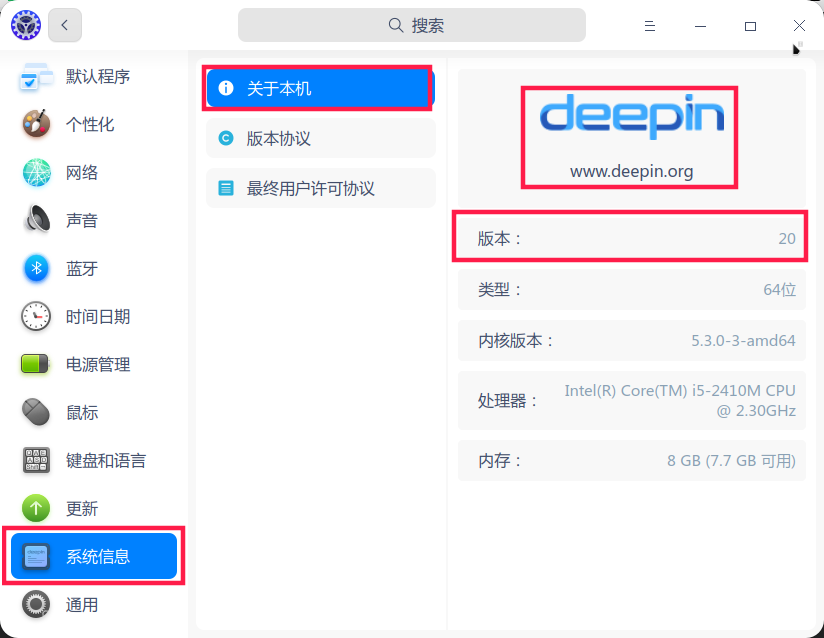
控制中心--系统信息--截个图上来看看...


顺便刷新一个,结果放上来看看...

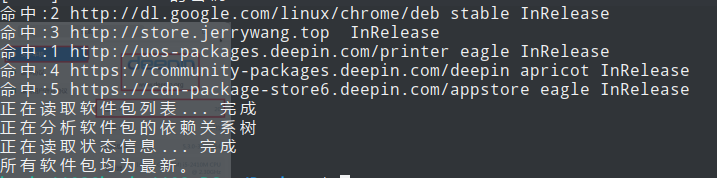
sudo apt update


Reply View the author
avatar
haohu1193
deepin
2020-08-13 21:18
#32
https://bbs.deepin.org/post/199341
应该不是社区版,社区版本双击deb不会有那个提示记得

截图能不能带上系统版本唯一性识别的水印信息啊?每次都要问...
Reply View the author
avatar
gpf
deepin
2020-08-16 04:13
#33
https://bbs.deepin.org/post/199341
控制中心--系统信息--截个图上来看看...

sudo apt update这个就不按了更新后的版本鼠标总是出现问题,不管是用命令更新也好还是在设置里更新也好鼠标的滚轮都会坏掉
Reply View the author
2 / 2
To page