The user is banned, and the content is hidden.
Tofloor
poster avatar
attention
deepin
2020-08-10 05:20
Author
The user is banned, and the content is hidden.
Reply Favorite View the author
All Replies
1 / 2
To page
avatar
haohu1193
deepin
2020-08-10 05:31
#1
sudo apt update

刷新一下...结果发上来看看...
Reply View the author
avatar
pzm9012
Moderator
2020-08-10 05:34
#2
如果你是20beta,按照截图中的方法执行那几条命令试试
Reply View the author
avatar
attention
deepin
2020-08-10 05:59
#3
https://bbs.deepin.org/post/198750
如果你是20beta,按照截图中的方法执行那几条命令试试

可以了,谢谢
Reply View the author
avatar
attention
deepin
2020-08-10 06:33
#4
https://bbs.deepin.org/post/198750
sudo apt update

刷新一下...结果发上来看看...
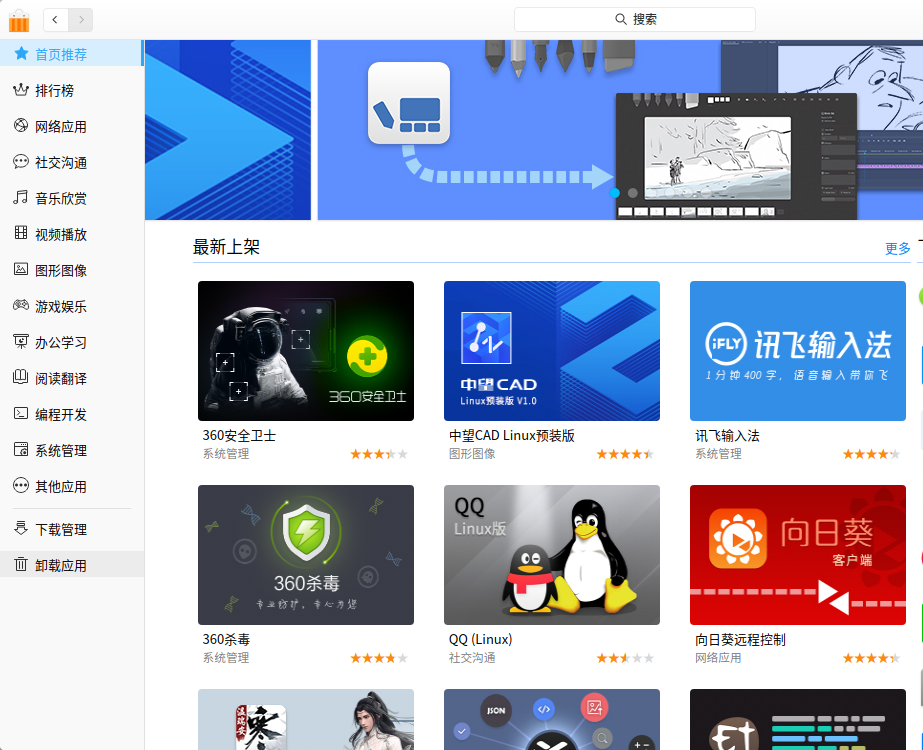

已经安装了的还是无法点击,比如说已经安装了360安全卫视,但是还是显示要安装,相当于列表是全新的,应用商店是全新的一样,跟系统无关似的.
Reply View the author
avatar
haohu1193
deepin
2020-08-10 06:38
#5
本帖最后由 haohu1193 于 2020-8-9 22:39 编辑

版本不一样...新的商店上的软件版本都比较新...以前的很多软件运行如果不正常就卸载重装一下...
Reply View the author
avatar
attention
deepin
2020-08-10 06:45
#6
https://bbs.deepin.org/post/198750
版本不一样...新的商店上的软件版本都比较新...以前的很多软件运行如果不正常就卸载重装一下... ...

关键是无法点击 安装 点击安装了没有用.
Reply View the author
avatar
attention
deepin
2020-08-10 06:46
#7
本帖最后由 attention_1 于 2020-8-9 22:48 编辑

sudo deepin-appstore [0809/223951.946106:ERROR:edid_parser.cc(181)] invalid EDID: human unreadable char in name
QStandardPaths: XDG_RUNTIME_DIR not set, defaulting to '/tmp/runtime-root'
load translate "/usr/share/dtkwidget/translations/dtkwidget2_zh_CN"
load translate "/usr/share/deepin-appstore/translations/deepin-appstore_zh_CN"
2020-08-09,   [Warning] [                                                         0] QDBusArgument: write from a read-only object
大家看看是是啥子问题?
Reply View the author
avatar
haohu1193
deepin
2020-08-10 06:54
#8
你升级到最新版本了吗?如果升级了上面图片中的命令执行了吗?
Reply View the author
avatar
attention
deepin
2020-08-10 06:58
#9
https://bbs.deepin.org/post/198750
你升级到最新版本了吗?如果升级了上面图片中的命令执行了吗?

图片上有好多命令,是哪些命令?
sudo apt purge deepin-appstore*
......
这个么
Reply View the author
avatar
haohu1193
deepin
2020-08-10 06:59
#10
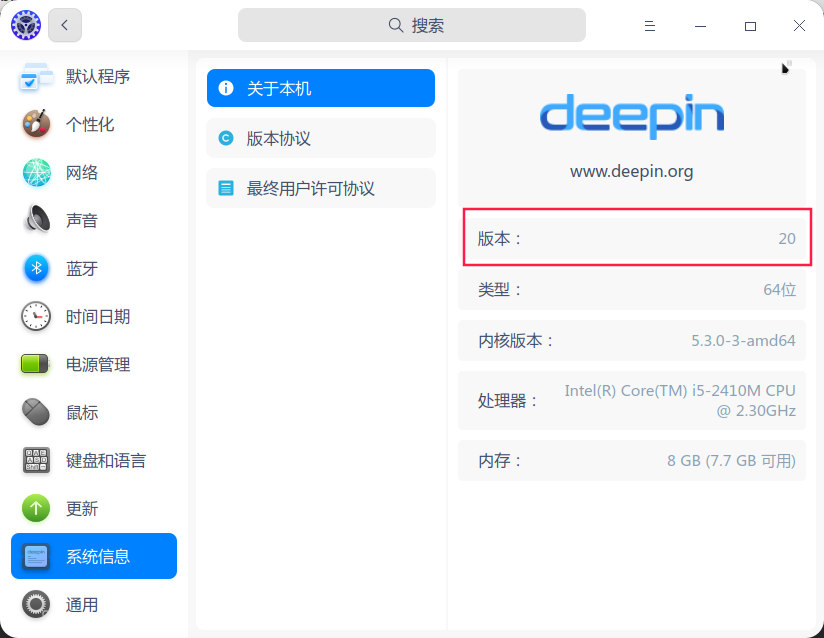
deepin-appstore 5.3.1.5-1 是deepin v20beta 的老商店...

deepin-app-store 6.0.0.7-1 是deepin v20 的新商店...
在控制中心---系统信息---里看看系统版本...


Reply View the author
avatar
SamLukeYes
deepin
2020-08-10 07:01
#11
https://bbs.deepin.org/post/198750
图片上有好多命令,是哪些命令?
sudo apt purge deepin-appstore*
......

15.11 的商店是 deepin-appstore,而 20 的商店是 deepin-app-store。15 的商店在 20 用不了,所以你需要卸载 15 的商店,然后安装 20 的商店。
Reply View the author
avatar
haohu1193
deepin
2020-08-10 07:10
#12
https://bbs.deepin.org/post/198750
15.11 的商店是 deepin-appstore,而 20 的商店是 deepin-app-store。15 的商店在 20 用不了,所以你需要 ...

现在不清楚他到底更新了没有...
Reply View the author
avatar
attention
deepin
2020-08-10 07:29
#13
https://bbs.deepin.org/post/198750
现在不清楚他到底更新了没有...

你喜欢最后一个提问
Reply View the author
avatar
haohu1193
deepin
2020-08-10 07:46
#14
本帖最后由 haohu1193 于 2020-8-9 23:49 编辑
https://bbs.deepin.org/post/198750
你喜欢最后一个提问

你提问...别人给了图片...你说好了...现在又说不行...

除了一句商店无法安装以外没有别的信息了...我们都不晓得你到底干了什么导致的...现在除了排查还能怎么办?你说说看...
Reply View the author
avatar
犇牛
deepin
2020-08-18 22:09
#15
https://bbs.deepin.org/post/198750
sudo deepin-appstore
PC:~/Desktop$ sudo deepin-app-store
QStandardPaths: XDG_RUNTIME_DIR not set, defaulting to '/tmp/runtime-root' QObject::connect: No such signal QDBusAbstractInterface:icenseStateChange()
connect com.deepin.daemon.Appearance true
"community"
2020-08-18, 14:07:40.515 [Debug  ] [web_window.cpp       dstore::WebWindow::initServices     424] deepin-app-store uses an application proxy :  false
[25076:25076:0818/140740.572766:ERROR:zygote_host_impl_linux.cc(90)] Running as root without --no-sandbox is not supported. See https://crbug.com/638180.
Reply View the author
avatar
timon75
deepin
2020-08-19 00:48
#16
我的情况是更新为v20版本后,卸载老商店,安装新商店6.0.0后,商店应用闪退。
Reply View the author
avatar
timon75
deepin
2020-08-19 00:51
#17
$执行deepin-app-srore后,最后的代码提示如下:
#33 0x7f50782571cb QEventLoop::exec()
#34 0x7f507825f1b2 QCoreApplication::exec()
#35 0x00000043c548 main
#36 0x7f5077b3009b __libc_start_main
#37 0x00000043c9ca _start
  r8: 0000000000000000  r9: 00007ffcf71d9830 r10: 0000000000000008 r11: 0000000000000246
r12: 00007f506d4df052 r13: 00007f506d4df068 r14: 00000000000002d3 r15: 00007ffcf71da2b0
  di: 0000000000000002  si: 00007ffcf71d9830  bp: 00007f506d5724f7  bx: 0000000000000006
  dx: 0000000000000000  ax: 0000000000000000  cx: 00007f5077b437bb  sp: 00007ffcf71d9830
  ip: 00007f5077b437bb efl: 0000000000000246 cgf: 002b000000000033 erf: 0000000000000000
trp: 0000000000000000 msk: 0000000000000000 cr2: 0000000000000000
[end of stack trace]
Calling _exit(1). Core file will not be generated.
Reply View the author
avatar
犇牛
deepin
2020-08-19 01:12
#18
本帖最后由 jiao 于 2020-8-18 17:17 编辑

深度商店   6.0.0的版本太高了   不适应
Reply View the author
avatar
timon75
deepin
2020-08-19 23:59
#19
关于闪退,我的解决方法很意外,尝试了各种方法,商店版本升级,reinstall等等,都无效。无意中看到v20升级公告中--系统更新日志(15.11->20(1000))

跨版本升级操作如下:
1、将15.11官方源替换成20官方源(/etc/apt/sources.list)
deb [by-hash=force] https://community-packages.deepin.com/deepin/ apricot main contrib non-free

2、新增20官方商店源(/etc/apt/sources.list.d/appstore.list ),无list文件创建后添加:
deb https://community-store-packages.deepin.com/appstore eagle appstore
关键是第二条,设置后,apt update ; apt upgrade。重新打开商店,闪退问题解决,并且能正常下载安装应用。
Reply View the author
avatar
timon75
deepin
2020-08-20 00:16
#20
很抱歉,刚测试应用商店,闪退问题又出现了。目前无解!
Reply View the author
1 / 2
To page