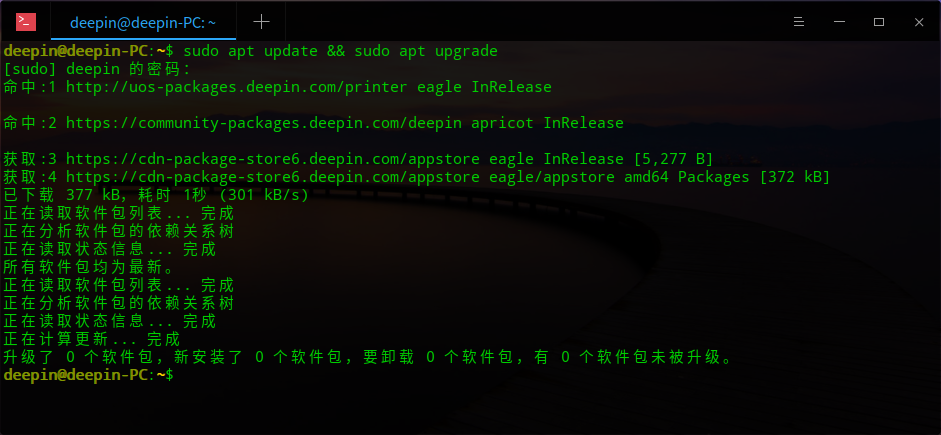
系统不能更新
Tofloor
poster avatar
lzjsy
deepin
2020-08-07 04:48
Author
进行更新后,提示更新失败,什么情况?
Reply Favorite View the author
All Replies
avatar
第柒㗊觀衆
deepin
2020-08-07 04:50
#1
估计人太多了,,服务器承受不了,,我的也更新不了,,
Reply View the author
avatar
正直笔尖
deepin
2020-08-07 04:54
#2
估计你以前折腾过升有问题的内核,或者装过星火商店等等一些有问题软件什么的,把官方源搞没了或者搞乱了
恢复官方源,一行命令解决问题:sudo apt-get update
然后就可以在设置正常点击更新,也可以用终端升级,详细看终端里升级跑代码的过程
Reply View the author
Comments
wang15138059290
2020-08-07 04:55
我刚重新安装的系统,,,,,,,, ,,
avatar
yty
deepin
2020-08-07 04:54
#3
俺也一样!
Reply View the author
avatar
lzjsy
deepin
2020-08-07 04:55
#4
https://bbs.deepin.org/post/198424
估计你以前折腾过升有问题的内核,或者装过星火商店等等一些有问题软件什么的,把官方源搞没了或者搞乱了
...

我什么也没做,以前升级正常
Reply View the author
avatar
犇牛
deepin
2020-08-07 05:05
#5
PC:~/Desktop$ sudo apt-get update
错误:1 https://community-packages.deepin.com/deepin apricot InRelease
  无法连接上 community-packages.deepin.com:443 (61.54.25.98)。 - connect (111: 拒绝连接)
错误:2 https://cdn-package-store6.deepin.com/appstore eagle InRelease
  无法连接上 cdn-package-store6.deepin.com:443 (61.54.25.98)。 - connect (111: 拒绝连接)
错误:4 https://community-store-packages.deepin.com/appstore eagle InRelease                             
  无法连接上 community-store-packages.deepin.com:443 (61.54.25.98)。 - connect (111: 拒绝连接)
错误:3 http://uos-packages.deepin.com/printer eagle InRelease      
  无法连接上 uos-packages.deepin.com:80 (61.54.25.98)。 - connect (111: 拒绝连接)
正在读取软件包列表... 完成
W: 无法下载 https://community-packages.deepi ... s/apricot/InRelease  无法连接上 community-packages.deepin.com:443 (61.54.25.98)。 - connect (111: 拒绝连接)
W: 无法下载 https://cdn-package-store6.deepi ... sts/eagle/InRelease  无法连接上 cdn-package-store6.deepin.com:443 (61.54.25.98)。 - connect (111: 拒绝连接)
W: 无法下载 https://community-store-packages ... sts/eagle/InRelease  无法连接上 community-store-packages.deepin.com:443 (61.54.25.98)。 - connect (111: 拒绝连接)
W: 无法下载 http://packages.chinauos.com/printer/dists/eagle/InRelease  无法连接上 uos-packages.deepin.com:80 (61.54.25.98)。 - connect (111: 拒绝连接)
W: 部分索引文件下载失败。如果忽略它们,那将转而使用旧的索引文件。
Reply View the author
avatar
lzjsy
deepin
2020-08-07 05:07
#6
https://bbs.deepin.org/post/198424
PC:~/Desktop$ sudo apt-get update
错误:1 https://community-packages.deepin.com/deepin apricot InRele ...

是这样
Reply View the author
avatar
正直笔尖
deepin
2020-08-07 05:17
#7
本帖最后由 deepin21 于 2020-8-6 21:19 编辑

什么服务器堵塞,乱说,别人刚检测都好好的,肯定是你们以前瞎折腾过导致的
Reply View the author
avatar
SamLukeYes
deepin
2020-08-07 05:19
#8
https://bbs.deepin.org/post/198424
什么服务器堵塞,乱说,别人刚坚持都好好的,肯定是你们以前瞎折腾过导致的
...

就是服务器的锅,你难道都不仔细看错误信息的吗
Reply View the author
avatar
xmu714
deepin
2020-08-07 05:26
#9
  1. 58.51.151.5 community-packages.deepin.com
  2. 58.51.151.5 cdn-package-store6.deepin.com
  3. 58.51.151.5 uos-packages.deepin.com
Copy the Code


写下hosts试试
Reply View the author
Comments
mariobolo
2020-08-07 05:59
可以了 谢谢
avatar
第柒㗊觀衆
deepin
2020-08-07 06:24
#10
UOS专业版都被搞得更新失败了,,,,
Reply View the author
avatar
muyu
deepin
2020-08-07 06:25
#11
你们更新完新版本商店可以下载软件吗深度自带的浏览器也没掉了
Reply View the author
avatar
魔笛
deepin
2020-08-07 06:34
#12
zhonghuang 发表于 2020-8-6 22:25
你们更新完新版本商店可以下载软件吗深度自带的浏览器也没掉了

sudo apt-get install uos-beowser-stable,可以安装uos浏览器。
Reply View the author
avatar
Ziggy
deepin
2020-08-07 07:01
#13
直接sudo apt upgrade,跳过update
Reply View the author
avatar
風銜霜
deepin
2020-08-07 07:17
#14
https://bbs.deepin.org/post/198424
sudo apt-get install uos-beowser-stable,可以安装uos浏览器。

社区源里没这个E: 无法定位软件包 uos-beowser-stable
Reply View the author
avatar
SamLukeYes
deepin
2020-08-07 07:18
#15
https://bbs.deepin.org/post/198424
社区源里没这个E: 无法定位软件包 uos-beowser-stable

是 uos-browser-stable
Reply View the author
avatar
風銜霜
deepin
2020-08-07 07:33
#16
https://bbs.deepin.org/post/198424
是 uos-browser-stable

噗-,-
Reply View the author
avatar
魔笛
deepin
2020-08-07 07:50
#17
zarnest 发表于 2020-8-6 23:17
社区源里没这个E: 无法定位软件包 uos-beowser-stable

打错单词了,是uos-browser-stable
Reply View the author
avatar
landunvip
deepin
2020-08-07 08:26
#18
我遇到了跟你一样的问题,回滚5.8内核升级前系统顺利升级,重启后进不了系统,再切5.3内核顺利进入系统,再升级5.8内核一切正常。
Reply View the author