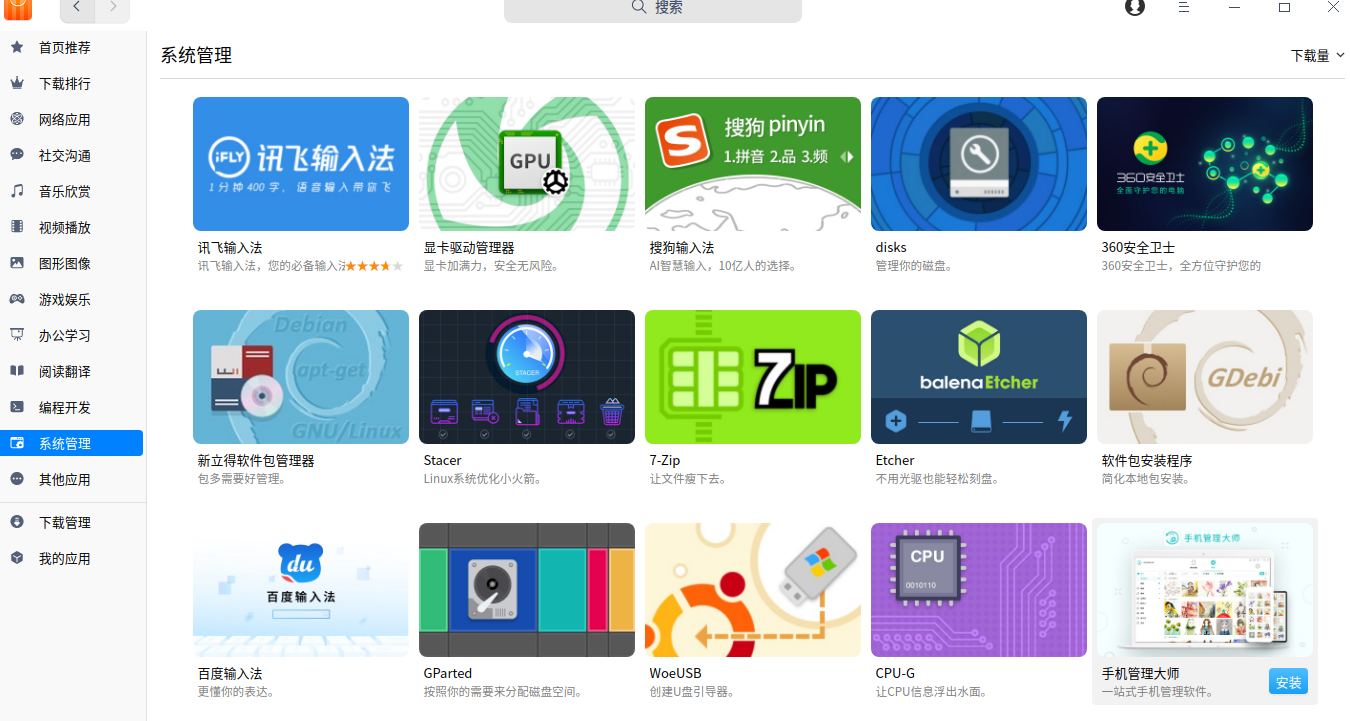
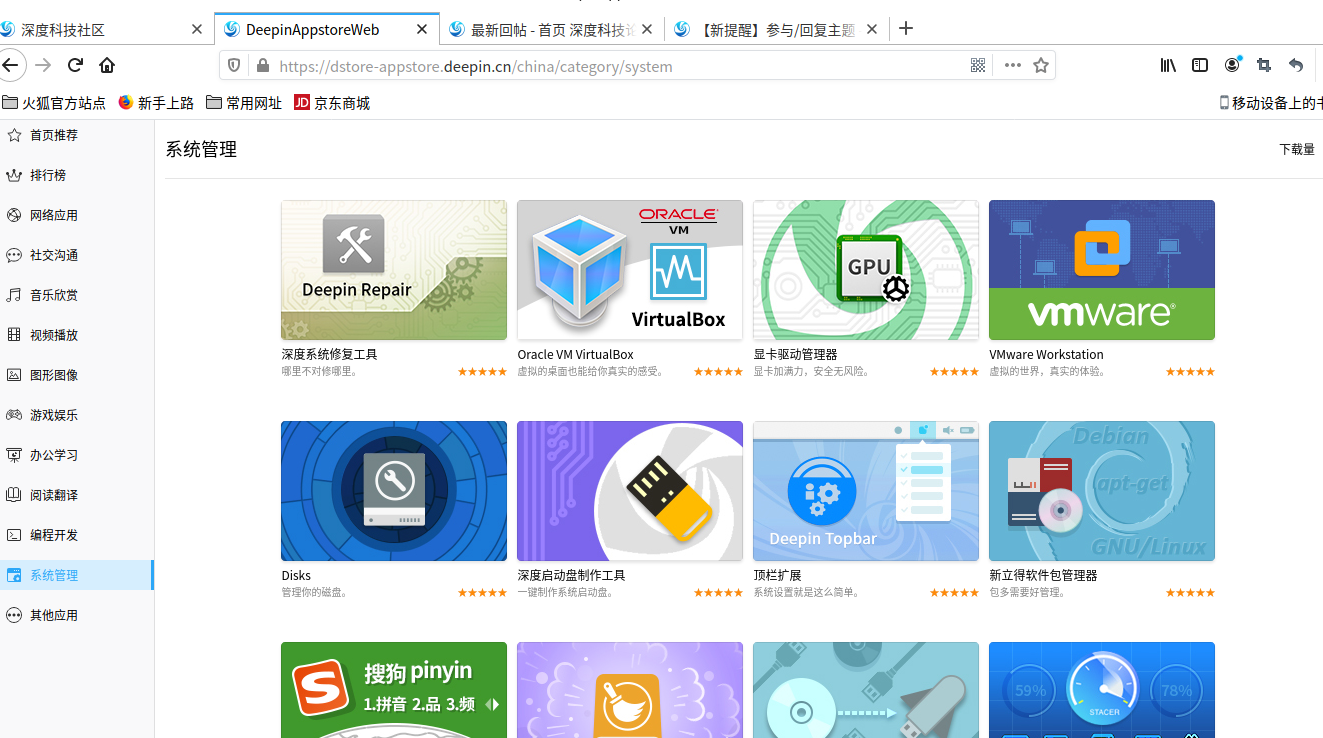
深度系统20beta的应用商店里没有live系统了吗?
Tofloor
poster avatar
wildwolfbase
deepin
2020-07-23 03:56
Author
为什么应用商店系统工具里没有live系统了呢
Reply Favorite View the author
All Replies
1 / 2
To page
avatar
jingle
deepin
2020-07-23 04:08
#1
Reply View the author
avatar
wildwolfbase
deepin
2020-07-23 05:25
#2

上面的是20beta应用商店-系统管理里的内容
下面是官网上应用商店预览里的内容,咋不同呢?想找live系统没有了


Reply View the author
avatar
SamLukeYes
deepin
2020-07-23 05:38
#3
其实随便哪个发行版的安装镜像都可以当live系统用
Reply View the author
avatar
rekees2020
deepin
2020-07-23 05:46
#4
https://bbs.deepin.org/post/197550
其实随便哪个发行版的安装镜像都可以当live系统用

deepin v20的安装镜像怎么当live系统?
Reply View the author
avatar
SamLukeYes
deepin
2020-07-23 05:51
#5
https://bbs.deepin.org/post/197550
deepin v20的安装镜像怎么当live系统?

切换到tty2就可以进命令行,如果要进桌面的话就startx
Reply View the author
Comments
keep_up
2020-07-24 16:51
成功了,感谢分享
avatar
rekees2020
deepin
2020-07-23 06:05
#6
https://bbs.deepin.org/post/197550
切换到tty2就可以进命令行,如果要进桌面的话就startx

哦... 有道理,恍然大悟
Reply View the author
avatar
rekees2020
deepin
2020-07-23 06:38
#7
https://bbs.deepin.org/post/197550
切换到tty2就可以进命令行,如果要进桌面的话就startx

安装镜像启动就是安装界面,Ctrl+Alt+F2~F7都没反应
Reply View the author
avatar
SamLukeYes
deepin
2020-07-23 06:52
#8
https://bbs.deepin.org/post/197550
安装镜像启动就是安装界面,Ctrl+Alt+F2~F7都没反应

在安装界面切不了tty吗?难道新版的镜像改了
Reply View the author
avatar
rekees2020
deepin
2020-07-23 06:57
#9
https://bbs.deepin.org/post/197550
在安装界面切不了tty吗?难道新版的镜像改了

好像在哪里看到过,新版的安装镜像不能当live CD了,有单独的live CD  http://cdimage.deepin.com/live-system/deepin-live-system-2.0-amd64.iso
Reply View the author
avatar
ShadowDumb
deepin
2020-07-23 06:59
#10
按PrintScreen键截图,会弹出提示,你点击查看,就进桌面了
Reply View the author
avatar
haohu1193
deepin
2020-07-23 07:15
#11
https://bbs.deepin.org/post/197550
好像在哪里看到过,新版的安装镜像不能当live CD了,有单独的live CD  http://cdimage.deepin.com/live-s ...

这个不是已经不能用了吗?
Reply View the author
avatar
rekees2020
deepin
2020-07-23 07:28
#12
https://bbs.deepin.org/post/197550
按PrintScreen键截图,会弹出提示,你点击查看,就进桌面了

用虚拟机试了一下,结果截了一堆图
键盘是切到虚拟机里无疑的

Reply View the author
avatar
rekees2020
deepin
2020-07-23 07:29
#13
https://bbs.deepin.org/post/197550
这个不是已经不能用了吗?

能用,我经常用
Reply View the author
avatar
haohu1193
deepin
2020-07-23 07:30
#14

好的...知道了...谢了..!!
Reply View the author
avatar
wildwolfbase
deepin
2020-07-24 04:32
#15
各位大神,应用商店高不定live系统了是吗?我不想用u盘,还有什么办法吗?
Reply View the author
avatar
rekees2020
deepin
2020-07-24 05:21
#16
https://bbs.deepin.org/post/197550
各位大神,应用商店高不定live系统了是吗?我不想用u盘,还有什么办法吗? ...

https://github.com/a1ive/grub2-filemanager
这个软件可以启动deepin V20的live CD
Reply View the author
avatar
loopback
deepin
2020-08-17 20:24
#17
https://bbs.deepin.org/post/197550
安装镜像启动就是安装界面,Ctrl+Alt+F2~F7都没反应

我试了一下,Ctrl+Alt+F2可以调出命令行,敲startx就打开桌面了
Reply View the author
avatar
loopback
deepin
2020-08-17 20:25
#18
https://bbs.deepin.org/post/197550
切换到tty2就可以进命令行,如果要进桌面的话就startx

但是不知道怎么获取root权限,很多操作都不能进行
Reply View the author
avatar
haohu1193
deepin
2020-08-17 20:36
#19
https://bbs.deepin.org/post/197550
但是不知道怎么获取root权限,很多操作都不能进行

提供点截图或者是照片...大家可以帮你看看...

你用live是想干什么?
Reply View the author
avatar
haohu1193
deepin
2020-08-17 20:37
#20
http://cdimage.deepin.com/live-s ... ystem-2.0-amd64.iso

有需要的自己下载...deepin-live-system-2.0-amd64...
Reply View the author
1 / 2
To page