V20硬盘安装
Tofloor
poster avatar
zxhzhou
deepin
2020-07-06 20:10
Author
请问V20能像V15.11那样在windows下用硬硬盘安装吗?电脑太老,不支持4G以上的U盘启动了。
Reply Favorite View the author
All Replies
avatar
haohu1193
deepin
2020-07-06 20:31
#1
Reply View the author
Comments
lbygljq
2020-07-09 05:09
人家说的是硬盘ISO安装,不是ventoy那种模式。
avatar
qq8645
deepin
2020-07-06 22:07
#2
完全可以按硬盘15.11的方法安装V20,我就是这样从硬盘安装的
Reply View the author
avatar
海鸥
deepin
2020-07-07 00:35
#3
https://bbs.deepin.org/post/196780
https://www.ventoy.net/cn/index.html

很好的装机工具哟!
Reply View the author
avatar
liujy126
deepin
2020-07-07 01:46
#4
https://bbs.deepin.org/post/196780
完全可以按硬盘15.11的方法安装V20,我就是这样从硬盘安装的

15.11的方法是什么?
Reply View the author
Comments
qq8645
2020-07-07 20:35
在windows启动项中加入grub4dos启动项,通过grub4dos启动deepin镜像中的live系统
avatar
zxhzhou
deepin
2020-07-08 04:17
#5
https://bbs.deepin.org/post/196780
15.11的方法是什么?

我这样操作的,安装到一半就失败,不知道怎么回事,15.11就没有事
Reply View the author
avatar
themask9527
deepin
2020-07-08 17:50
#6

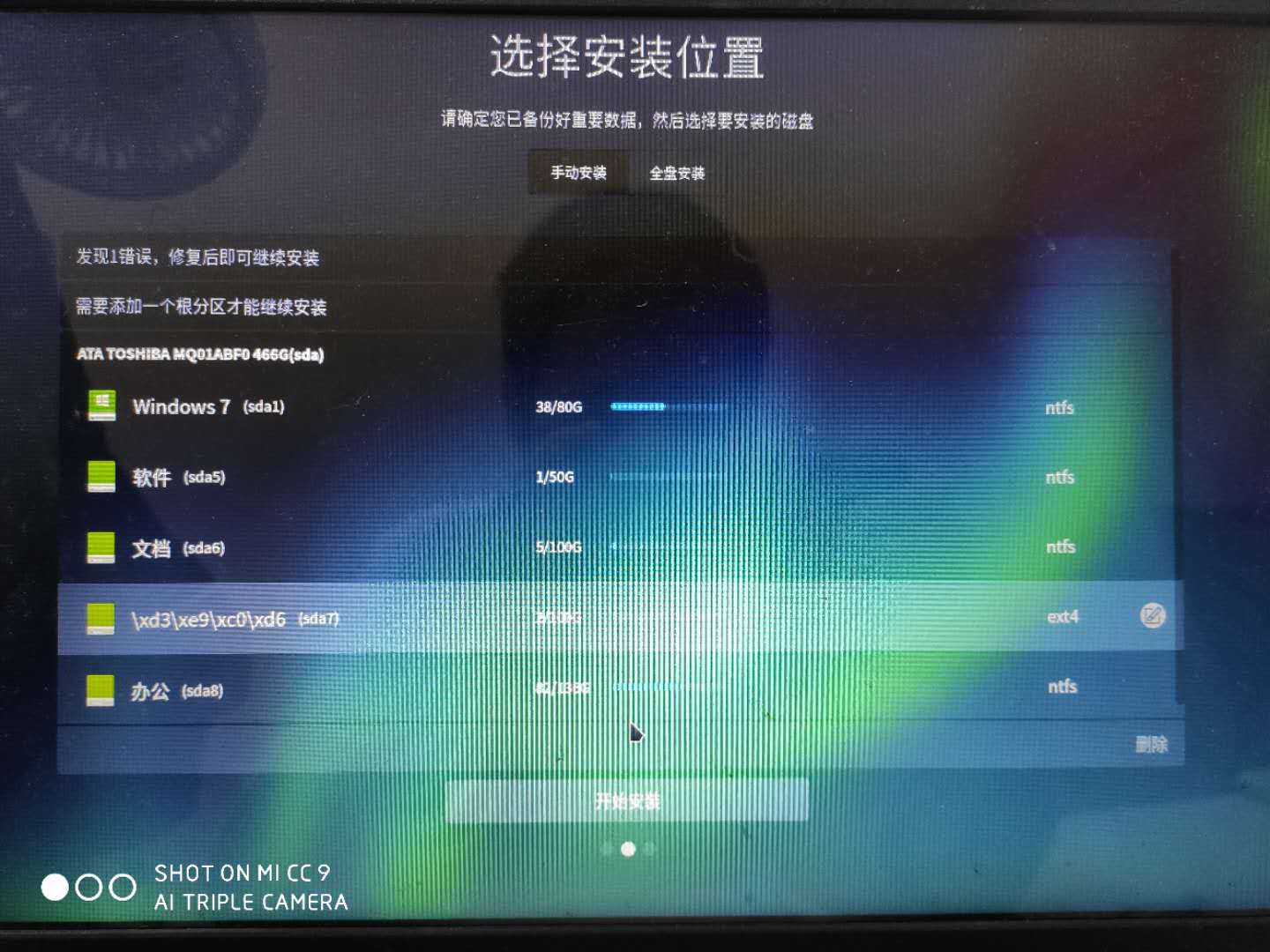
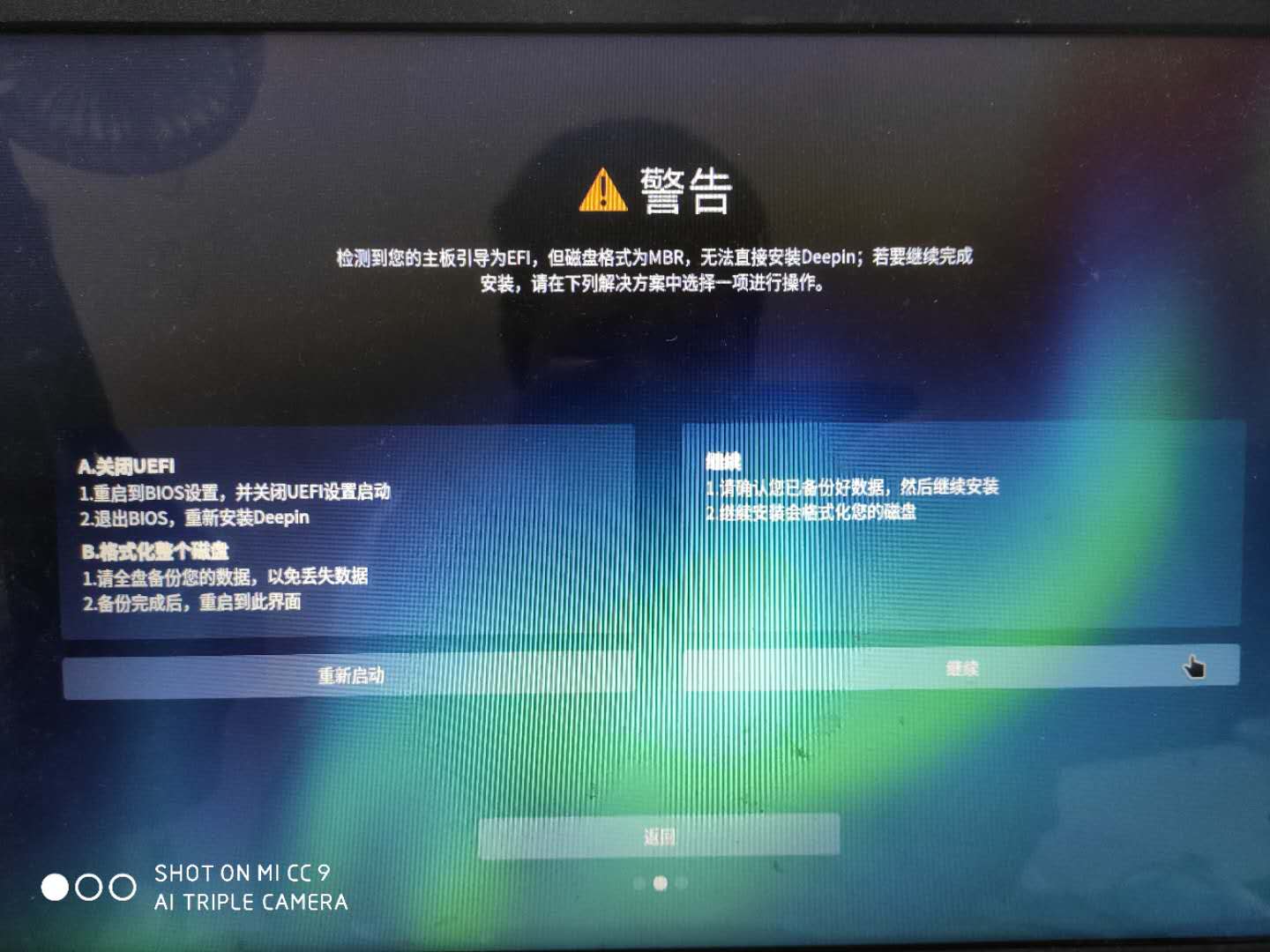
点击笔形图标来到下面的屏幕了  就不敢进行下一步了


Reply View the author
avatar
liujy126
deepin
2020-07-08 18:06
#7
本帖最后由 liujy126 于 2020-7-8 10:12 编辑
https://bbs.deepin.org/post/196780
点击笔形图标来到下面的屏幕了  就不敢进行下一步了

上面写的清楚,你的磁盘是mbr分区表的,这个磁盘引导格式早淘汰了。
要整个硬盘改成guid uefi格式的,然后重新分区,硬盘第一个分区分出来个300兆的efi分区,格式化成fat32(一定是32啊),之后是c盘,然后bios里选uefi格式启动,安装windows。
Reply View the author