【此贴已满不更新】下一代播放器NextPlayer更新到v1.6.6-6
Tofloor
poster avatar
已退deepin
deepin
2020-06-20 18:30
Author
本帖最后由 user0001 于 2020-7-16 11:46 编辑


此贴已经满了,请前往:

大家可以自由重新打包发布。


功能:
1. 支持硬件解码(Linux目前不支持VAAPI硬件解码,macOS支持完美的硬解)
2. CPU占用率平时只有不到10%。主要依靠GPU解码。
3. 支持蓝光/流媒体文件,例如IPTV的txt/m3u/m3u8等节目源格式,直接拖入播放器窗口即可识别。
4. 支持全景声场(需要声卡支持),例如7.1/5.1, 但是需要硬件支持才可以。
5. 目前是用OpenGL进行最终的图形渲染而非SDL。占用资源较小。
6. 支持外挂,内嵌字幕。

无声音问题:
请确保在设置->声音中选择输出设备为pulse设备
播放部分视频闪退等问题:
请在设置- >视频中关闭硬件解码
更新后乱码显示问题:
执行如下命令,清空配置:
rm ~/.config/thenewplayer

欢迎大家给我的项目在github打星星哦。
项目地址:https://github.com/sudormroot/nextplayer-project


无声音请参考:https://bbs.deepin.org/post/196408


用法:
请直接将IPTV的源文件(txt/m3u/m3u8),文件夹、视频文件,直接拖入app的窗口即可!

Linux

v1.6.6-6
https://bbs.deepin.org/module


链接:https://pan.baidu.com/s/1nSMO2UvwVY0jbnYaEr5dPQ
提取码:r3hu  


changelog:
除了初始音量记忆修复之外,也修复了可以双击直接打开视频文件。之前的版本貌似没有这个功能。

macOS:
macOS版本地址(也可以去我的github主页下载):
v1.6.1 (界面更新,进入下一代界面)
链接: https://pan.baidu.com/s/1qbYmkB5esgDm1oIuZ5_loA
提取码: xvet


关于自动在启动时候抓去在线的m3u/m3u8/txt等节目列表文件:
在/usr/local/thenewplayer/bin/thenewplayer.sh中添加如下代码:
wget http://xxx.xxx.xxx.xxx/list.m3u
covert list.m3u to list.txt
cp list.txt $HOME/.config/thenewplayer/iptvlist.txt


默认的时候TheNewPlayerFree会从这个位置加载iptvlist.txt文件


快捷键(工程使用):

q                     退出

空格              暂停/继续

f                    全屏幕

ESC             退出全屏幕

上下键        增降音量

左右键        回退/快进

a                 切换音轨

s                 切换字幕

v                 切换视频质量

i                  显示信息

p                节目源切换


硬件解码展示,以下的播放文件均在15GB-40GB之间,来自于原蹀镜像:


Reply Favorite View the author
All Replies
...6 / 10
To page
avatar
已退deepin
deepin
2020-06-26 16:37
#101
https://bbs.deepin.org/post/196153
希望作者发布appimage版,或者适配一下ubuntu20.04
目前此软件在Ubuntu20.04下无法运行 ...

我还不会打包appimage :)我回头学习一下打包为appimage,这样兼容性就好些。
Reply View the author
avatar
lbygljq
deepin
2020-06-26 17:13
#102
在Deepin15-11下能正常安装,运行出错:
  1. /usr/local/thenewplayerfree/bin/thenewplayerfree: error while loading shared libraries: libva.so.2: cannot open shared object file: No such file or directory
Copy the Code
Reply View the author
avatar
已退deepin
deepin
2020-06-26 17:22
#103
https://bbs.deepin.org/post/196153
在Deepin15-11下能正常安装,运行出错:

打包的问题。少了库。第一次在linux下打包。缺少了经验。

sudo apt-get install qt5-default g++
sudo apt-get install libqt5multimedia5-plugins   #解决无声音问题
sudo apt-get install libsdl2-dev
sudo apt-get install ffmpeg
Reply View the author
Comments
lbygljq
2020-06-26 21:32
这安装目录有点不规范,Deepin15-11无法使用。
lenke
2020-06-26 20:04
装完依赖,Ubuntu20.04成功运行并播放本地视频,直播一直失败,不知道是不是源的问题
avatar
字甲达宾
deepin
2020-06-26 17:32
#104
做3处调整,可以直接在命令行运行程序。

1. 新建程序脚本,并给可执行权限:

/usr/local/bin/thenewplayerfree
  1. #!/bin/sh
  2. # 2020-6-26

  3. APPNAME=thenewplayerfree
  4. prefix=/usr/local/$APPNAME

  5. LD_LIBRARY_PATH=$prefix/lib

  6. cd $prefix
  7. $prefix/bin/$APPNAME
Copy the Code
  1. sudo chmod 755 /usr/local/bin/thenewplayerfree
Copy the Code


2.修改 /usr/share/applications/thenewplayerfree.desktop
调整命令和图标指向(标红色的两行)

[Desktop Entry]
Categories=AudioVideolayer;
Comment=The best media player for UNIX
Exec=thenewplayerfree
GenericName=Movie
Icon=thenewplayerfree
Keywords=IPTVlayer;Movie;Video;
MimeType=application/ogg;application/vnd.apple.mpegurl;application/vnd.rn-realmedia;application/x-extension-mp4;application/x-flac;application/x-matroska;application/x-ogg;application/xspf+xml;image/vnd.rn-realpix;misc/ultravox;video/3gpp;video/dv;video/mp2t;video/mp4;video/mp4v-es;video/mpeg;video/msvideo;video/ogg;video/quicktime;video/vnd.rn-realvideo;video/webm;video/x-anim;video/x-avi;video/x-flc;video/x-fli;video/x-flv;video/x-m4v;video/x-matroska;video/x-mpeg;video/x-mpeg2;video/x-ms-afs;video/x-ms-asf;video/x-msvideo;video/x-ms-wmv;video/x-ms-wmx;video/x-ms-wvxvideo;video/x-nsv;video/x-ogm+ogg;video/x-theora;video/x-theora+ogg;x-content/video-dvd;x-content/video-svcd;x-content/video-vcd;x-scheme-handler/mms;x-scheme-handler/rtmp;x-scheme-handler/rtsp;application/mxf;
Name=TheNewPlayerFree
StartupNotify=true
Type=Application
#X-Deepin-ManualID=xxx
#X-Deepin-Vendor=xxx
3. 添加主程序图标 thenewplayerfree.png
  1. sudo cp /usr/local/thenewplayerfree/images/logo.png /usr/share/pixmaps/thenewplayerfree.png
Copy the Code
提示:上面复制的图标,是 512x512 尺寸。建议缩小成 48x48 的小尺寸。
如改为执行下面的指令

  1. sudo convert -resize 48 /usr/local/thenewplayerfree/images/logo.png /usr/share/pixmaps/thenewplayerfree.png
Copy the Code


运行示例:
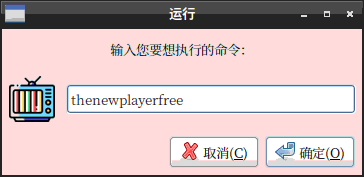
按 Alt + F2, 输入 sthenewplayerfree 即可运行。
注:第一次输入 sthenewplayerfree 运行时,不能正确显示程序图标。
从第二次起,按 Alt + F2, 输入 sthenewplayerfree 可以正常显示程序图标。


Reply View the author
avatar
liyongjuncd
deepin
2020-06-26 17:39
#105
点个赞,楼主辛苦了,先试用一下
Reply View the author
avatar
la******ng@outlook.com
deepin
2020-06-26 17:40
#106
本帖最后由 s9209122222 于 2020-6-26 09:44 编辑

請問截圖的 mpv 是在 Mac 上測試的嗎?如果在 Linux 上測試呢?他的 CPU% 不應該這麼高呀!
怎麼突然不能傳圖片了?我用 HEVC HDR 60fps 測試使用率幾乎都 3% 以下耶。

Reply View the author
avatar
字甲达宾
deepin
2020-06-26 17:47
#107
https://bbs.deepin.org/post/196153
打包的问题。少了库。第一次在linux下打包。缺少了经验。

sudo apt-get install qt5-default g++

某些旧版本的 Linux, 默认安装的可能是 qt4-default 。应该也是可以兼容使用的。
Reply View the author
avatar
字甲达宾
deepin
2020-06-26 17:49
#108
https://bbs.deepin.org/post/196153
在Deepin15-11下能正常安装,运行出错:

sudo apt install libva2


-----------

$ dpkg -S libva.so

libva2:amd64: /usr/lib/x86_64-linux-gnu/libva.so.2.400.0
libva2:amd64: /usr/lib/x86_64-linux-gnu/libva.so.2
Reply View the author
avatar
字甲达宾
deepin
2020-06-26 17:56
#109
关于许可证:本软件其实是二进制的MIT许可,目前这个版本禁止了菜单栏,所以大家看不见许可信息。
在不做违反法律法律社会公序良俗,不做商业用途的前提下,大家可以自由重新打包发布。


如果不允许商业用途,又使用 MIT 许可:这两件事情,是有冲突的。

建议换其它许可证。
Reply View the author
avatar
已退deepin
deepin
2020-06-26 17:58
#110
https://bbs.deepin.org/post/196153
做3处调整,可以直接在命令行运行程序。

1. 新建程序脚本,并给可执行权限:

厉害啊。我没有在Linux下开发过app。这是第一次。

已经收入了我的打包脚本。感谢感谢!!!!!!!!!!!!!!!!!
Reply View the author
avatar
已退deepin
deepin
2020-06-26 17:59
#111
https://bbs.deepin.org/post/196153
請問截圖的 mpv 是在 Mac 上測試的嗎?如果在 Linux 上測試呢?他的 CPU% 不應該這麼高呀!
怎麼突然不能傳 ...

那个是mac,目前mpv和新的Catalina有点儿兼容问题。主要是硬解的API语意变了。目前TNP硬解似乎会崩溃。我还没有环境测试。
Reply View the author
avatar
已退deepin
deepin
2020-06-26 18:07
#112
https://bbs.deepin.org/post/196153
sudo apt install libva2

我在重新写一个脚本打包并编译1.6.2(修复快捷键那个问题)。打算把所有的运行中的动态库放到 lib下面,插件放到plugins/
避免依赖。
Reply View the author
avatar
已退deepin
deepin
2020-06-26 18:13
#113
https://bbs.deepin.org/post/196153
如果不允许商业用途,又使用 MIT 许可:这两件事情,是有冲突的。

建议换其它许可证。 ...

谢谢大佬建议。
Reply View the author
avatar
已退deepin
deepin
2020-06-26 18:24
#114
https://bbs.deepin.org/post/196153
如果不允许商业用途,又使用 MIT 许可:这两件事情,是有冲突的。

建议换其它许可证。 ...

重新规划了一下目录结构
  1.   4 #
  2.   5 #  thenewplayerfree/bin/thenewplayerfree
  3.   6 #  thenewplayerfree/bin/thenewplayerfree.sh
  4.   7 #  thenewplayerfree/bin/languages  --> ../share/languages
  5.   8 #  thenewplayerfree/bin/images     --> ../share/images
  6.   9 #
  7. 10 #  thenewplayerfree/lib/
  8. 11 #  thenewplayerfree/plugins/
  9. 12 #
  10. 13 #  thenewplayerfree/share/languages/
  11. 14 #  thenewplayerfree/share/images/
  12. 15 #  thenewplayerfree/share/licenses/
  13. 16 #  thenewplayerfree/share/version.txt
  14. 17 #  thenewplayerfree/share/RELEASE
  15. 18 #
  16. 19 #  /usr/share/pixmaps/thenewplayerfree.png --> thenewplayerfree/share/images/logo.png
  17. 20 #  /usr/share/applications/thenewplayerfree.desktop  --> thenewplayerfree/share/thenewplayerfree.desktop
  18. 21 #  /usr/local/bin/thenewplayerfree  --> thenewplayerfree/bin/thenewplayerfree.sh
  19. 22 #  
Copy the Code
Reply View the author
avatar
liyongjuncd
deepin
2020-06-26 18:24
#115
安装了,但是还不能够正常使用。坐等
Reply View the author
avatar
玉箫
deepin
2020-06-26 18:57
#116
各省电视台播放没有声音     重庆新闻无法播放修复bug
Reply View the author
avatar
已退deepin
deepin
2020-06-26 19:31
#117
https://bbs.deepin.org/post/196153
如果不允许商业用途,又使用 MIT 许可:这两件事情,是有冲突的。

建议换其它许可证。 ...

那个快捷键显示已经修复了。
Reply View the author
avatar
已退deepin
deepin
2020-06-26 20:03
#118
链接: https://pan.baidu.com/s/1ikEvNAOGVXPd7cgLDZEepg 提取码: gqrc
Reply View the author
avatar
lenke
deepin
2020-06-26 20:04
#119
https://bbs.deepin.org/post/196153
打包的问题。少了库。第一次在linux下打包。缺少了经验。

sudo apt-get install qt5-default g++

装完依赖,Ubuntu20.04成功运行并播放本地视频,直播一直失败,不知道是不是源的问题
Reply View the author
avatar
已退deepin
deepin
2020-06-26 20:10
#120
https://bbs.deepin.org/post/196153
装完依赖,Ubuntu20.04成功运行并播放本地视频,直播一直失败,不知道是不是源的问题 ...

我更新版本到了v1.6.2,已经不需要手工包含依赖了。全部被我打包了。你试试1.6.2

可能是源的问题,很多源是无效的。
Reply View the author
...6 / 10
To page