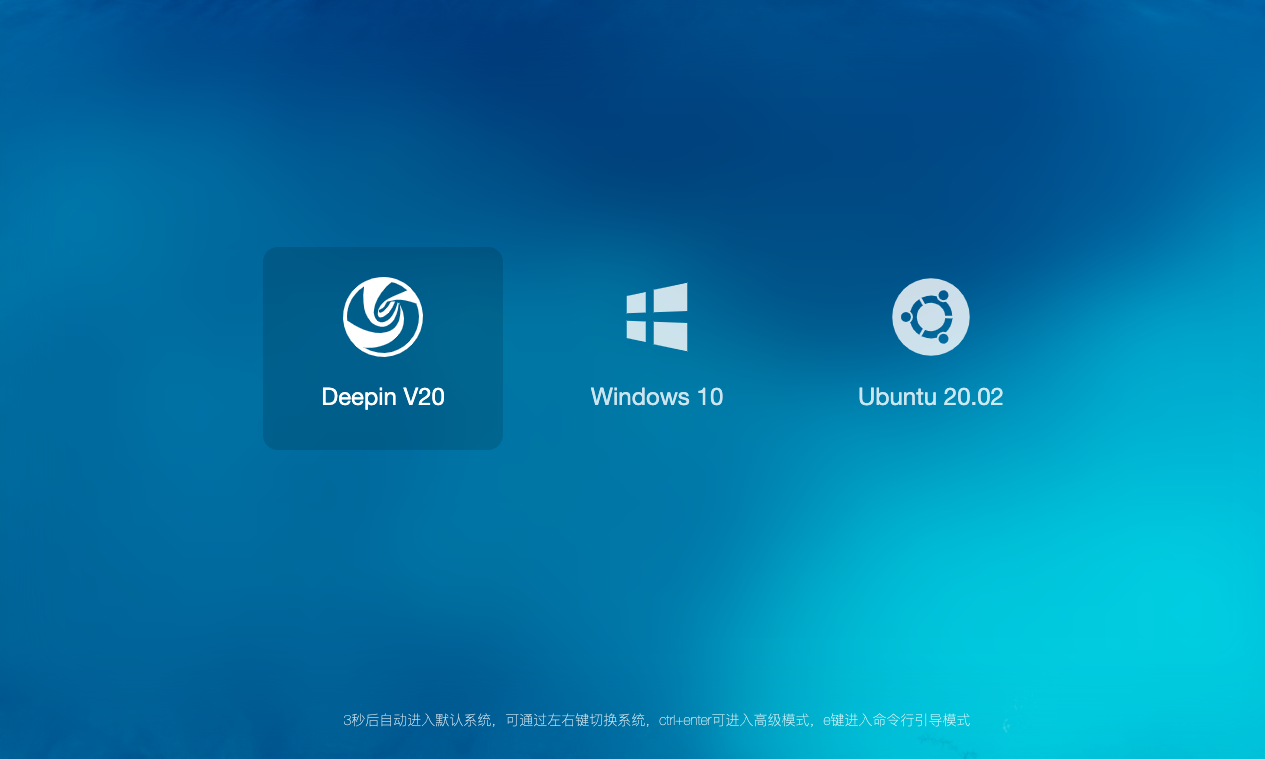
GRUB引导界面UI建议
Tofloor
poster avatar
496651923
deepin
2020-06-17 17:16
Author
默认就不要展示什么高级模式了,可以通过快捷键组合的方式进入相关界面,这样看着多清爽
Reply Favorite View the author
All Replies
1 / 2
To page
avatar
msan
deepin
2020-06-17 17:28
#1
为啥你的是这样的
Reply View the author
avatar
suxuanhua
deepin
2020-06-17 18:23
#2
厉害
Reply View the author
avatar
suxuanhua
deepin
2020-06-17 18:25
#3
厉害,如果deepinUI 设计人员有你一半审美和设计功底,就不会导致现在的deepinV20 口碑下滑了。。。。。

Reply View the author
avatar
Haydn
deepin
2020-06-17 18:26
#4
这个确实干净整洁,看着就美观不少啊。
Reply View the author
avatar
ghostry
deepin
2020-06-17 18:31
#5
本帖最后由 ghostry 于 2020-6-17 10:34 编辑

refind 能做到这种界面.

grub好像都是竖着的列表.

efi引导的可以自己搞这种
楼主的图有素材吗? 想试着做个主题.
Reply View the author
Comments
lbygljq
2020-06-17 21:55
grub都可以横排,grub2应该也没问题。
avatar
496651923
deepin
2020-06-17 18:43
#6
https://bbs.deepin.org/post/196048
refind 能做到这种界面.

grub好像都是竖着的列表.

背景原图地址(没有版权问题):https://www.pexels.com/zh-cn/photo/5412/


系统图标是在https://www.iconfont.cn/这里找的
Reply View the author
avatar
木子欢儿
deepin
2020-06-17 18:48
#7
好看呀!!!
Reply View the author
avatar
SamLukeYes
deepin
2020-06-17 18:51
#8
https://bbs.deepin.org/post/196048
refind 能做到这种界面.

grub好像都是竖着的列表.

看起来像burg
Reply View the author
avatar
496651923
deepin
2020-06-17 18:57
#9
https://bbs.deepin.org/post/196048
为啥你的是这样的

只是单纯的一张图,不要多想
Reply View the author
avatar
SamLukeYes
deepin
2020-06-17 19:05
#10
“高级模式”是grub2的一个子菜单,这个是可以自定义的。但快捷键能不能自定义,我就不是很清楚了
Reply View the author
avatar
ghostry
deepin
2020-06-17 20:10
#11
Reply View the author
avatar
jingle
deepin
2020-06-17 21:40
#12
https://bbs.deepin.org/post/196048
只是单纯的一张图,不要多想

不要高级 会存在问题的
Reply View the author
avatar
lbygljq
deepin
2020-06-17 22:02
#13
引导界面自定义的话,可以达到楼主的理想效果。

但是系统自动生成都是竖排,因为横排可能会乱的。毕竟不同人的机器上系统数量和系统类别不尽相同。

要是弄成3+1,就更难看了。

另外,怎么能让引导界面的字体变得更大些?我的主题最大字号貌似只有16号。
Reply View the author
avatar
yanfung
deepin
2020-06-17 22:22
#14
换个引导就好了,,grub2太丑了
Reply View the author
avatar
ghostry
deepin
2020-06-18 17:32
#15
本帖最后由 ghostry 于 2020-6-18 09:37 编辑


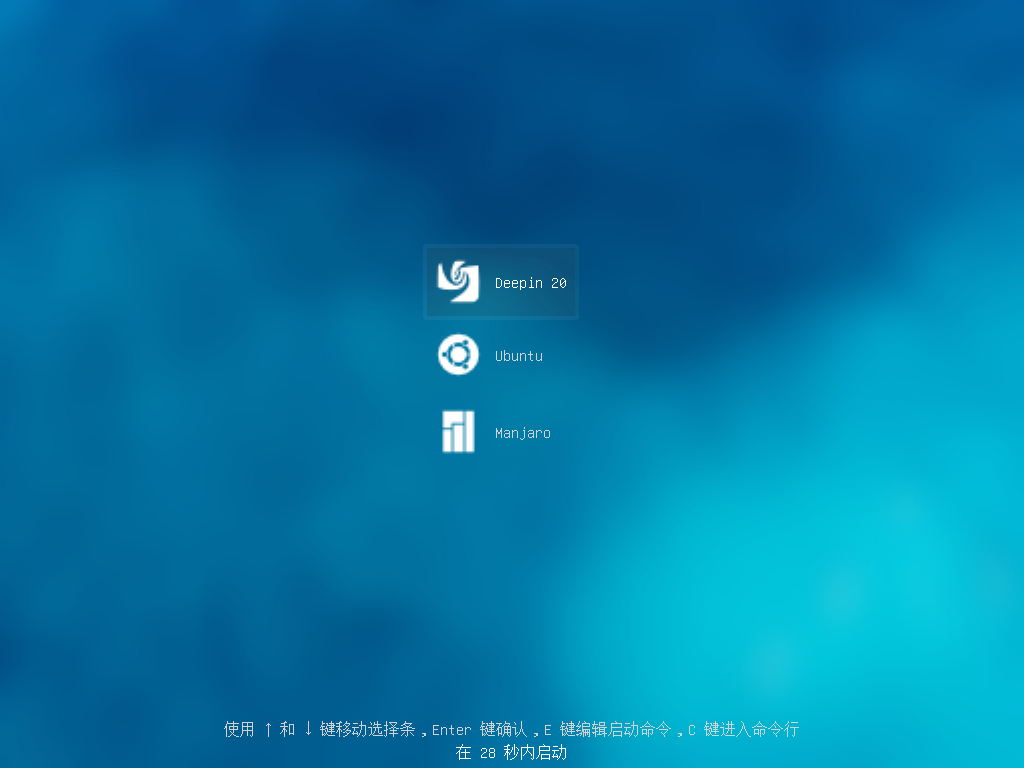
折腾了下,只能做到这种程度了.

横排和文字放图标下面,不知道怎么做.查不到相关资料.

有人想要的话,我找时间开贴写下方法.有些麻烦.
Reply View the author
Comments
jingle
2020-06-19 21:10
https://www.gnome-look.org/browse/cat/109/order/latest/ 弄个魔改下
avatar
496651923
deepin
2020-06-19 17:41
#16
https://bbs.deepin.org/post/196048
不要高级 会存在问题的

没说不要,意思是默认不展示,通过快捷键的方式进入,这玩意儿对普通用户来说没什么用
Reply View the author
avatar
豆浆包子
deepin
2020-06-19 19:05
#17
15.11我记得自己改过grub。但是系统貌似会自动更新覆盖。所以感觉没办法DIY。
Reply View the author
avatar
jingle
deepin
2020-06-19 21:10
#18
https://bbs.deepin.org/post/196048
厉害,如果deepinUI 设计人员有你一半审美和设计功底,就不会导致现在的deepinV20 口碑下滑了。。 ...

https://www.gnome-look.org/browse/cat/109/order/latest/

这里有不少
Reply View the author
avatar
gph123456
deepin
2020-06-19 22:50
#19
https://bbs.deepin.org/post/196048
不要高级 会存在问题的

说句个人感受,感觉deepin做这些的时候想的很多,但是最基本的都没做好。感觉这个UI和快捷键思路很好
Reply View the author
avatar
SamLukeYes
deepin
2020-06-19 22:55
#20
https://bbs.deepin.org/post/196048
说句个人感受,感觉deepin做这些的时候想的很多,但是最基本的都没做好。感觉这个UI和快捷键思路很好 ...

不是deepin想得太多,在这一点上只是遵照了linux发行版的惯例而已
Reply View the author
1 / 2
To page