求助!关于microsoft-ds开机占用445端口问题
Tofloor
poster avatar
jywwwww
deepin
2020-06-12 21:35
Author
本帖最后由 jywwwww 于 2020-6-12 14:20 编辑

想彻底关掉这个服务,但是找不到地方在哪,又不能开防火墙,没法直接禁用端口,请问各位大佬有什么方法嘛
Reply Favorite View the author
All Replies
avatar
走钢丝
deepin
2020-06-12 21:54
#1
这个端口不是 445 么。
Reply View the author
avatar
走钢丝
deepin
2020-06-12 21:59
#2
sudo ss -tlnp
Reply View the author
avatar
jywwwww
deepin
2020-06-12 22:20
#3
https://bbs.deepin.org/post/195890
这个端口不是 445 么。

对这个端口是445 不好意思我打错了
Reply View the author
avatar
jywwwww
deepin
2020-06-12 22:22
#4

可以麻烦说详细点嘛
Reply View the author
avatar
走钢丝
deepin
2020-06-12 22:22
#5
https://bbs.deepin.org/post/195890
可以麻烦说详细点嘛

桌面-右键-终端,输入以上命令就能看到了。
Reply View the author
avatar
jywwwww
deepin
2020-06-12 22:24
#6
https://bbs.deepin.org/post/195890
桌面-右键-终端,输入以上命令就能看到了。

嗯嗯这个我清楚,我想问的是如何把这个服务彻底关掉,就是重启也不会在开启的那种,请问有办法嘛
Reply View the author
avatar
走钢丝
deepin
2020-06-12 22:29
#7
https://bbs.deepin.org/post/195890
嗯嗯这个我清楚,我想问的是如何把这个服务彻底关掉,就是重启也不会在开启的那种,请问有办法嘛 ...
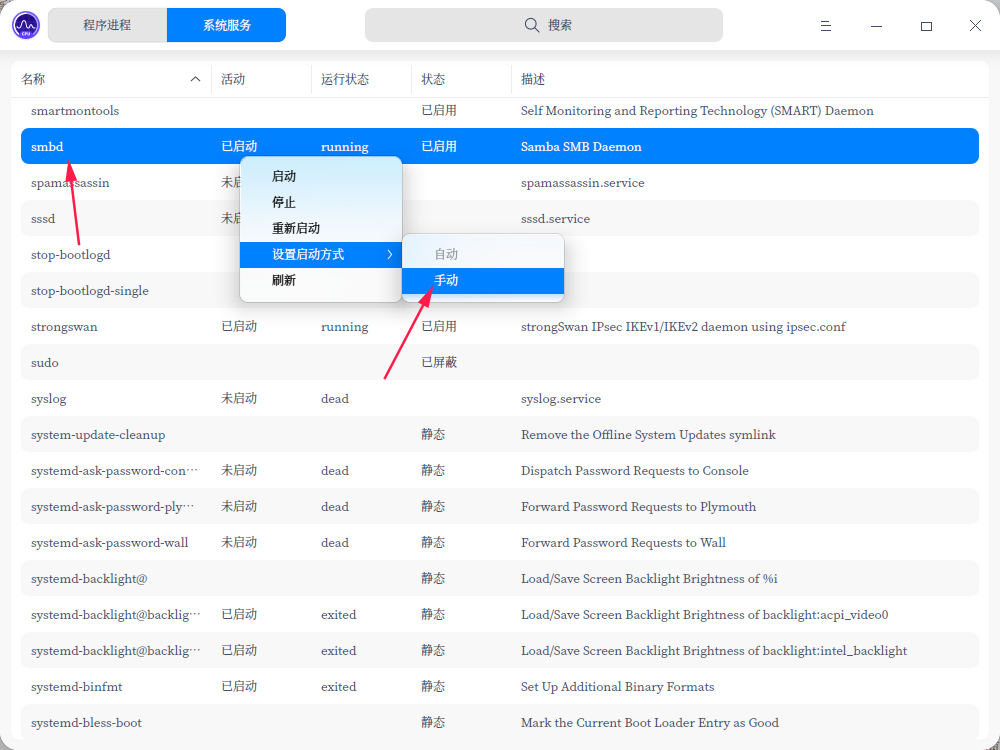

系统监视器改成手动?不过这个是文件共享服务,关了可能没得用了。


Reply View the author
avatar
走钢丝
deepin
2020-06-12 22:30
#8
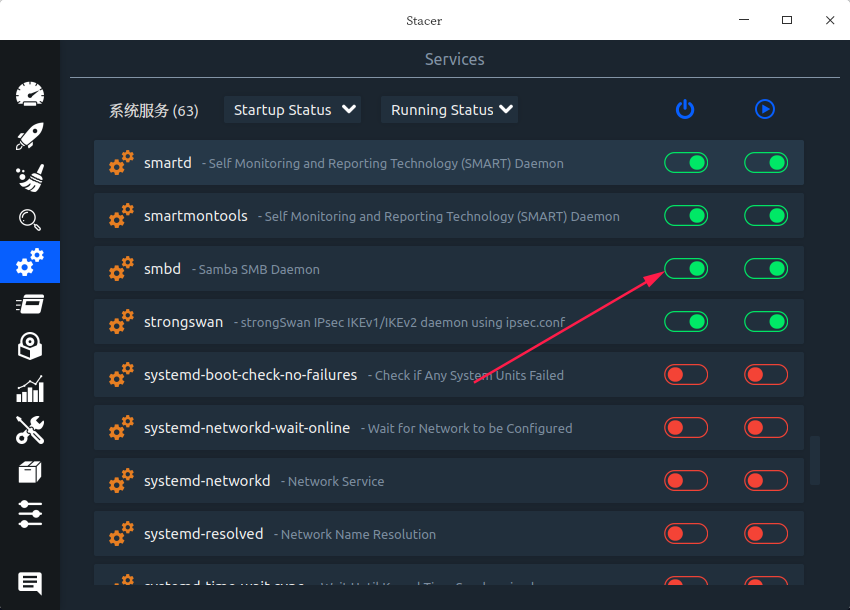
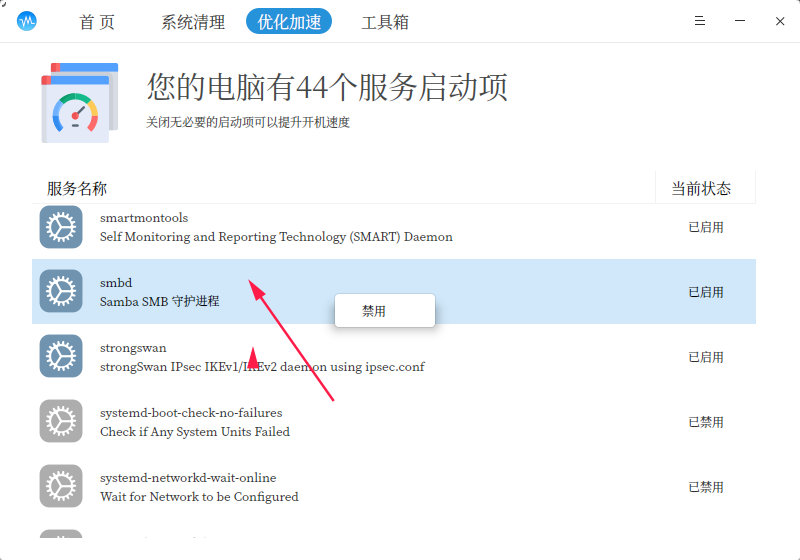
用 stacer 或 sysbro 也可以


Reply View the author
Comments
jywwwww
2020-06-13 00:47
问题已解决 stacer很好用 多谢~
avatar
jywwwww
deepin
2020-06-12 22:33
#9
https://bbs.deepin.org/post/195890
用 stacer 或 sysbro 也可以

好的谢谢老哥 我去捣鼓一下
Reply View the author