谁的wine 升级到了5.0指点一下,网上的方法没学会
Tofloor
poster avatar
曾经
deepin
2020-06-07 02:10
Author
谁的wine 升级到了5.0指点一下,网上的方法没学会
Reply Favorite View the author
All Replies
avatar
走钢丝
deepin
2020-06-07 03:04
#1
Reply View the author
avatar
观摩
deepin
2020-06-07 06:50
#2
从哪里复制的脚本,一些字符被转码了
Reply View the author
avatar
观摩
deepin
2020-06-07 06:55
#3
本帖最后由 hope250 于 2020-6-6 22:58 编辑
  1. 1、添加安装源
  2. sudo dedit /etc/apt/sources.list
  3. 在打开的文件里添加下面这一行

  4. deb https://dl.winehq.org/wine-builds/debian/ stretch main

  5. 2、安装 winehq 的证书
  6. wget -nc https://dl.winehq.org/wine-builds/winehq.key
  7. sudo apt-key add winehq.key

  8. 3、update 一次
  9. sudo apt update

  10. 4、安装 winehq
  11. sudo apt install --install-recommends winehq-devel

  12. 5、查看版本
  13. wine --version
Copy the Code


从我个人的经验来看,如果不给 apt 加梯子,安装或者更新 winehq 会很慢

Reply View the author
avatar
走钢丝
deepin
2020-06-07 06:58
#4
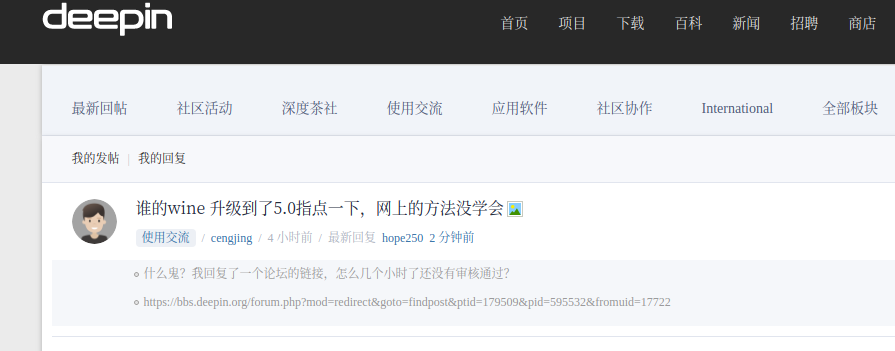
什么鬼?我回复了一个论坛的链接,怎么几个小时了还没有审核通过?
Reply View the author
avatar
观摩
deepin
2020-06-07 06:59
#5
https://bbs.deepin.org/post/195629
什么鬼?我回复了一个论坛的链接,怎么几个小时了还没有审核通过?

有这么扯,社区自己的链接都拦截?
Reply View the author
avatar
走钢丝
deepin
2020-06-07 07:03
#6
https://bbs.deepin.org/post/195629
有这么扯,社区自己的链接都拦截?

是啊。。刚发出去时说需要审核。。但过了几个小时,似乎还没得。


以前没遇到过。
Reply View the author
avatar
MicroSir
deepin
2020-06-07 07:21
#7
(6)升级wine
sudo dpkg --add-architecture i386

然后安装被用于签发安装包的密钥:

wget -nc https://dl.winehq.org/wine-builds/winehq.key
sudo apt-key add winehq.key

然后在 /etc/apt/sources.list.d/ 创建一个名为 winehq.list 的文件(sudo deepin-editor /etc/apt/sources.list.d/winehq.list),并包含以下内容:

deb https://dl.winehq.org/wine-builds/debian/ stretch main

注意:uos 对应 debian 10,应包含的内容为:

deb https://dl.winehq.org/wine-builds/debian/ buster main

添加验证公钥
sudo apt install dirmngr
sudo apt-key adv --keyserver hkp://keyserver.ubuntu.com:80 --recv-keys 76F1A20FF987672F

更新软件仓库:
sudo apt update

安装稳定分支:
sudo apt install --install-recommends winehq-stable

测试分支更新更频繁:
sudo apt install --install-recommends winehq-devel

验证当前版本号:
wine --version
Reply View the author
avatar
Cc丶
deepin
2020-06-07 09:23
#8
https://bbs.deepin.org/post/187285#
Reply View the author
avatar
曾经
deepin
2020-06-07 13:21
#9
https://bbs.deepin.org/post/195629
(6)升级wine
sudo dpkg --add-architecture i386

按照大师的指点还是没有成功,不知问题出在哪里了
Reply View the author
avatar
曾经
deepin
2020-06-07 13:23
#10
https://bbs.deepin.org/post/195629
从我个人的经验来看,如果不给 apt 加梯子,安装或者更新 winehq 会很慢

多谢大师指点,不过还是没有成功,不知问题出现在哪里
Reply View the author
avatar
不会开车有驾照
deepin
2020-06-07 15:42
#11
本帖最后由 ccbshang 于 2020-6-7 10:22 编辑

供参考https://bbs.deepin.org/post/195243
我多次安装使用的教程
Reply View the author
avatar
不会开车有驾照
deepin
2020-06-07 15:46
#12
看看源添加的正确不?
Reply View the author
avatar
lbygljq
deepin
2020-06-07 16:17
#13
如果想用官方网站源安装,看看我的脚本:
针对15.11:
  1. #! /bin/sh

  2. echo "  ███ 为深度桌面系统 15.11 安装 WineHQ 官方最新稳定版 ███ "
  3. echo
  4. # 开启系统 32 位支持
  5. sudo dpkg --add-architecture i386

  6. if [ -f "/etc/apt/sources.list.d/winehq.list" ]; then
  7.     sudo apt install --install-recommends winehq-stable
  8. else
  9.     wget -q -O - https://dl.winehq.org/wine-builds/winehq.key | sudo apt-key add -
  10.     echo '### WineHQ 官方源 ###
  11. deb https://dl.winehq.org/wine-builds/debian/ stretch main' | sudo tee /etc/apt/sources.list.d/winehq.list > /dev/null
  12.     sudo apt update
  13.     sudo apt install --install-recommends winehq-stable
  14. fi

  15. # 安装winetricks工具
  16. sudo apt install -y winetricks
Copy the Code


针对20:
  1. #! /bin/sh

  2. echo 〓 WineHQ for V20 官方源远程安装 〓
  3. # 开启 32 位支持
  4. sudo dpkg --add-architecture i386

  5. if [ -f "/etc/apt/sources.list.d/winehq.list" ]; then
  6.     sudo apt install --install-recommends winehq-stable
  7.   else
  8.     wget -q -O - https://dl.winehq.org/wine-builds/winehq.key | sudo apt-key add -
  9.     echo '### WineHQ 官方源 ###
  10. deb https://dl.winehq.org/wine-builds/debian/ buster main' | sudo tee /etc/apt/sources.list.d/winehq.list > /dev/null
  11.     sudo apt update
  12.     sudo apt install --install-recommends winehq-stable
  13. fi

  14. # 安装winetricks工具
  15. sudo apt install -y winetricks
Copy the Code

希望能帮到你。

Reply View the author
avatar
曾经
deepin
2020-06-07 16:25
#14
本帖最后由 cengjing 于 2020-6-7 08:39 编辑
https://bbs.deepin.org/post/195629
如果想用官方网站源安装,看看我的脚本:
针对15.11:

我的是deepin v20, 估计也悬,失败原因主要是连不上网,还是谢谢你
Reply View the author
avatar
不会开车有驾照
deepin
2020-06-07 18:12
#15
你添加的源为乌班图的源,换源试试
Reply View the author
avatar
MicroSir
deepin
2020-06-07 18:14
#16
https://bbs.deepin.org/post/195629
我的是deepin v20, 估计也悬,失败原因主要是连不上网,还是谢谢你

命中:2 http://dl.google.com/linux/chrome/deb stable InRelease                    
命中:3 https://mirrors.huaweicloud.com/deepin stable InRelease                  
命中:4 https://mirrors.aliyun.com/deepin panda InRelease                        
命中:5 https://cdn-package-store6.deepin.com/appstore eagle InRelease            
命中:6 https://community-packages.deepin.com/deepin apricot InRelease            
命中:1 https://uos.deepin.cn/printer eagle InRelease                        
命中:7 https://dl.winehq.org/wine-builds/debian stretch InRelease            
命中:8 https://dl.winehq.org/wine-builds/debian buster InRelease
我华为源/阿里源都添加了
Reply View the author
Comments
lbygljq
2020-06-07 18:22
你的源有点乱,V20把panda和stretch两个源删掉吧。
avatar
MicroSir
deepin
2020-06-07 21:52
#17
5.10最新
Reply View the author
avatar
曾经
deepin
2020-06-07 22:25
#18

我的系统文件估计叫我搞坏了,怎么也升不了级,现在估计成了大杂烩
Reply View the author
avatar
loaden
deepin
2020-06-07 22:26
#19
从我的群文件19346666下载打包好的wine 5.0.1
文件太大,懒得上传云盘
Reply View the author
avatar
曾经
deepin
2020-06-07 22:53
#20
谢谢大家帮忙,稀里糊涂的,升级成功了,也不知道先前我问题出哪里了,哈哈
Reply View the author