Home
Categories
WIKI
Topic
User
LANGUAGE:
中文
English
系统盘如何扩大?
Experiences and Insight
629
views ·
3
replies ·
To
floor
Go
vb8976
deepin
2020-05-16 01:42
Author
安装时,使用的是默认安装模式。系统盘只有15G。后续如何把系统盘拓大?在不保留数据前提下。
Reply
Like 0
Favorite
View the author
All Replies
走钢丝
deepin
2020-05-16 01:48
#1
系统下载界面-live 系统。。。。或者比较新的 winpe
Reply
Like 0
View the author
houyawei
deepin
2020-05-16 02:23
#2
应该是保留数据的前提下吧。
进deepin live,打开分区编辑器,给/分一点,你自己看情况分吧我记得当时全盘安装,有两个/分区,一个roota,一个rootb,自己用不到就把rootb全删了,分给roota。
现在是手动分的区
Reply
Like 0
View the author
i8520
deepin
2020-05-16 18:22
#3
这样不如重新装系统
其实默认全盘啊装这么小的根目录是为了备份系统。
其实数据盘在data 里面有OPT HOME 还有一个忘记了
Reply
Like 0
View the author
Please
sign
in first
Featured Collection
Change
[Tutorial] deepin25 WSL Offline Installation Guide
UOS AI 2.8 Released! Three New Intelligent Agents & Major Evolution
Solid Q&A | deepin 25 Common Questions – The Immutable System Edition
New Thread
Popular Events
More


 中文
中文 
 deepin deepin
  deepin
 deepin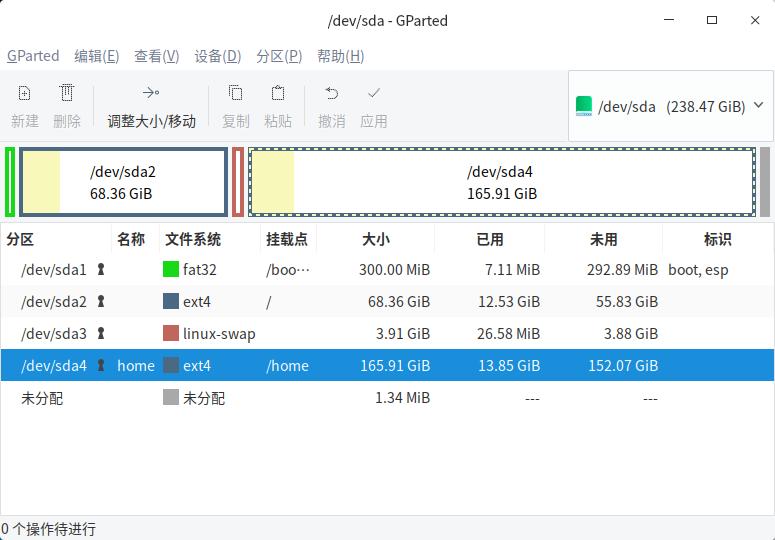

 deepin


安装时,使用的是默认安装模式。系统盘只有15G。后续如何把系统盘拓大?在不保留数据前提下。