安装64 位的wine,打不开商店的qq(wine),求助!
Tofloor
poster avatar
mahuan
deepin
2020-05-12 05:54
Author
本帖最后由 mahuan 于 2020-5-14 10:30 编辑

Qq打不开,点了没反应!微信可以正常使用!是什么原因!目前本机安装了基于debian10的wine5.0版本!问题可能出在哪里?
Reply Favorite View the author
All Replies
2 / 2
To page
avatar
ShineWay
deepin
2020-05-14 18:26
#21
你的这些程序都是32位的,所以你得创建一个32位环境去打开它,
Reply View the author
avatar
mahuan
deepin
2020-05-14 18:27
#22
https://bbs.deepin.org/post/194092
桌面-图标-右键-打开方式-编辑器
没返回


root@mahuan-PC:/home/mahuan# StartupWMClass=QQ.exe
root@mahuan-PC:/home/mahuan#

Reply View the author
avatar
mahuan
deepin
2020-05-14 18:29
#23
https://bbs.deepin.org/post/194092
你的这些程序都是32位的,所以你得创建一个32位环境去打开它,

图1 我好像命令错了.那个是尝试打开的QQ浏览器?
Reply View the author
Comments
lengsir
2020-05-14 18:33
对,那是QQ浏览器
avatar
走钢丝
deepin
2020-05-14 18:31
#24

exec 那一行啊
Reply View the author
avatar
mahuan
deepin
2020-05-14 18:35
#25

ahuan@mahuan-PC:~$ Exec="/opt/apps/com.qq.im.deepin/files/run.sh" -u %u
bash: -u:未找到命令
mahuan@mahuan-PC:~$
我刚才重启桌面QQ图标倒是出来了
Reply View the author
avatar
走钢丝
deepin
2020-05-14 18:43
#26
https://bbs.deepin.org/post/194092
ahuan@mahuan-PC:~$ Exec="/opt/apps/com.qq.im.deepin/files/run.sh" -u %u
bash: -u:未找到命令
mahua ...

执行 exec= 后面的内容就行了

Reply View the author
avatar
mahuan
deepin
2020-05-14 18:45
#27
https://bbs.deepin.org/post/194092
执行 exec= 后面的内容就行了

x  错误?什么意思?
Reply View the author
avatar
走钢丝
deepin
2020-05-14 18:57
#28
https://bbs.deepin.org/post/194092
x  错误?什么意思?

搞不清楚了。。重装下 deepin-wine ?

sudo apt install --reinstall deepin-wine
Reply View the author
avatar
mahuan
deepin
2020-05-14 18:57
#29
https://bbs.deepin.org/post/194092
执行 exec= 后面的内容就行了

安装的商店的wineQQ啊,V20
Reply View the author
avatar
mahuan
deepin
2020-05-14 18:59
#30
本帖最后由 mahuan 于 2020-5-14 11:01 编辑
https://bbs.deepin.org/post/194092
搞不清楚了。。重装下 deepin-wine ?

sudo apt install --reinstall deepin-wine

为什么微信又是正常的呢?搞不懂刚才翻盖安装也是一样ahuan@mahuan-PC:~$ sudo apt install --reinstall deepin-wine
[sudo] mahuan 的密码:
正在读取软件包列表... 完成
正在分析软件包的依赖关系树      
正在读取状态信息... 完成      
升级了 0 个软件包,新安装了 0 个软件包,重新安装了 1 个软件包,要卸载 0 个软件包,有 0 个软件包未被升级。
需要下载 96.8 kB 的归档。
解压缩后会消耗 0 B 的额外空间。
获取:1 https://community-packages.deepin.com/deepin apricot/non-free amd64 deepin-wine all 2.18-23~rc1 [96.8 kB]
已下载 96.8 kB,耗时 0秒 (778 kB/s)   
(正在读取数据库 ... 系统当前共安装有 193624 个文件和目录。)
准备解压 .../deepin-wine_2.18-23~rc1_all.deb  ...
正在解压 deepin-wine (2.18-23~rc1) 并覆盖 (2.18-23~rc1) ...
正在设置 deepin-wine (2.18-23~rc1) ...
正在处理用于 man-db (2.8.5-2) 的触发器 ...
mahuan@mahuan-PC:~$


Reply View the author
avatar
走钢丝
deepin
2020-05-14 19:04
#31
https://bbs.deepin.org/post/194092
x  错误?什么意思?

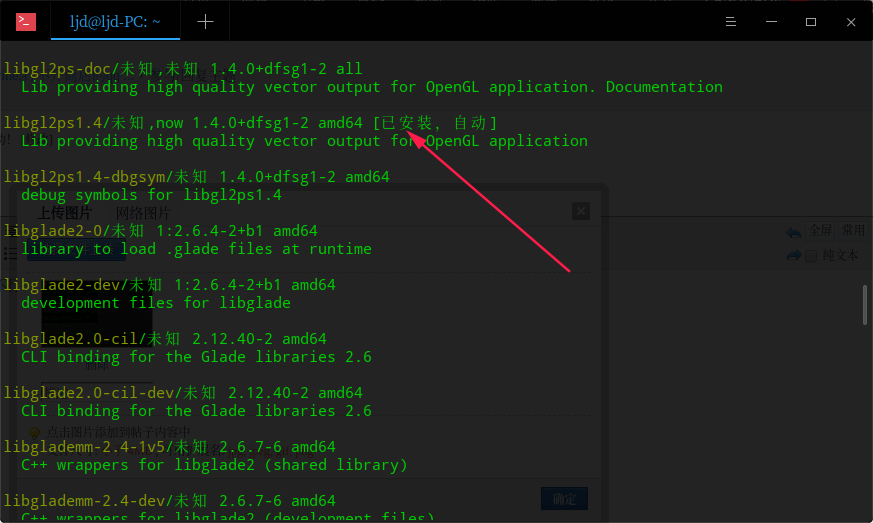
libgl 相关库装了没?看起来缺失组件,不行还是重装下 deepin-wine 吧。


Reply View the author
avatar
mahuan
deepin
2020-05-14 19:06
#32
https://bbs.deepin.org/post/194092
libgl 相关库装了没?看起来缺失组件,不行还是重装下 deepin-wine 吧。

把卸载命令和安装命令发我下,谢谢大佬耐心解答
Reply View the author
avatar
走钢丝
deepin
2020-05-14 19:10
#33
百度了一下,发现这个问题还挺复杂。。
https://www.baidu.com/s?wd=libgl ... +found&ie=UTF-8
Reply View the author
avatar
mahuan
deepin
2020-05-14 19:19
#34
https://bbs.deepin.org/post/194092
百度了一下,发现这个问题还挺复杂。。
https://www.baidu.com/s?wd=libgl+error%3A+no+matching+fbconfigs ...


估计是闭源驱动的锅?那就不弄了!用TIM和linuxQQ也可以了,作为一个完美主义者,看来有时候也得做迫不得已的取舍了!谢谢大佬细心耐心的教学,再次感谢!
Reply View the author
avatar
huanyuhy
deepin
2020-05-14 20:51
#35
我也遇到过...你把.wine文件删了就行了,不过这就会创建一个空容器。最好还是用.deep-wine这个容器
Reply View the author
avatar
huanyuhy
deepin
2020-05-14 20:57
#36
https://bbs.deepin.org/post/194092
我也遇到过...你把.wine文件删了就行了,不过这就会创建一个空容器。最好还是用.deep-wine这个容器 ...

这个问题就是deepin-wine是32位的,但是64位的wine创建了64位的容器,你这个要运行qq浏览器估计还得有各种组件.WINEPREFIX=~/.bottle deepin-wine *.exe这个命令./bottle换成你需要的容器。注意区分32位和64位
Reply View the author
avatar
mahuan
deepin
2020-05-14 20:58
#37
https://bbs.deepin.org/post/194092
我也遇到过...你把.wine文件删了就行了,不过这就会创建一个空容器。最好还是用.deep-wine这个容器 ...

商店下载的qq就是自带的容器环境!
Reply View the author
avatar
huanyuhy
deepin
2020-05-14 21:11
#38
https://bbs.deepin.org/post/194092
商店下载的qq就是自带的容器环境!
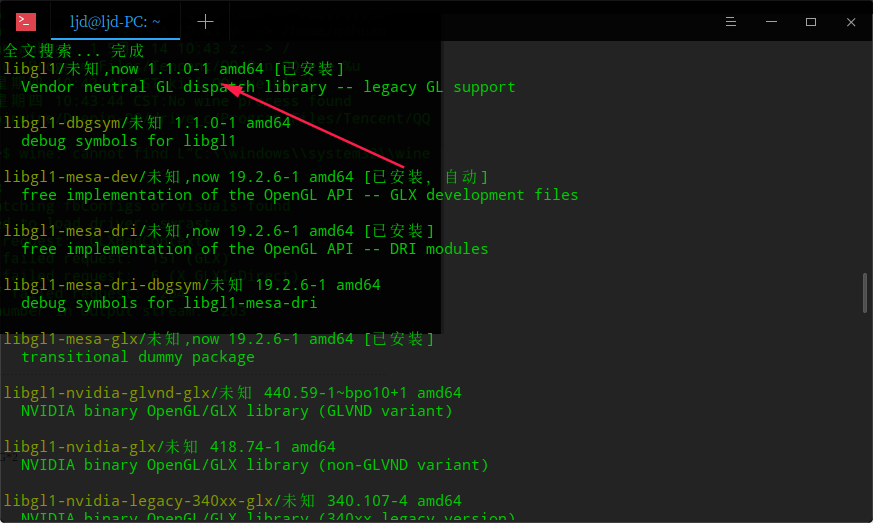
你截图上输的命令...如果你不加winprefix代码就会默认选择.wine容器但是你用的64位的wine所以deepin-wine使用这个64位容器会报错
Reply View the author
2 / 2
To page