在线升级V20
Tofloor
poster avatar
atlands
deepin
2020-01-11 22:14
Author
https://deepinos.org/d/62-method-of-upgrading-deepin-to-uos/4
Reply Favorite View the author
All Replies
4 / 5
To page
avatar
东海大愚
deepin
2020-01-13 17:19
#61
本帖最后由 lin1974 于 2020-1-13 11:30 编辑

感觉总体还不错,不用要求太高
目前泄漏版热心粉丝搞得这样效果就很好了


不满意等V20正式版,目前deepin15.11还是不错的。


Reply View the author
avatar
ageeklet
deepin
2020-01-13 17:53
#62
升级完之后,安装卸载文件  总是提示失败,怎么说 ?
Reply View the author
avatar
is123-guoke
deepin
2020-01-13 19:18
#63
这是v20还是uos 有区别吗
Reply View the author
avatar
关中π
deepin
2020-01-13 21:51
#64
chrome全屏看视频,只会在左上角显示部分右下这一圈还是桌面。全屏不全屏
Reply View the author
avatar
atlands
deepin
2020-01-13 22:08
#65
https://bbs.deepin.org/post/187873
chrome全屏看视频,只会在左上角显示部分右下这一圈还是桌面。全屏不全屏

任务栏取消智能隐藏
Reply View the author
avatar
陌尘
deepin
2020-01-13 22:15
#66
使用rc版本升级后完美使用
Reply View the author
avatar
关中π
deepin
2020-01-13 22:26
#67
https://bbs.deepin.org/post/187873
任务栏取消智能隐藏

Reply View the author
avatar
关中π
deepin
2020-01-13 22:27
#68
桌面右下角UOS可以取消不?
Reply View the author
avatar
今风
deepin
2020-01-13 22:33
#69
https://bbs.deepin.org/post/187873
谢谢大家的帮助
终于升级了,整个流程应是
1,进入终端

把原有的地址换成上面的的,保存。
换成这个  deb [by-hash=force] http://uos-packages.deepin.com/uos eagle main contrib non-free
#deb-src http://packages.deepin.com/deepin lion main contrib non-free
Reply View the author
avatar
今风
deepin
2020-01-13 22:39
#70
https://bbs.deepin.org/post/187873
那换源没成功,怎么办?

/etc/apt/sources.list 地址换成

deb [by-hash=force] http://uos-packages.deepin.com/uos eagle main contrib non-free
#deb-src http://packages.deepin.com/deepin lion main contrib non-free
保存,以管理员身份。

Reply View the author
avatar
今风
deepin
2020-01-13 22:46
#71
https://bbs.deepin.org/post/187873
请教,
1,进入终端
2,输入:sudo dedit /etc/apt/sources.list

在白色文本窗口中替换有贴子的代码,保存。在终端中依次执行4,输入:sudo apt update
5,输入:sudo apt full-upgrade
Reply View the author
avatar
和风
deepin
2020-01-14 00:53
#72
升级后,控制中心提示更新,但出现“依赖错误 检测更新失败”
Reply View the author
avatar
海鸥
deepin
2020-01-14 04:09
#73
https://bbs.deepin.org/post/187873
是的,重启完应该还是15.11,并且显示可能会有问题。
点击设置-系统更新,再次更新系统重启即可 ...

支持一下这样好的指导!
Reply View the author
avatar
海鸥
deepin
2020-01-14 04:11
#74
https://bbs.deepin.org/post/187873
1.sudo dedit /etc/apt/sources.list

## Generated by deepin-installer

多谢指导!!
Reply View the author
avatar
海鸥
deepin
2020-01-14 04:18
#75
多谢各位指导,升级一切正常。安装的确是太慢了。
Reply View the author
avatar
海鸥
deepin
2020-01-14 04:24
#76
好的分享,支持一下!
Reply View the author
avatar
mrsu
deepin
2020-01-14 08:20
#77
我的华为magicbookpro锐龙版,
Reply View the author
avatar
mrsu
deepin
2020-01-14 08:22
#78
我的华为magicbookpro锐龙版,全新安装15.11,更新15.11,再更新UOS。UOS系统安装成功了。可是还是无法启动系统。大神有办法吗?
Reply View the author
avatar
tzho
deepin
2020-01-14 14:47
#79
https://bbs.deepin.org/post/187873
多谢各位指导,升级一切正常。安装的确是太慢了。

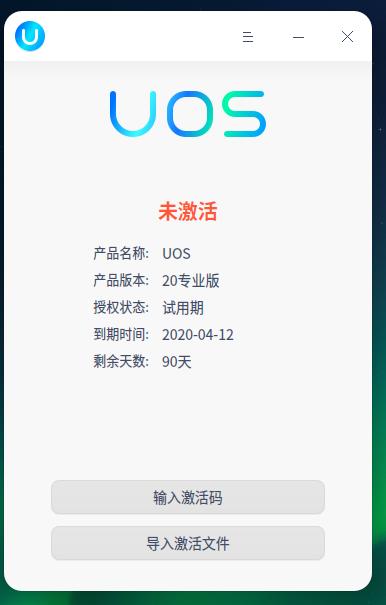
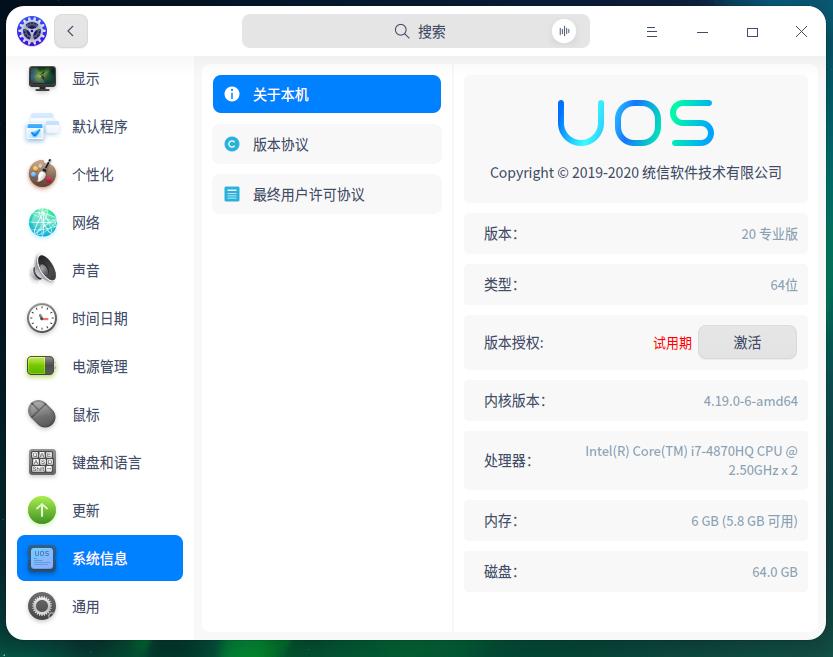
我昨晚在线升级了,变成了试用版,何解?

Reply View the author
avatar
彩虹工作室
deepin
2020-01-14 16:38
#80
https://bbs.deepin.org/post/187873
我昨晚在线升级了,变成了试用版,何解?

和你一样,估计马上要发布,我们得切换deepin V20的源了,UOS是专业版,要收费的
Reply View the author
4 / 5
To page