如何使用visio画图软件
Tofloor
poster avatar
wangtao0808
deepin
2020-01-11 05:53
Author
WPS文件里面的visio图片没法启动插件进行编辑啊!谁有办法?请教一下
Reply Favorite View the author
All Replies
avatar
庚子年
deepin
2020-01-11 19:12
#1
亿图图示有Linux版,完美替代Visio。
Reply View the author
Comments
wangtao0808
2020-01-12 18:33
功能差不多?
avatar
senluo
deepin
2020-01-11 22:26
#2
Draw.io 商店里面直接下载,跟visio差不多的,可以导出vsdx(beta)
Reply View the author
Comments
wangtao0808
2020-01-12 18:35
我试一下
avatar
wangtao0808
deepin
2020-01-12 18:59
#3
亿图图示还需要购买才能用?能试用多长时间?
Reply View the author
avatar
cdercder
deepin
2020-01-12 19:42
#4
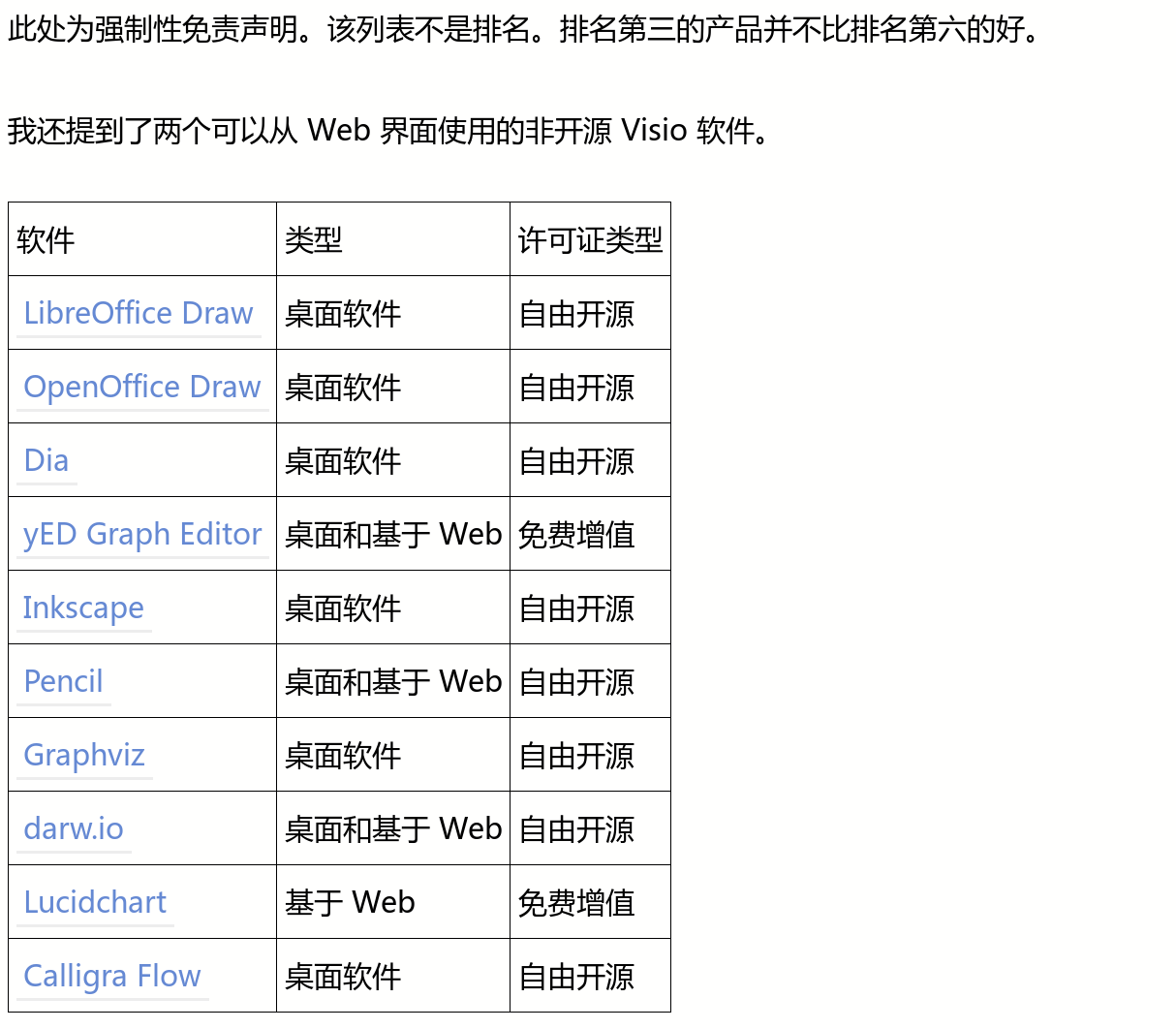
10 个 Linux 中最好的 Visio 替代品
https://linux.cn/article-11138-1.html


Reply View the author
avatar
观摩
deepin
2020-01-12 20:11
#5
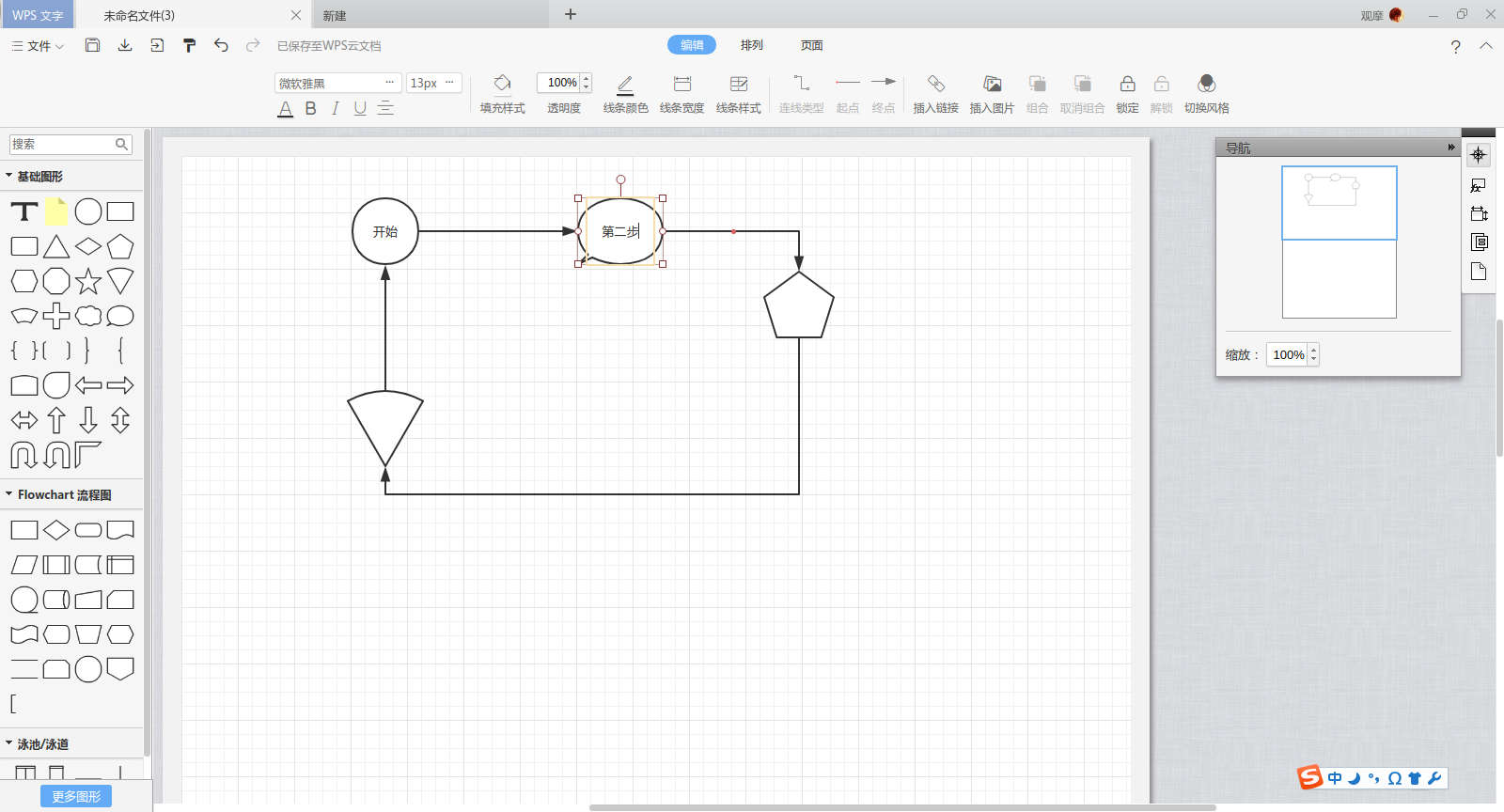
Linux 版 WPS 画流程图,思维导图都还是可以用的


Reply View the author
avatar
走钢丝
deepin
2020-01-12 20:26
#6
https://bbs.deepin.org/post/187860
Linux 版 WPS 画流程图,思维导图都还是可以用的

怎么玩的?没见过啊
Reply View the author
avatar
Feng Yu
deepin
2020-01-13 00:52
#7
draw.io强推,我一直用这个,比visio好用多了
Reply View the author
avatar
观摩
deepin
2020-01-13 01:22
#8
https://bbs.deepin.org/post/187860
怎么玩的?没见过啊

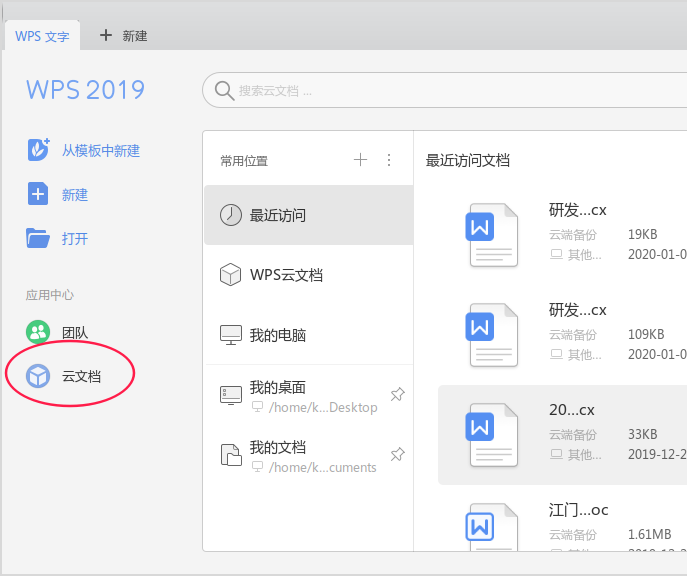
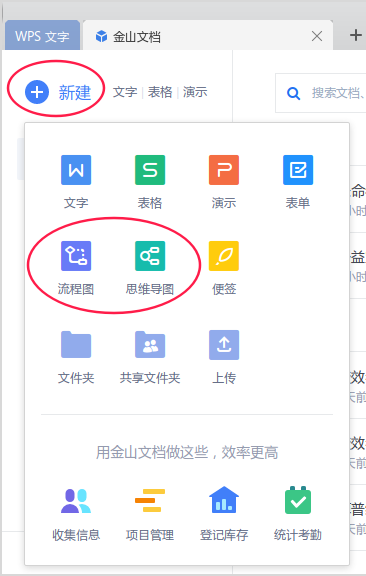
从WPS主界面,进【云文档】,点击【新建】就能看到流程图和思维导图了。


Reply View the author
avatar
走钢丝
deepin
2020-01-13 01:41
#9
https://bbs.deepin.org/post/187860
从WPS主界面,进【云文档】,点击【新建】就能看到流程图和思维导图了。

看到了,多谢。
Reply View the author