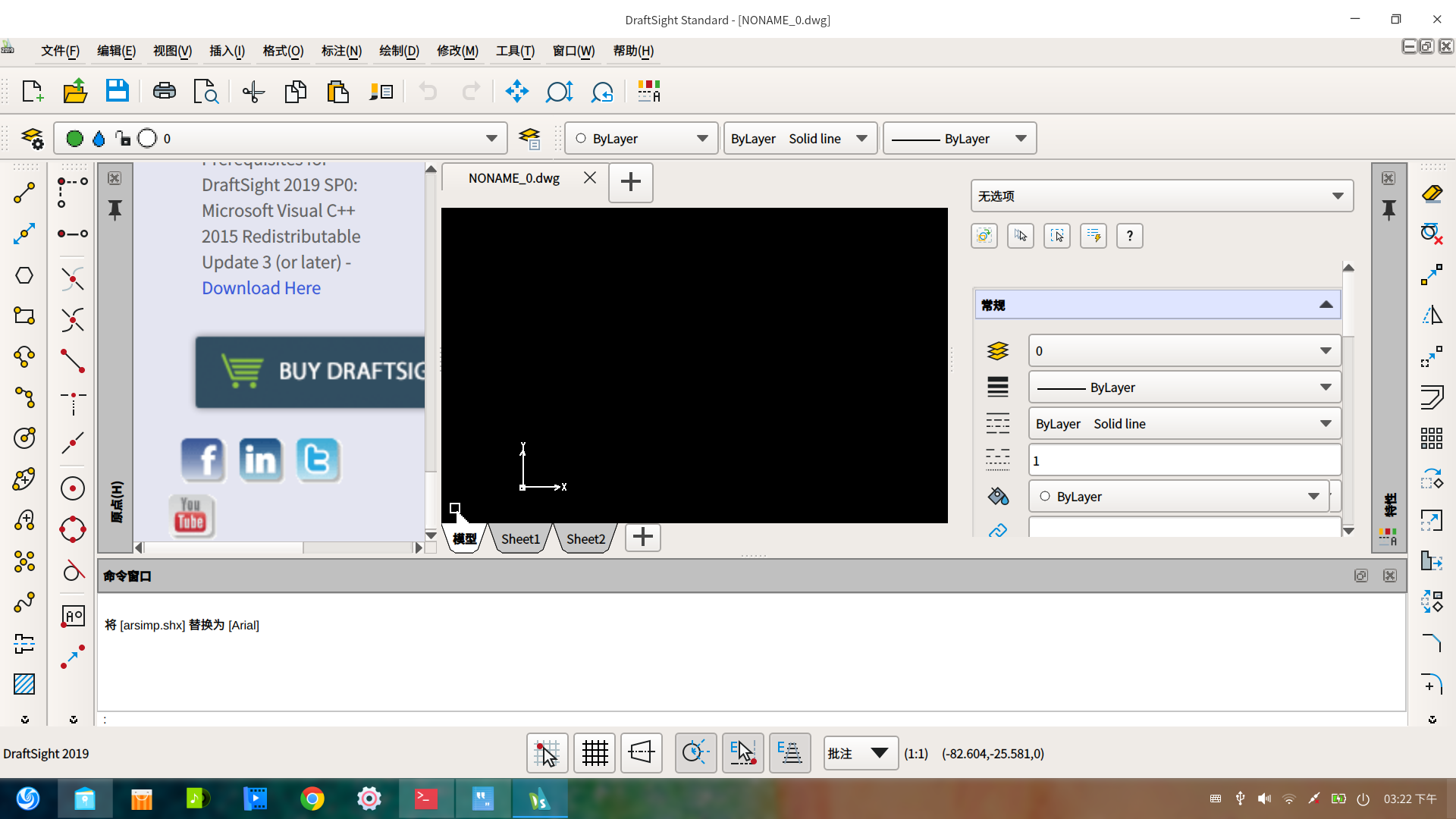
deepin下安装DraftSight2019,图标特别大,软件没法使用!
Tofloor
poster avatar
yangtianxiao
deepin
2019-12-08 00:33
Author
deepin 15.11 下安装 DraftSight2019,图启动后标特别大,软件没法使用!请各位高手看看,如何处理?


Reply Favorite View the author
All Replies
avatar
JesseyLawson
deepin
2019-12-08 05:46
#1
本帖最后由 mydream 于 2019-12-7 21:50 编辑

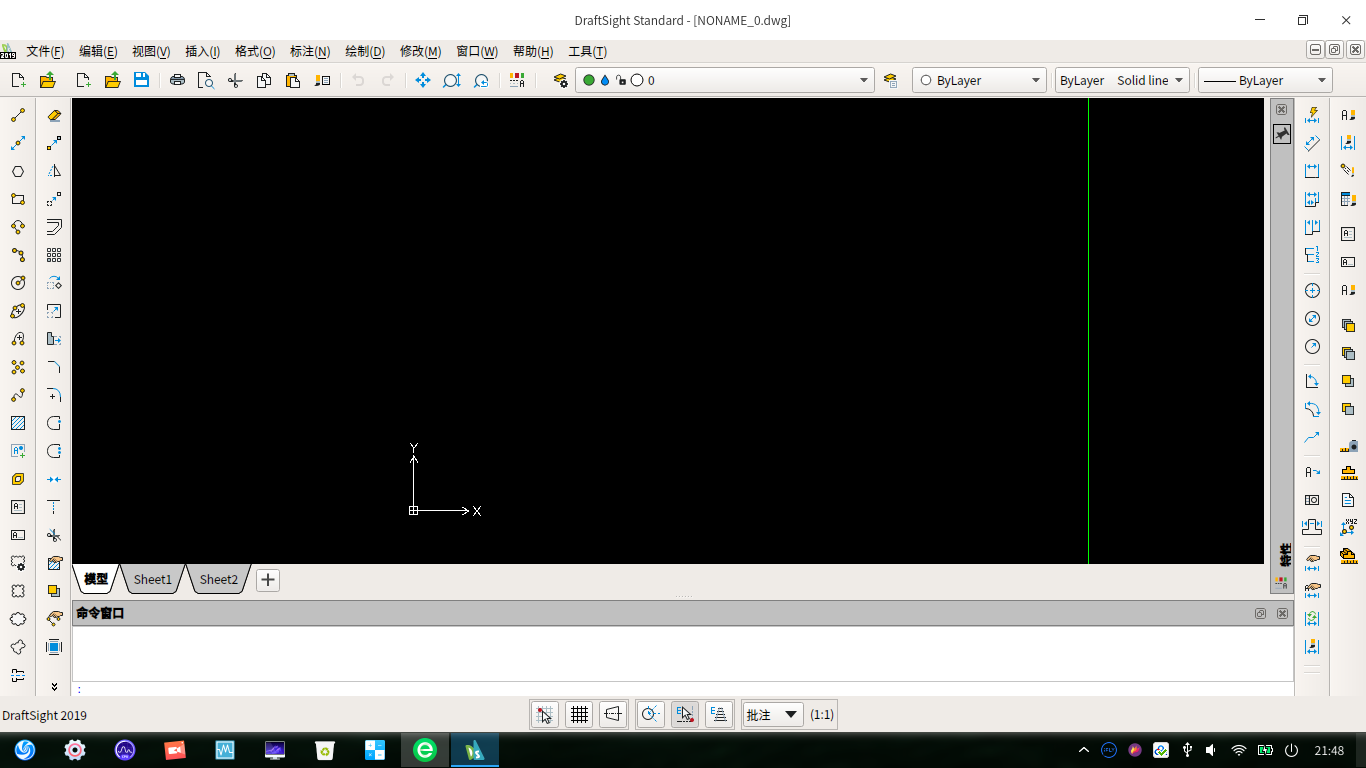
看看与你的图标比例一致不
Reply View the author
avatar
JesseyLawson
deepin
2019-12-08 05:55
#2
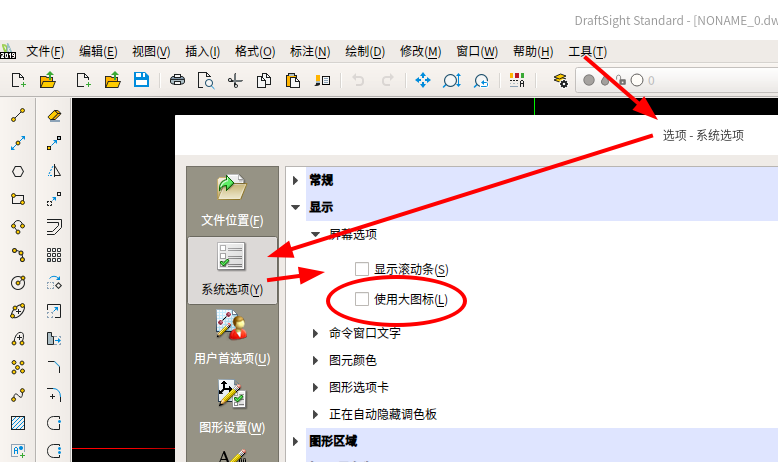
另外,检查一下你的图标大小设置


Reply View the author
avatar
chinaelite
deepin
2019-12-08 07:10
#3
楼上能解决一下不能输入中文的问题吗?之前论坛里的帖子链接好像失效了。
Reply View the author
avatar
wtz
deepin
2019-12-08 07:53
#4
启动器里右键菜单”禁用缩放“,试试看可以解决不。
Reply View the author
avatar
JesseyLawson
deepin
2019-12-08 17:17
#5
https://bbs.deepin.org/post/186437
楼上能解决一下不能输入中文的问题吗?之前论坛里的帖子链接好像失效了。 ...

中文输入补丁

Reply View the author
avatar
chinaelite
deepin
2019-12-08 19:37
#6

太感谢了!
Reply View the author
avatar
chinaelite
deepin
2019-12-08 19:44
#7

刚刚把软件下载安装,发现以前已经安装过了。中文可以显示,但是就是不能输入。输入法出不来。

网上查了是draftsight不支持 fcitx架构,必须ibus才行。但是商店里好像没有,网上的安装又不会。

现在图纸上的房间标注全写成英文了……
Reply View the author
avatar
JesseyLawson
deepin
2019-12-09 04:02
#8
https://bbs.deepin.org/post/186437
刚刚把软件下载安装,发现以前已经安装过了。中文可以显示,但是就是不能输入。输入法出不来。

网上查了 ...

我们输入法架构应该一样吧,补丁安装了没有,没有的话安装了试试,我是用五笔拼音或讯飞在draftsight中输入中文的,没问题啊
Reply View the author
avatar
chinaelite
deepin
2019-12-15 04:59
#9
https://bbs.deepin.org/post/186437
我们输入法架构应该一样吧,补丁安装了没有,没有的话安装了试试,我是用五笔拼音或讯飞在draftsight中输 ...

问题的关键就在于没法安装讯飞输入法呀。商店里就是没有,可能是源不对,但是也不会弄。
Reply View the author
avatar
JesseyLawson
deepin
2019-12-15 05:14
#10
https://bbs.deepin.org/post/186437
问题的关键就在于没法安装讯飞输入法呀。商店里就是没有,可能是源不对,但是也不会弄。 ...

那先安装五笔拼音吧,也好用的
Reply View the author
avatar
yangtianxiao
deepin
2019-12-25 05:30
#11
https://bbs.deepin.org/post/186437
另外,检查一下你的图标大小设置

使用大图标,没有勾选。
Reply View the author
avatar
yangtianxiao
deepin
2019-12-25 05:33
#12
https://bbs.deepin.org/post/186437
启动器里右键菜单”禁用缩放“,试试看可以解决不。

我菜鸟,启动器在哪?指点一下!
Reply View the author
avatar
wtz
deepin
2019-12-25 07:07
#13
https://bbs.deepin.org/post/186437
我菜鸟,启动器在哪?指点一下!

启动器=开始菜单
Reply View the author