如何设置exe文件默认使用wine程序安装?
Tofloor
poster avatar
dengyibiaopc
deepin
2019-11-25 02:27
Author
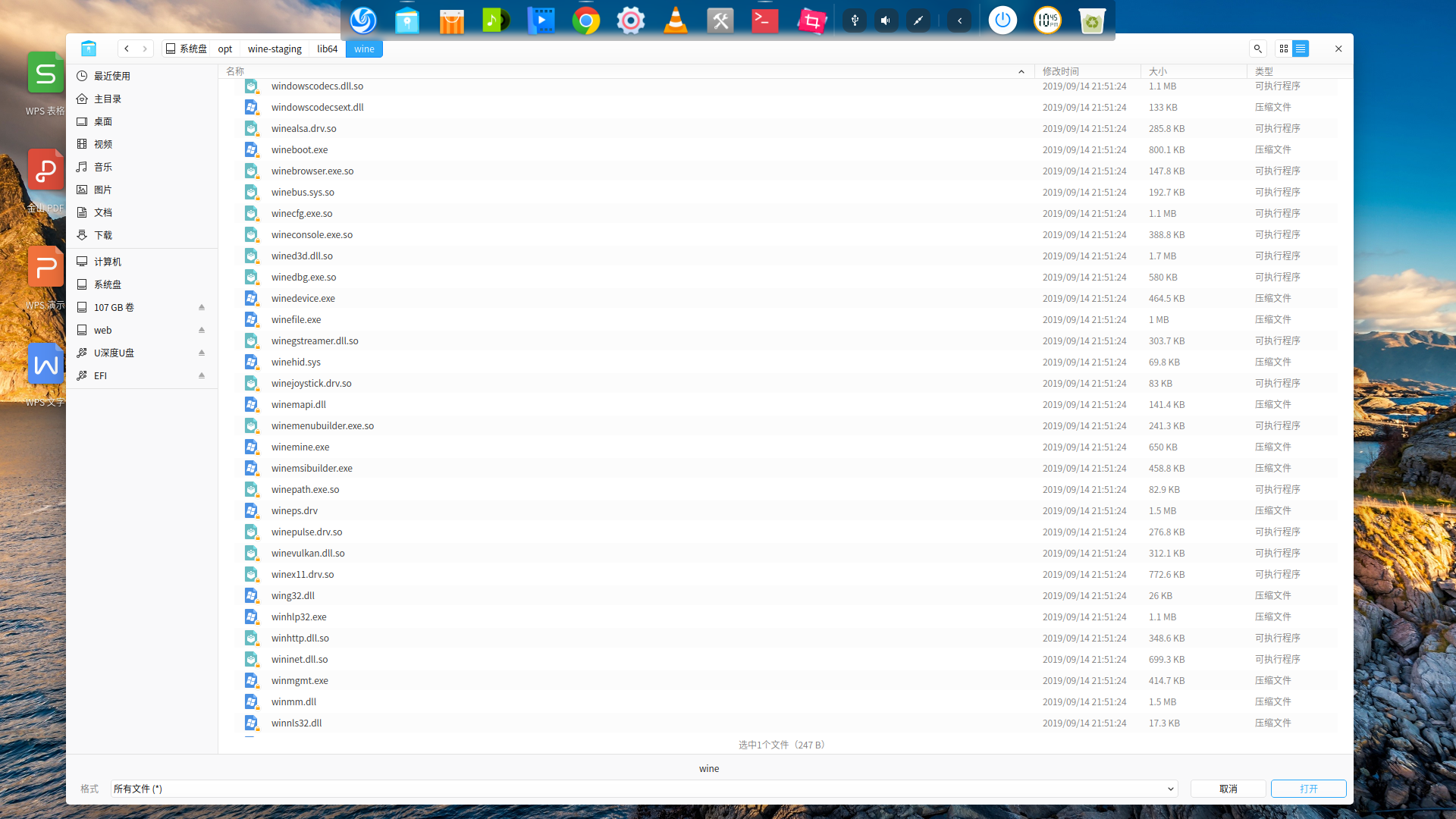
有些WIN系统下面的可执行文件在商店里面搜索不到,我右键添加默认使用WINE运行exe,然后添加,找到wine文件夹后,里面太多文件,就是不知道那个文件名称是可以执行安装exe程序的文件,有没有人知道的呢?
Reply Favorite View the author
All Replies
avatar
走钢丝
deepin
2019-11-25 02:42
#1
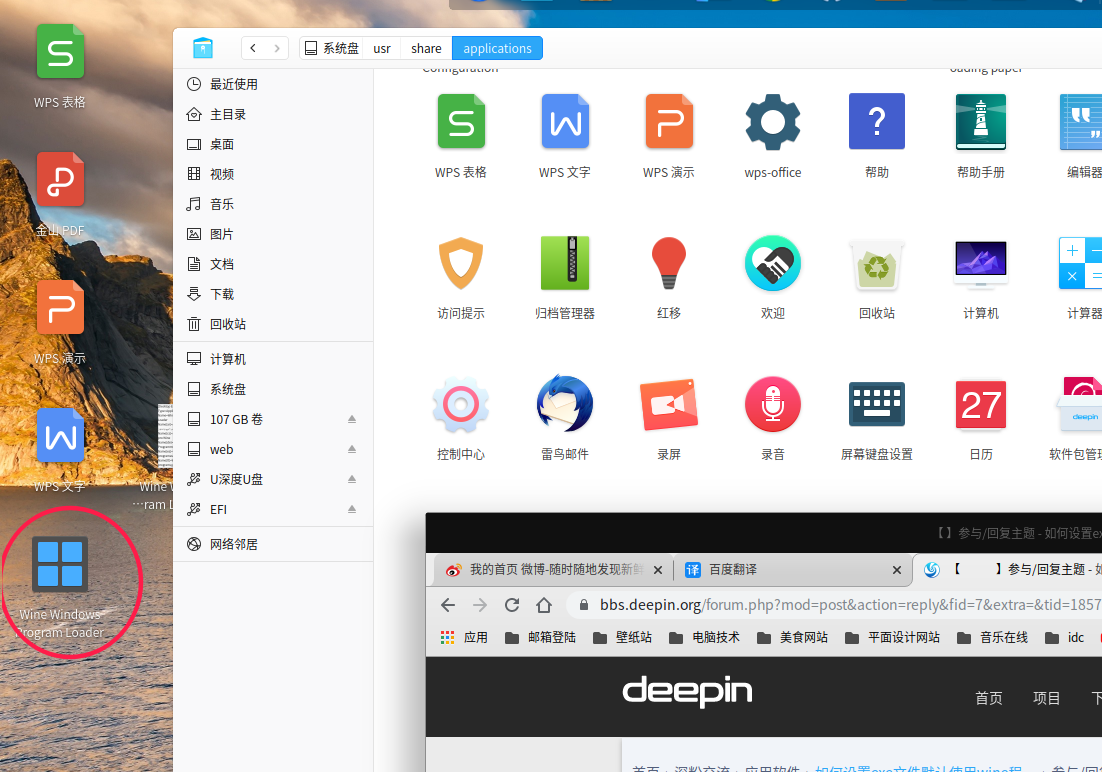
wine 4 的话,安装后在启动器中有一个叫 Wine Windows Program Loader 的 图标,在你的 exe 文件上右键-打开方式-选择默认程序,找到这个图标,确定即可。以后双击即可打开。

参考:https://bbs.deepin.org/post/179509

如果是用内置的 deepin-wine 的话,可以自己建个 desktop 文件(exec 项的值注意替换里面的 wine 为 deepin-wine),放到 ~/.local/share/applications 中,像上面那样设置默认打开方式即可。以前论坛有人发过脚本,可以自己创建,现在找不到了。
Reply View the author
avatar
jianguo922
deepin
2019-11-25 03:52
#2
此方法基于 deepin-wine 实现

1、管理员权限打开 /usr/share/applications/

2、新建wine.desktop,并输入以下内容:

[Desktop Entry]

Name=Deepin-wine

Exec=deepin-wine %F

Type=Application

MimeType=text/plain;

保存退出;

3、找到任意.exe文件,右键单击 --> 打开方式 --> 选择默认程序 --> (找到 Deepin-wine) --> 选择

以后需要运行exe文件,可直接双击exe文件运行,可以下载windows程序的安装文件,双击直接安装,但装完后要自己找到安装后的主程序,一般在 ~/.wine/下,找到后可直接双击运行,也可右键 --> 发送到桌面 形成桌面图标,双击图标运行

以上方法经deepin 15.10测试正常
Reply View the author
avatar
dengyibiaopc
deepin
2019-11-25 06:03
#3
https://bbs.deepin.org/post/185743
此方法基于 deepin-wine 实现

1、管理员权限打开 /usr/share/applications/

我重新安装了wine-staging-amd64_4.16_stretch_amd64版本,现在就是不知道那个文件是wine的执行文件,启动器里面也没见到图标
Reply View the author
avatar
dengyibiaopc
deepin
2019-11-25 06:16
#4
https://bbs.deepin.org/post/185743
wine 4 的话,安装后在启动器中有一个叫 Wine Windows Program Loader 的 图标,在你的 exe 文件上右键-打 ...

我重新安装了wine-staging-amd64_4.16_stretch_amd64.deb包版本,启动器里面找了没见到图标,还有deepin把root账户禁止了,我弄成root账户命令登录然后startx登录桌面,然后界面变成英文了,设置成简体中文还是没用,后来又修改/etc/passwd文件把普通账户改成超级管理员权限,普通账户登录进去还是英文,郁闷了,重新安装了一次系统。有没有安全可靠的方法改成toot登录啊
Reply View the author
avatar
走钢丝
deepin
2019-11-25 06:20
#5
https://bbs.deepin.org/post/185743
我重新安装了wine-staging-amd64_4.16_stretch_amd64.deb包版本,启动器里面找了没见到图标,还有deepin ...

装 stable 和 devel 是有的,staging 的是不是太新了?
root 被禁了吧。。只能普通用户,平常使用 sudo xxx 或先 su - 不好么?

Reply View the author
avatar
走钢丝
deepin
2019-11-25 06:22
#6
https://bbs.deepin.org/post/185743
我重新安装了wine-staging-amd64_4.16_stretch_amd64.deb包版本,启动器里面找了没见到图标,还有deepin ...

不过应该是通用的,你可以看上面的链接,复制那个内容,创建一个 desktop 文件,放到 ~/.local/share/applications 中,
Reply View the author
avatar
dengyibiaopc
deepin
2019-11-25 06:47
#7
这么多都不知道是那个

Reply View the author
avatar
走钢丝
deepin
2019-11-25 06:51
#8
https://bbs.deepin.org/post/185743
这么多都不知道是那个

直接用可执行文件是不行的,要创建 desktop 文件。。可以看看 2 楼,3 楼和 7 楼。
Reply View the author
avatar
dengyibiaopc
deepin
2019-11-25 07:13
#9
https://bbs.deepin.org/post/185743
不过应该是通用的,你可以看上面的链接,复制那个内容,创建一个 desktop 文件,放到 ~/.local/share/app ...

哎问题是没权限啊,放不进去

Reply View the author
avatar
走钢丝
deepin
2019-11-25 07:16
#10
https://bbs.deepin.org/post/185743
哎问题是没权限啊,放不进去

/usr/share/applications 这个可以右键管理员权限打开啊。。
~/.local/share/applications 这个在主目录,肯定是有权限的,不过以点开头的文件或文件夹是隐藏的,按
ctrl+h 快捷键会暂时显示。
Reply View the author
avatar
走钢丝
deepin
2019-11-25 07:18
#11
https://bbs.deepin.org/post/185743
哎问题是没权限啊,放不进去

注意 3 楼用的是 deepin-wine,要把其中的 deepin-wine 改成 wine 才能用你新安装的 wine,不然用的是系统内置的版本。
Reply View the author
avatar
spencer023
deepin
2020-01-05 06:49
#12
收益多多!O(∩_∩)O谢谢各位大佬的帮助我应该不需要安装Playonlinux了
Reply View the author