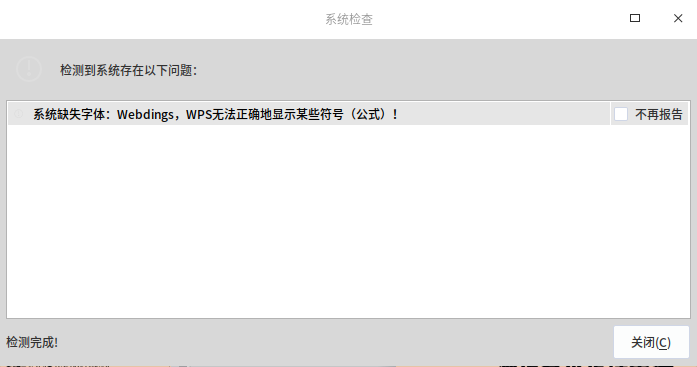
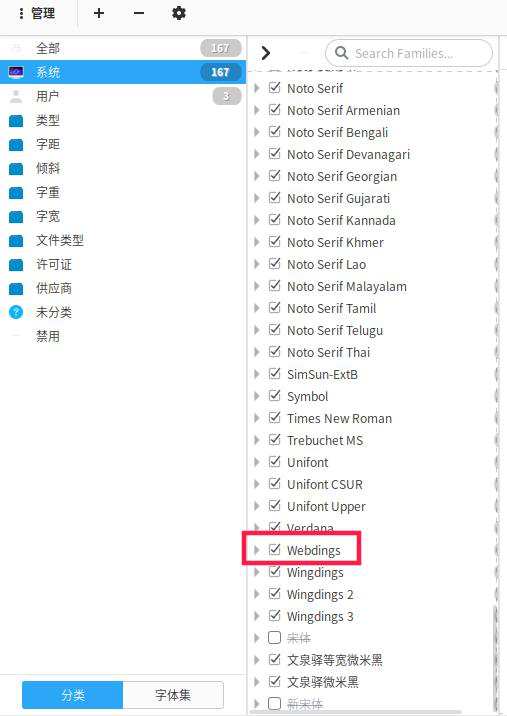
已经安装Webdings字体,打开wps依旧提示找不到该字体
Tofloor
poster avatar
sjlleo
deepin
2019-11-20 21:52
Author
如图所示,打开font-manager也找到了这个字体,求解为什么wps依旧会显示找不到


Reply Favorite View the author
All Replies
avatar
sjlleo
deepin
2019-11-21 18:14
#1
没有人么...
Reply View the author
avatar
16******55@qq.com
deepin
2019-11-21 18:42
#2
重启系统跟软件,还有安装路径有没错误?
在deepin下/usr/share/fonts/目录下新建个文件夹比如winfonts,接着把win字体复制到此
Reply View the author
avatar
DeepinOS
deepin
2019-11-21 20:12
#3
WPS字体在它自己文件夹下面
Reply View the author
avatar
chenlingkan
deepin
2019-11-21 21:35
#4
你还是转换成最普通的字体吧。或者把Windows 电脑的字体全部复制过去 这样就不会缺字体了。
Reply View the author
avatar
RedPanda
deepin
2019-11-24 01:26
#5
我复制了win7下面的三个 wingdings 字体,然后重命名了一下,再安用深度字体安装器安装了一下,就ok了
Reply View the author
avatar
sjlleo
deepin
2019-12-09 20:17
#6
https://bbs.deepin.org/post/185468
重启系统跟软件,还有安装路径有没错误?
在deepin下/usr/share/fonts/目录下新建个文件夹比如winfonts,接 ...

这样试过了 打开wps依旧报缺字体
Reply View the author
avatar
RedPanda
deepin
2019-12-10 01:13
#7
sjlleo 发表于 2019-12-9 12:17
这样试过了 打开wps依旧报缺字体

你需要把字体重命名,它缺的那几个字体的名字要写对了,一个空格都不能差
Reply View the author