荣耀笔记本Linux版,应用商店下载不了应用
Tofloor
poster avatar
budong1324
deepin
2019-11-13 08:36
Author
本帖最后由 budong1324 于 2019-11-13 00:37 编辑

如题,应用商店没有下载按钮,求使用教程
Reply Favorite View the author
All Replies
avatar
司南
deepin
2019-11-13 15:03
#1
可能需要在设置里更新一下系统,也可能是需要换一个网络,或者在设置里改一下时区到国内,或者在商店的设置里改成国内源
Reply View the author
avatar
zdf290267936
deepin
2019-11-13 16:47
#2
我发现deepin一步步升级,越升应用商店能用的越少,最后,我重装系统,不论旧版还是新版,应用商店里面的东西全出来了,总之,慢慢升级不如索性重装,搞不懂为什么
Reply View the author
avatar
梦幻大陆
deepin
2019-11-13 17:07
#3
学会用apt系列命令才是正道,只要先找到软件名字,安装就是一个命令的事
Reply View the author
avatar
走钢丝
deepin
2019-11-13 17:09
#4
浏览器中打开是没有下载按钮的,你需要安装应用商店客户端
桌面右键终端,输入 sudo apt install deepin-appstore 确定执行,输入密码,再确定即可。
Reply View the author
avatar
^9星守辰^
Moderator
2019-11-13 17:48
#5
荣耀本的deepin用着咋样,双十一差点剁手
Reply View the author
avatar
dabingsun
deepin
2019-11-15 03:04
#6
本帖最后由 dabingsun 于 2019-11-14 19:05 编辑

商店打开一直是网络错误......
Reply View the author
avatar
走钢丝
deepin
2019-11-15 03:33
#7
https://bbs.deepin.org/post/185086
商店打开一直是网络错误......

控制中心-更新-更新设置-取消智能镜像源-切换镜像源。
Reply View the author
avatar
dabingsun
deepin
2019-11-15 05:54
#8
https://bbs.deepin.org/post/185086
控制中心-更新-更新设置-取消智能镜像源-切换镜像源。

系统设置中,更新设置没有切换源这一选项,当前系统版本是15.5SP2
Reply View the author
avatar
走钢丝
deepin
2019-11-15 05:58
#9
https://bbs.deepin.org/post/185086
系统设置中,更新设置没有切换源这一选项,当前系统版本是15.5SP2

没看中间还有几个字么。。
Reply View the author
avatar
dabingsun
deepin
2019-11-15 06:00
#10
本帖最后由 dabingsun 于 2019-11-14 22:04 编辑
https://bbs.deepin.org/post/185086
没看中间还有几个字么。。

汗。。。更新设置没有镜像源相关内容,只有自动清除、更新提醒、自动下载三个选项。话说商店的设置里也没有切换源这个选项呀
Reply View the author
avatar
走钢丝
deepin
2019-11-15 06:04
#11
https://bbs.deepin.org/post/185086
汗。。。更新设置没有镜像源相关内容,只有自动清除、更新提醒、自动下载三个选项 ...

不会吧,能截图不?我记得 15.3 就很多设置了。更不要说版主曾说 15.5 专业版比 15.11 还新。
Reply View the author
avatar
走钢丝
deepin
2019-11-15 06:08
#12
https://bbs.deepin.org/post/185086
汗。。。更新设置没有镜像源相关内容,只有自动清除、更新提醒、自动下载三个选项。话说商店的设置里也没 ...

想了想,可能镜像站没有专业版的源?那就比较悲催了。
Reply View the author
avatar
dabingsun
deepin
2019-11-15 06:15
#13
https://bbs.deepin.org/post/185086
想了想,可能镜像站没有专业版的源?那就比较悲催了。

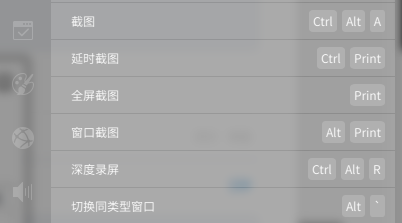
母鸡呀。先安装一个截图工具
Reply View the author
avatar
dabingsun
deepin
2019-11-15 06:17
#14
https://bbs.deepin.org/post/185086
想了想,可能镜像站没有专业版的源?那就比较悲催了。

好坑啊,刚换了一个无线,就可以了
Reply View the author
avatar
走钢丝
deepin
2019-11-15 06:20
#15
https://bbs.deepin.org/post/185086
母鸡呀。先安装一个截图工具

Reply View the author
avatar
jianguo922
deepin
2019-11-15 16:17
#16
直接点安装就OK
Reply View the author