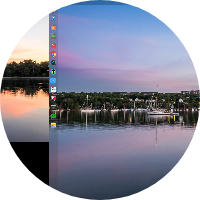
双系统的选项界面字体颗粒感很严重,是不是字体的问题?
Tofloor
poster avatar
nero28
deepin
2019-03-23 21:36
Author
双系统的选项界面字体颗粒感很严重,是不是字体的问题?参见图片
Reply Favorite View the author
All Replies
avatar
jelly
deepin
2019-03-23 22:29
#1
屏幕本身分辨率高么?
Reply View the author
avatar
gushua
deepin
2019-03-24 03:02
#2
我切换到win10时会出现一段时间花屏,后面启动win10画面出来后就不会再有花屏了。
Reply View the author
avatar
hjmac
deepin
2019-03-24 06:58
#3
本帖最后由 hjmac 于 2019-3-23 23:17 编辑

我用的是 Clover 引导器,很和谐的画面:


注:Deepin OS 引导项显示的名称是 Ubuntu

Reply View the author
avatar
闰土啊我是猹
deepin
2019-03-25 06:08
#4
从15.9.1更新后就是这样了,我还没怎么在意呢
Reply View the author
avatar
cyz888
deepin
2019-03-25 07:52
#5
我的也是这样,我还以为我装的技巧有问题
Reply View the author
avatar
wuyiheng119
deepin
2019-03-25 16:30
#6
换个显示器试试
Reply View the author
avatar
nero28
deepin
2019-03-29 01:44
#7
https://bbs.deepin.org/post/175883
我用的是 Clover 引导器,很和谐的画面:

安裝双系統在efi区我也看到了deepin和ubuntu2个文件夹,估计deepin搞的引导借用了ubuntu的一些东东,正常不是只有deepin一个文件夹么.
对了Clover 要怎么用,没玩过,有没有教程,比grub好用吗?
Reply View the author
avatar
nero28
deepin
2019-03-29 01:46
#8

我的是炫龙毁灭者DC,1920*1080的.没其它显示器....
Reply View the author
avatar
nero28
deepin
2019-03-29 01:46
#9
https://bbs.deepin.org/post/175883
屏幕本身分辨率高么?

我的是炫龙毁灭者DC,1920*1080的.
Reply View the author
avatar
flyk
deepin
2019-03-30 07:02
#10
refind引导也不错
Reply View the author
avatar
superendermansm
deepin
2019-03-30 07:17
#11
与楼主同款引导界面!!!!
Reply View the author
avatar
nero28
deepin
2019-03-30 20:34
#12

能否给个效果图, 在deepin下删除grub安装refind吗?能否指教一下,謝謝.
Reply View the author
avatar
flyk
deepin
2019-03-31 00:28
#13


安装:
https://blog.csdn.net/eva980636/article/details/50618668
具体可以到refind吧看看
Reply View the author