Home
Categories
WIKI
Topic
User
LANGUAGE:
中文
English
出现两个系统盘,什么鬼
Experiences and Insight
986
views ·
2
replies ·
To
floor
Go
jyxlfd
deepin
2019-01-19 23:37
Author
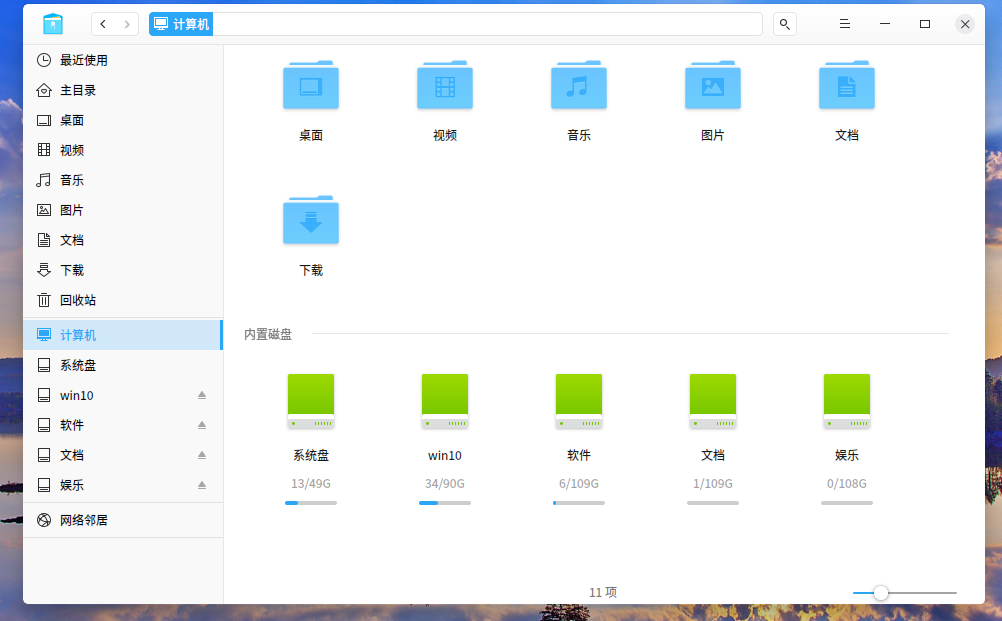
我是在Windows 10基础上把C盘分割出一个分区,用来安装deepin(版本是15.8)的,此前磁盘分区显示正常。但刚才无意打开文件管理器,发现原来安装deepin系统的分区显示为54G盘,而另外显示系统盘的只有4G,如下图。怎么会多出一个系统盘呢?难道是更新15.9带来的????
4G系统盘里面的文件
54G盘(应该是原安装DEEPIN的分区)文件
有大神知道是什么原因吗?能不能直接把4G系统盘里面的文件复制移动到54G盘相应文件夹里面,然后删除4G盘呢??
Reply
Like 0
Favorite
View the author
All Replies
jyxlfd
deepin
2019-01-19 23:39
#1
其他深有有出现相同问题的吗??
Reply
Like 0
View the author
jyxlfd
deepin
2019-01-20 00:46
#2
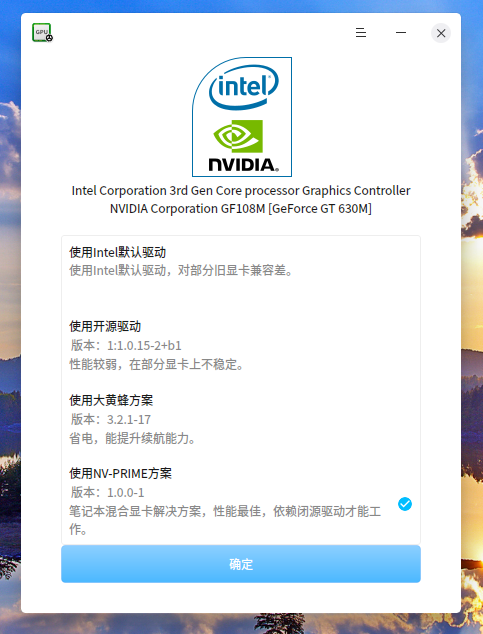
原来是更新到PRIME驱动方案出现的问题。从开源驱动方案更新到PRIME后出现的问题。刚才试着改回大黄蜂方案提示失败,重启后切换回PRIME方案,结果4G系统盘消失了。
Reply
Like 0
View the author
Please
sign
in first
Featured Collection
Change
Nuntia - Modern IMAP/SMTP mail client for Deepin (Beta tester wanted!)
[Tutorial] deepin25 WSL Offline Installation Guide
UOS AI 2.8 Released! Three New Intelligent Agents & Major Evolution
Solid Q&A | deepin 25 Common Questions – The Immutable System Edition
New Thread
Popular Ranking
Change
Taskbar no longer shows popups
Four agent skills for laptop power, sleep, and honest bug reports
Popular Events
More


 中文

 deepin deepin
 deepin deepin


 Taskbar no longer shows popups
4G系统盘里面的文件
54G盘(应该是原安装DEEPIN的分区)文件
有大神知道是什么原因吗?能不能直接把4G系统盘里面的文件复制移动到54G盘相应文件夹里面,然后删除4G盘呢??