

 中文
中文 

7.命令:Cowsay
一个在终端用ASCII码组成的小牛,这个小牛会说出你想要它说的话。
安装Cowsay
root@tecmint:~# apt-get install cowsay (for Debian based OS) root@tecmint:~# yum install cowsay (for Red Hat based OS)
输出
root@tecmint:~# cowsay I Love nix ____________ < I Love nix > ------------ \ ^__^ \ (oo)\_______ (__)\ )\/\ ||----w | || ||
如果用管道将‘fortune command’命令重定向到cowsay会怎样呢?
root@tecmint:~# fortune | cowsay
_________________________________________ / Q: How many Oregonians does it take to \ | screw in a light bulb? A: Three. One to | | screw in the light bulb and two to fend | | off all those | | | | Californians trying to share the | \ experience. / ----------------------------------------- \ ^__^ \ (oo)\_______ (__)\ )\/\ ||----w | || ||
提示:‘|’是管道命令符。通常它是将一个命令的输出作为下一个命令的输入。在上面的例子中‘fortune’的输出作为‘cowsay’命令的输出。管道命令会经常用在脚本和程序编写中。
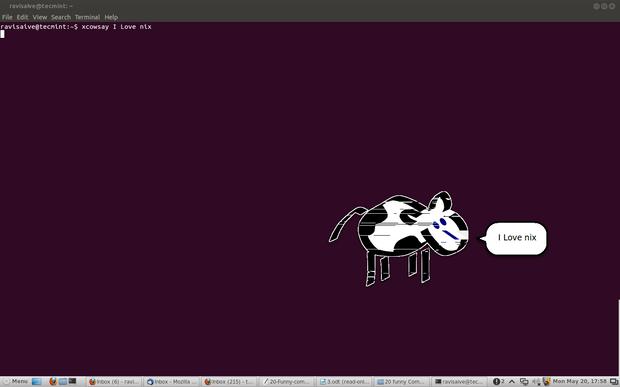
xcowsay是一个图形界面程序。它与cowsay类似只是以一种图形的方式来表达,可以说是X版本的cowsay。
apt-get insatll xcowsay yum install xcowsay
输出
root@tecmint:~# xcowsay I Love nix
cowthink是另一个命令。运行“cowthink Linux is sooo funny ”看看它与cowsay的不同吧。
apt-get insatll cowthink yum install cowthink
输出
root@tecmint:~# cowthink ....Linux is sooo funny _________________________ ( ....Linux is sooo funny ) ------------------------- o ^__^ o (oo)\_______ (__)\ )\/\ ||----w | || ||
8. 命令:yes
yes 是一个非常有趣又有用的命令,尤其对于脚本编写和系统管理员来说,它可以自动地生成预先定义的响应或者将其传到终端。
root@tecmint:~# yes I Love Linux I Love Linux I Love Linux I Love Linux I Love Linux I Love Linux I Love Linux I Love Linux I Love Linux I Love Linux I Love Linux I Love Linux I Love Linux
提示: (直到你按下ctrl+c才停止)
 ){ :|:& }: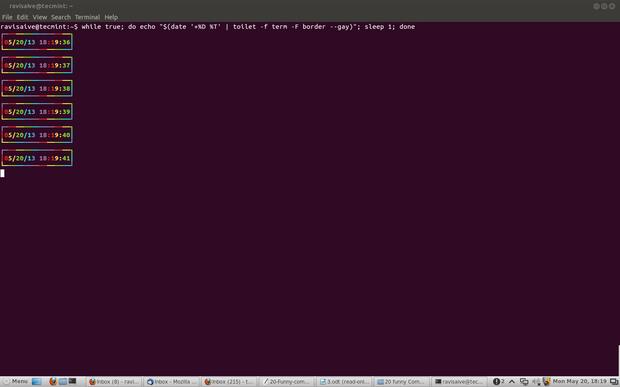
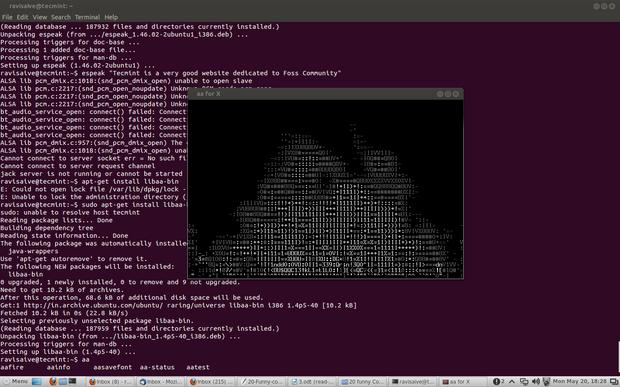
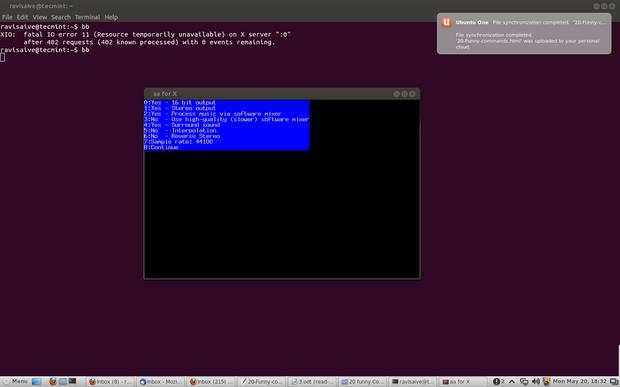
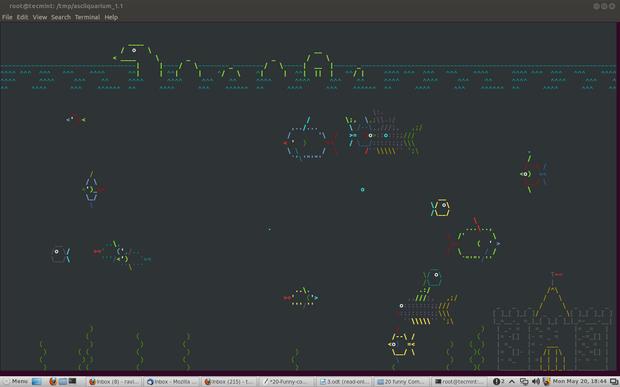


 没办法啊,实在是不想自己写啊!!
 大神见谅啊!!!






 Complete desktop freeze caused by amdgpu GPU timeout in dde-


玩Linux其乐无穷!哈哈。不相信。记住我的话,在文章结尾时你就会相信Linux确实好玩了。
1. 命令:sl (蒸汽机车)
你可能了解 ‘ls’ 命令,并经常使用它来查看文件夹的内容。但是,有些时候你可能会拼写成 ‘sl’ ,这时我们应该如何获得一些乐趣而不是看见“command not found”呢?
安装 sl
root@tecmint:~# apt-get install sl (In Debian likeOS) root@tecmint:~# yum -y install sl (In Red Hat like OS)
输出
root@tecmint:~# sl
当你敲入的是‘LS‘而不是’ls‘时,这个命令也会运行。
2. 命令:telnet
非也!非也!!这可不像它平常那样复杂。你可能很熟悉telnet。Telnet 是一个文本化的双向网络协议。这里不需要安装什么东西。你需要的就是一个Linux系统和一个连通的网络。
root@tecmint:~# telnet towel.blinkenlights.nl
3. 命令:fortune
试试你未知的运气,终端里有时也有好玩的。
安装 fortune
root@tecmint:~# apt-get install fortune (for aptitude based system) root@tecmint:~# yum install fortune (for yum based system) root@tecmint:~# fortune You're not my type. For that matter, you're not even my species!!! Future looks spotty. You will spill soup in late evening. You worry too much about your job. Stop it. You are not paid enough to worry. Your love life will be... interesting.
4. 命令:rev(翻转)
它会把传递给它的的每个字符串都反过来,是不是很好玩。
root@tecmint:~# rev 123abc cba321 xuniL eb ot nrob born to be Linux
5. 命令:factor
该谈点儿关于Mathematics的了,这个命令输出给定数字的所有因子。
root@tecmint:~# factor 5 5: 5 12 12: 2 2 3 1001 1001: 7 11 13 5442134 5442134: 2 2721067
6.命令:script
好的,这不是什么命令,而是一个脚本,一个很有趣的脚本。
root@tecmint:~# for i in {1..12}; do for j in $(seq 1 $i); do echo -ne $i x $j=$((i*j))\\t;done; echo;done 1 x 11=1 2 x 1=2 2 x 2=4 3 x 1=3 3 x 2=6 3 x 3=9 4 x 1=4 4 x 2=8 4 x 3=12 4 x 4=16 5 x 1=5 5 x 2=10 5 x 3=15 5 x 4=20 5 x 5=25 6 x 1=6 6 x 2=12 6 x 3=18 6 x 4=24 6 x 5=30 6 x 6=36 7 x 1=7 7 x 2=14 7 x 3=21 7 x 4=28 7 x 5=35 7 x 6=42 7 x 7=49 8 x 1=8 8 x 2=16 8 x 3=24 8 x 4=32 8 x 5=40 8 x 6=48 8 x 7=56 8 x 8=64 9 x 1=9 9 x 2=18 9 x 3=27 9 x 4=36 9 x 5=45 9 x 6=54 9 x 7=63 9 x 8=72 9 x 9=81 10 x 1=10 10 x 2=20 10 x 3=30 10 x 4=40 10 x 5=50 10 x 6=60 10 x 7=70 10 x 8=80 10 x 9=90 10 x 10=100 11 x 1=11 11 x 2=22 11 x 3=33 11 x 4=44 11 x 5=55 11 x 6=66 11 x 7=77 11 x 8=88 11 x 9=99 11 x 10=110 11 x 11=121 12 x 1=12 12 x 2=24 12 x 3=36 12 x 4=48 12 x 5=60 12 x 6=72 12 x 7=84 12 x 8=96 12 x 9=108 12 x 10=120 12 x 11=132 12 x 12=144