

 中文

Island deepin
2017-12-19 23:29 deepin 双屏显示吗? 试试super + p 切换
Reply Like 0 View the author
 deepin
 deepin
https://bbs.deepin.org/post/150395
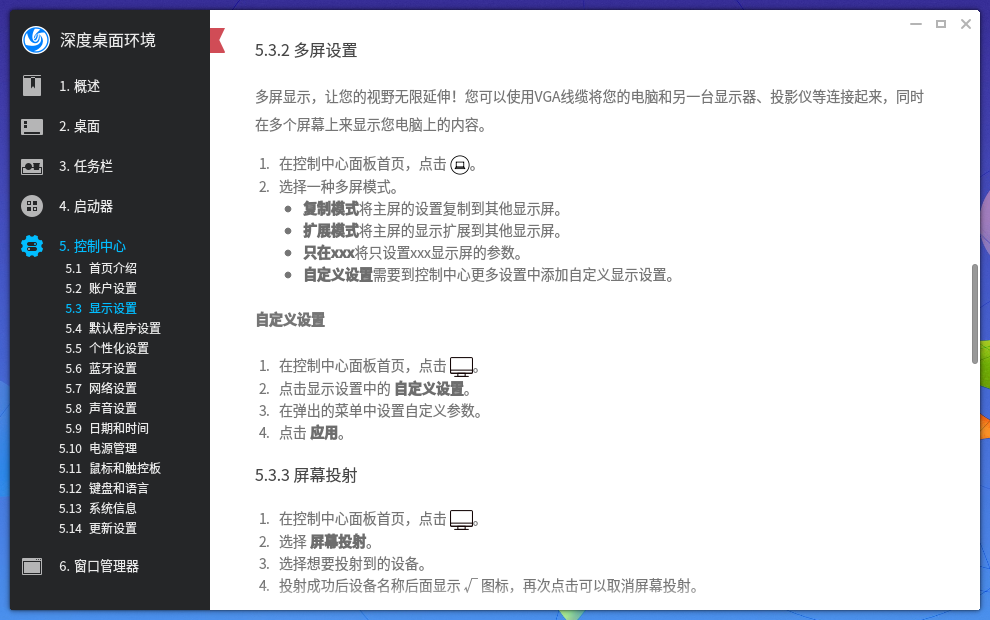
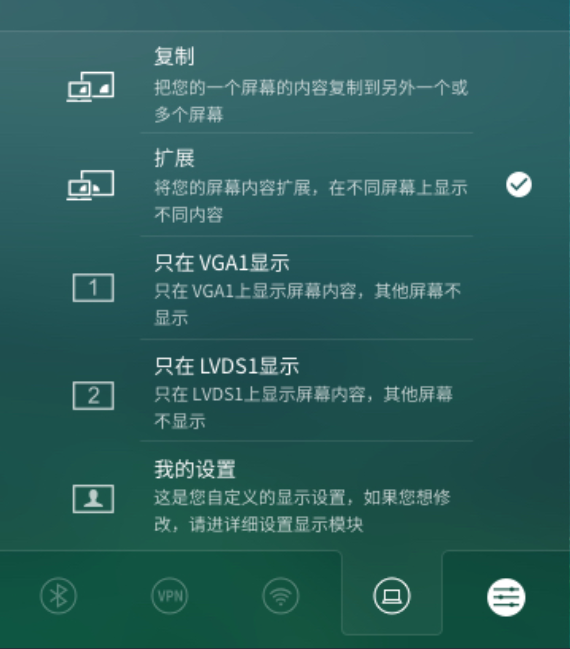
双屏显示吗? 试试super + p 切换
 deepin
 deepin
aida 发表于 2017-12-19 15:35
多屏幕吗?你设置的是哪种呢?
deepin deepin aida 发表于 2017-12-19 16:08
控制中心显示板块没有设置项吗?
deepin https://bbs.deepin.org/post/150395
控制中心显示板块没有设置项吗?
 deepin deepin
 deepin
https://bbs.deepin.org/post/150395
控制中心显示板块没有设置项吗?
deepin https://bbs.deepin.org/post/150395
这个图片中的设置在哪里找呢?
deepin https://bbs.deepin.org/post/150395
有扩展屏(多屏)的时候才会有显示啊
deepin  deepin
supper是那个键?
Popular Ranking
ChangePopular Events
More



 Four agent skills for laptop power, sleep, and honest bug reports
笔记本:hp暗影精灵2 /i5 6300hq/gtx 965m 4g /16g内存
xrandr --verbose
Screen 0: minimum 320 x 200, current 1920 x 1080, maximum 8192 x 8192
eDP-1 connected primary 1920x1080+0+0 (0x45) normal (normal left inverted right x axis y axis) 344mm x 194mm
Identifier: 0x42
Timestamp: 31396
Subpixel: unknown
Gamma: 1.0:1.0:1.0
Brightness: 1.0
Clones:
CRTC: 0
CRTCs: 0 1 2
Transform: 1.000000 0.000000 0.000000
0.000000 1.000000 0.000000
0.000000 0.000000 1.000000
filter:
EDID:
00ffffffffffff0030e4190500000000
001a01049522137803a1c59459578f27
20505400000001010101010101010101
0101010101012e3680a070381f403020
350058c210000019222480a070381f40
3020350058c210000019000000fd0028
3c43430e010a20202020202000000002
000c47ff0a3c6e1f182b6e000000001c
scaling mode: Full aspect
supported: None, Full, Center, Full aspect
Broadcast RGB: Automatic
supported: Automatic, Full, Limited 16:235
audio: auto
supported: force-dvi, off, auto, on
1920x1080 (0x45) 138.700MHz -HSync -VSync *current +preferred
h: width 1920 start 1968 end 2000 total 2080 skew 0 clock 66.68KHz
v: height 1080 start 1083 end 1088 total 1111 clock 60.02Hz
1920x1080 (0x46) 92.500MHz -HSync -VSync
h: width 1920 start 1968 end 2000 total 2080 skew 0 clock 44.47KHz
v: height 1080 start 1083 end 1088 total 1111 clock 40.03Hz
HDMI-1 disconnected (normal left inverted right x axis y axis)
Identifier: 0x43
Timestamp: 31396
Subpixel: unknown
Clones:
CRTCs: 0 1 2
Transform: 1.000000 0.000000 0.000000
0.000000 1.000000 0.000000
0.000000 0.000000 1.000000
filter:
aspect ratio: Automatic
supported: Automatic, 4:3, 16:9
Broadcast RGB: Automatic
supported: Automatic, Full, Limited 16:235
audio: auto
supported: force-dvi, off, auto, on