【结束】2017年07月31日Deepin Flatpak格式包内测活动
Tofloor
poster avatar
jingle
deepin
2017-08-01 01:16
Author
大家好,为了保证后续打包flatpak格式的质量,现在展开deepin flatpak内测活动,请内部测试团队的成员们积极参加,谢谢!

测试时间
  • 2017.07.31:开始测试
  • 2017.07.31——2017.08.04:测试是否运行正常
  • 2017.08.04:结束测试

测试流程
  • 连接内部测试源,安装应用至最新;
  • 按照步骤进行测试。

注意
  • 本次内测活动范围仅限内部测试团队成员,加入https://bbs.deepin.org/post/41179?
  • 全体内部测试团队成员默认参加本活动
  • 连续3次不反馈且不请假者测试活动的内部测试团队成员,将失去内部测试团队资格
  • 请不要私自散播本次内测活动的内容和数据,否则将失去内测资格

感谢

非常感谢各位内部测试团队成员们的积极参与!


Reply Favorite View the author
All Replies
1 / 2
To page
avatar
电脑迷
deepin
2017-08-01 01:18
#1
The user is banned, and the content is hidden.

avatar
rekols
deepin
2017-08-01 01:21
#2
support flatpak .
Reply View the author
avatar
firstuanl
deepin
2017-08-01 01:28
#3
snap
Reply View the author
avatar
星外之神
deepin
2017-08-01 01:38
#4
?!!!什么大新闻!!!
Reply View the author
avatar
星外之神
deepin
2017-08-01 01:39
#5
快来爆个料!!!
Reply View the author
avatar
jingle
deepin
2017-08-01 01:50
#6
https://bbs.deepin.org/post/143526
快来爆个料!!!

就是开始打包deepin全家桶 还有以后 gnome  kde的==  今天先放出内测 大家玩玩 体验下
Reply View the author
avatar
Lyvnee
deepin
2017-08-01 02:37
#7

字体不是系统默认设置字体
Reply View the author
avatar
VI~TONISEN
deepin
2017-08-01 02:38
#8
BigBang来了
Reply View the author
avatar
bobo
deepin
2017-08-01 06:01
#9
本帖最后由 bobo 于 2017-7-31 22:27 编辑

有个小建议,能否把石墨文档的第四部分(4 测试方法配图后的)排版稍微改一下。现在命令和网址是两行。这两行应该是一个命令,但是由于排版的原因,石墨显示成了两行。
测试的结果:
安装telegram时提示
  1. Warning: Can't find dependencies: No flatpak cache in remote summary
Copy the Code
运行时命令行提示
  1. Fontconfig error: "/etc/fonts/conf.d/10-scale-bitmap-fonts.conf", line 72: non-double matrix element
  2. Fontconfig error: "/etc/fonts/conf.d/10-scale-bitmap-fonts.conf", line 72: non-double matrix element
  3. Fontconfig warning: "/etc/fonts/conf.d/10-scale-bitmap-fonts.conf", line 80: saw unknown, expected number
  4. Fontconfig warning: "/etc/fonts/conf.d/69-gnu-free-sans.conf", line 24: unknown element "langset"
  5. Fontconfig warning: "/etc/fonts/conf.d/69-gnu-free-serif.conf", line 24: unknown element "langset"
  6. Fontconfig error: "/etc/fonts/conf.d/10-scale-bitmap-fonts.conf", line 72: non-double matrix element
  7. Fontconfig error: "/etc/fonts/conf.d/10-scale-bitmap-fonts.conf", line 72: non-double matrix element
  8. Fontconfig warning: "/etc/fonts/conf.d/10-scale-bitmap-fonts.conf", line 80: saw unknown, expected number
  9. Fontconfig warning: "/etc/fonts/conf.d/69-gnu-free-sans.conf", line 24: unknown element "langset"
  10. Fontconfig warning: "/etc/fonts/conf.d/69-gnu-free-serif.conf", line 24: unknown element "langset"
  11. Fontconfig error: "/etc/fonts/conf.d/10-scale-bitmap-fonts.conf", line 72: non-double matrix element
  12. Fontconfig error: "/etc/fonts/conf.d/10-scale-bitmap-fonts.conf", line 72: non-double matrix element
  13. Fontconfig warning: "/etc/fonts/conf.d/10-scale-bitmap-fonts.conf", line 80: saw unknown, expected number
  14. Fontconfig warning: "/etc/fonts/conf.d/69-gnu-free-sans.conf", line 24: unknown element "langset"
  15. Fontconfig warning: "/etc/fonts/conf.d/69-gnu-free-serif.conf", line 24: unknown element "langset"
  16. Fontconfig error: "/etc/fonts/conf.d/10-scale-bitmap-fonts.conf", line 72: non-double matrix element
  17. Fontconfig error: "/etc/fonts/conf.d/10-scale-bitmap-fonts.conf", line 72: non-double matrix element
  18. Fontconfig warning: "/etc/fonts/conf.d/10-scale-bitmap-fonts.conf", line 80: saw unknown, expected number
  19. Fontconfig warning: "/etc/fonts/conf.d/69-gnu-free-sans.conf", line 24: unknown element "langset"
  20. Fontconfig warning: "/etc/fonts/conf.d/69-gnu-free-serif.conf", line 24: unknown element "langset"
  21. sh: desktop-file-install: command not found
  22. sh: gconftool-2: command not found
Copy the Code
程序可以运行。但是不能读取我现有的Telegram的配置信息,需要重新登录。另外,目前只能在命令行运行,没有桌面图标。

Reply View the author
Comments
jingle
2017-08-01 17:42
shimo上面的显示
avatar
dreco
deepin
2017-08-01 06:17
#10
https://bbs.deepin.org/post/143526
就是开始打包deepin全家桶 还有以后 gnome  kde的==  今天先放出内测 大家玩玩 体验下 ...

https://bbs.deepin.org/user/48640 我的反馈有空了审核一下呗?
Reply View the author
avatar
星外之神
deepin
2017-08-01 16:21
#11
jingle 发表于 2017-7-31 17:50
就是开始打包deepin全家桶 还有以后 gnome  kde的==  今天先放出内测 大家玩玩 体验下 ...

体积有没有变大呀。。。
Reply View the author
avatar
bzero
deepin
2017-08-01 17:14
#12
一切正常,就是启动有点慢。
Reply View the author
avatar
180******66
deepin
2017-08-01 17:34
#13
老哥你们会出Deepin Flatpak的打包教程吗,讲真我上网看了下没看明白是个怎么搞的
Reply View the author
avatar
jingle
deepin
2017-08-01 17:43
#14
https://bbs.deepin.org/post/143526
老哥你们会出Deepin Flatpak的打包教程吗,讲真我上网看了下没看明白是个怎么搞的 ...

官方就提供了打包教程 比起打deb 会简单些
Reply View the author
avatar
guiyangyong
deepin
2017-08-01 18:21
#15
deepin 官方用的flatpak运行时是什么?也告诉我们这些非内侧用户,让我们可以提前折腾一下……
Reply View the author
avatar
hummerstudio
deepin
2017-08-01 18:30
#16
jingle 发表于 2017-7-31 17:50
就是开始打包deepin全家桶 还有以后 gnome  kde的==  今天先放出内测 大家玩玩 体验下 ...

gnome和kde的桌面也会打包么
Reply View the author
avatar
jingle
deepin
2017-08-01 18:32
#17
https://bbs.deepin.org/post/143526
gnome和kde的桌面也会打包么

会的,后面会同步
Reply View the author
avatar
方老四
deepin
2017-08-01 21:57
#18
本帖最后由 fangling 于 2017-8-2 16:42 编辑

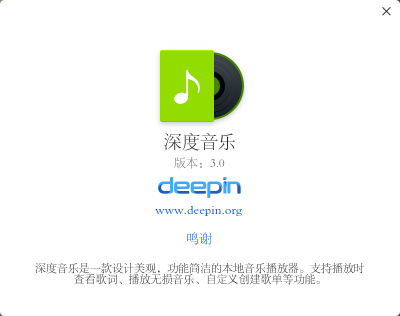
成功安装,在终端运行深度音乐第一次运行有点慢,再打开就正常了。
这里在网上搜到一篇Flatpck技术性文章,说的比较详细:http://www.wanjishu.com/p/jp6kT170714.html


Reply View the author
Comments
jingle
2017-08-01 22:22
是的,这个已知的,优化中。
avatar
星外之神
deepin
2017-08-01 22:26
#19
fangling 发表于 2017-8-1 13:57
成功安装,在终端运行深度音乐第一次运行有点慢,再打开就正常了。

这字体。。。
Reply View the author
avatar
星外之神
deepin
2017-08-01 22:26
#20
jingle 发表于 2017-8-1 09:43
官方就提供了打包教程 比起打deb 会简单些

真的吗?
Reply View the author
1 / 2
To page