Home
Categories
WIKI
Topic
User
LANGUAGE:
中文
English
桌面模式管理问题
Experiences and Insight
466
views ·
2
replies ·
To
floor
Go
138******01
deepin
2017-07-27 19:46
Author
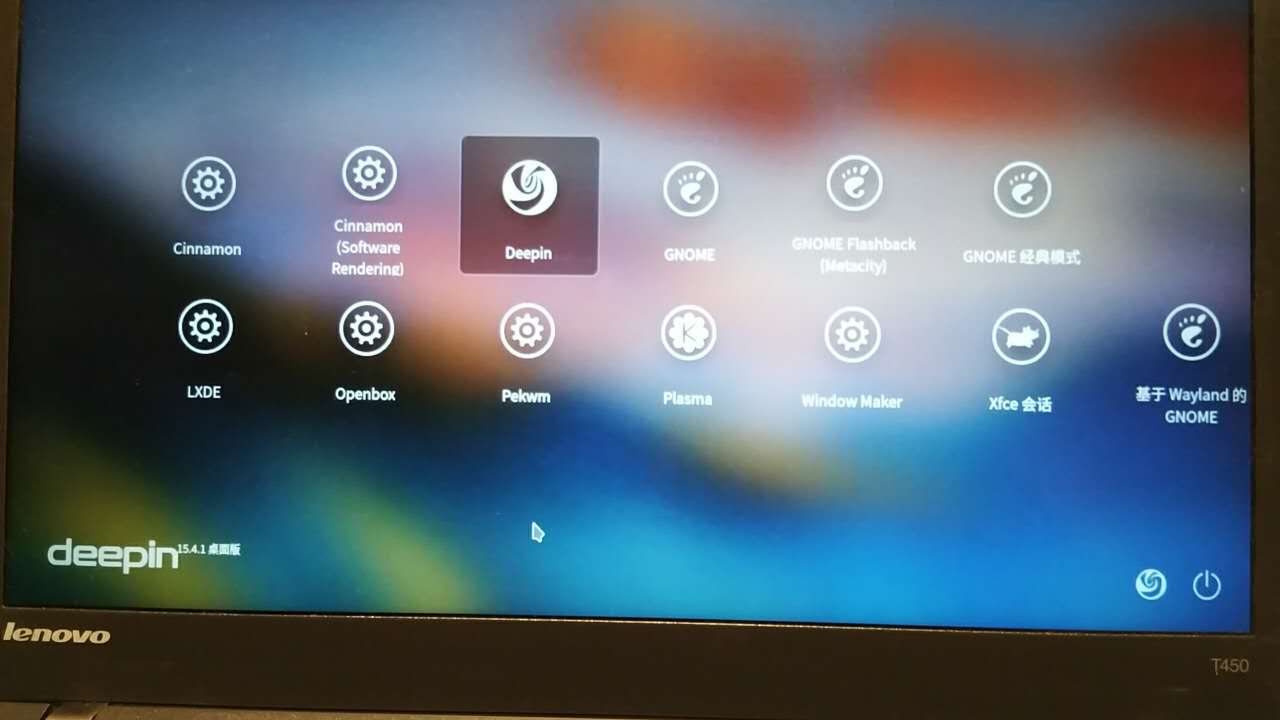
deepinLinux默认是deepin2.0桌面,因为字体问题我在线安装了cinnamon桌面,但是出现两个问题,一个是无法将cinnamon设置为默认桌面模式,第二个是在某些情况下,无法进入桌面,两种模式输入密码后直接黑屏如何跳出密码输入界面,只能关机或重启,现在已换回Windows8.1
Reply
Like 0
Favorite
View the author
All Replies
jingle
deepin
2017-07-27 22:17
#1
https://bbs.deepin.org/user/36769
Reply
Like 0
View the author
h***a@gmail.com
deepin
2017-07-29 19:05
#2
以下将依次回复楼主提到的两个问题。
其一,无法将cinnamon桌面设置为默认的桌面模式。经实测,在登录窗口切换各种桌面环境,然后注销该桌面,再选择登录各种桌面环境,默认的为deepin。记得此前的版本是可以保存上次的登录桌面环境的。比如,之前有一段时间会将lxde这个轻量级的桌面环境作为默认的桌面。如果可能,还请
https://bbs.deepin.org/user/48640
及深度诸君在以后的版本中加入保存上次的登录桌面环境这个设置。或者可以告知在哪里修改相关默认设置
其二,关于输入密码后黑屏,需要调用密码输入界面,可以同时按下Ctrl +Alt +F1(可以一直测试到F6),进入tty1(tty6)模式。
Reply
Like 0
View the author
Please
sign
in first
Featured Collection
Change
Nuntia - Modern IMAP/SMTP mail client for Deepin (Beta tester wanted!)
[Tutorial] deepin25 WSL Offline Installation Guide
UOS AI 2.8 Released! Three New Intelligent Agents & Major Evolution
Solid Q&A | deepin 25 Common Questions – The Immutable System Edition
New Thread
Popular Ranking
Change
Four agent skills for laptop power, sleep, and honest bug reports
Installing qemu-user breaks deepin
Adding a Dancing Spectrum Bar to the Deepin Taskbar | deepin-spectrum
Popular Events
More


 中文

 deepin deepin

 deepin


 deepin


 Four agent skills for laptop power, sleep, and honest bug reports