[已解决] sougou拼音怎么删除,占用太高了
Tofloor
poster avatar
jen
deepin
2017-07-26 00:14
Author
本帖最后由 jen 于 2017-7-27 09:27 编辑

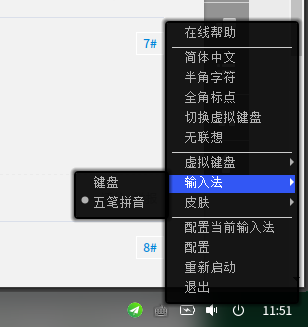
我把进程结束了就不显示提示词了,从来不用它,一直用的是wubipinyin,请问要怎么删除

Reply Favorite View the author
All Replies
avatar
jen
deepin
2017-07-26 00:19
#1
已经占用2个G了
Reply View the author
avatar
jen
deepin
2017-07-26 00:28
#2
结束SougouPinyin进程后WubiPinyiun也不显示提示词面板了,我担心要是卸载了不能输入了怎么办 @jingle
Reply View the author
avatar
herdde
deepin
2017-07-26 00:31
#3
右键卸载不行吗?
Reply View the author
avatar
jen
deepin
2017-07-26 00:35
#4
https://bbs.deepin.org/post/143181
右键卸载不行吗?

卸载SougouPinyin后WubiPinyiun不显示提示词面板了
Reply View the author
avatar
jen
deepin
2017-07-26 00:45
#5
卸载sougoupinyin后打字都是突然按空格才出来,没有面板
Reply View the author
avatar
duanyao
deepin
2017-07-26 03:48
#6
不要看“虚拟内存”一栏,对普通用户无意义,看“内存”或“驻留内存”。
Reply View the author
avatar
2048tb.com
deepin
2017-07-26 04:58
#7
完全卸载了,然后自己安装个fcitx+对应的输入法就应该可以了吧。
Reply View the author
avatar
jen
deepin
2017-07-26 17:09
#8
重装了fcitx,提示词面板又出来了
Reply View the author
avatar
hczhch
deepin
2017-07-26 18:16
#9
123adsfefsf
Reply View the author
avatar
feiying
deepin
2017-07-26 19:50
#10
本帖最后由 chenfeiying 于 2017-7-26 11:52 编辑

我装完deepin第一件事就是打开终端:sudo apt-get autoremove --purge sogoupinyin fcitx*   sudo apt-get install fcitx fcitx-table-wbpy


Reply View the author
avatar
jen
deepin
2017-07-27 16:55
#11
https://bbs.deepin.org/post/143181
我装完deepin第一件事就是打开终端:sudo apt-get autoremove --purge sogoupinyin fcitx*   sudo apt-get  ...

删除了sougoupinyin后内存占用一下子就小了2G,又可以高高兴兴的玩耍了
Reply View the author