deepin怎么快速复制文件名和文件路径?
Tofloor
poster avatar
herdde
deepin
2017-07-23 19:21
Author
像这样的

Path Copy Copy – 一键复制文件夹/文件路径与文件名[Windows] - 小众软件
http://www.appinn.com/path-copy-copy/

Reply Favorite View the author
All Replies
avatar
pikachuhy
deepin
2017-07-23 19:56
#1
直接复制粘贴
Reply View the author
avatar
herdde
deepin
2017-07-23 19:57
#2
本帖最后由 herdde 于 2017-7-23 11:59 编辑

不够快,效率太低
Reply View the author
avatar
182******97
deepin
2017-07-23 22:56
#3
建议添加到右键,用户需要应用商店里添加此功能。
Reply View the author
avatar
9***8@qq.com
deepin
2017-07-23 23:10
#4
有什么场景是需要『复制』文件路径或名称的?如果需要在终端里使用它们,直接用鼠标拖到终端就成了。
Reply View the author
avatar
herdde
deepin
2017-07-23 23:18
#5
https://bbs.deepin.org/post/143034
有什么场景是需要『复制』文件路径或名称的?如果需要在终端里使用它们,直接用鼠标拖到终端就成了。 ...

拖到终端里步骤有点多
1 打开终端
2 把终端拖到旁边
3 把文件把拖到终端
4 点击终端,切换焦点
5 选中路径,右键选择复制
Reply View the author
Comments
lineme
2017-07-23 23:23
为什么要复制这个呀?操作文件都能在终端完成
avatar
herdde
deepin
2017-07-23 23:24
#6
https://bbs.deepin.org/post/143034
拖到终端里步骤有点多
1 打开终端
2 把终端拖到旁边

你让普通人所有操作都用终端 - - -
Reply View the author
avatar
mrli_deep
deepin
2017-07-23 23:40
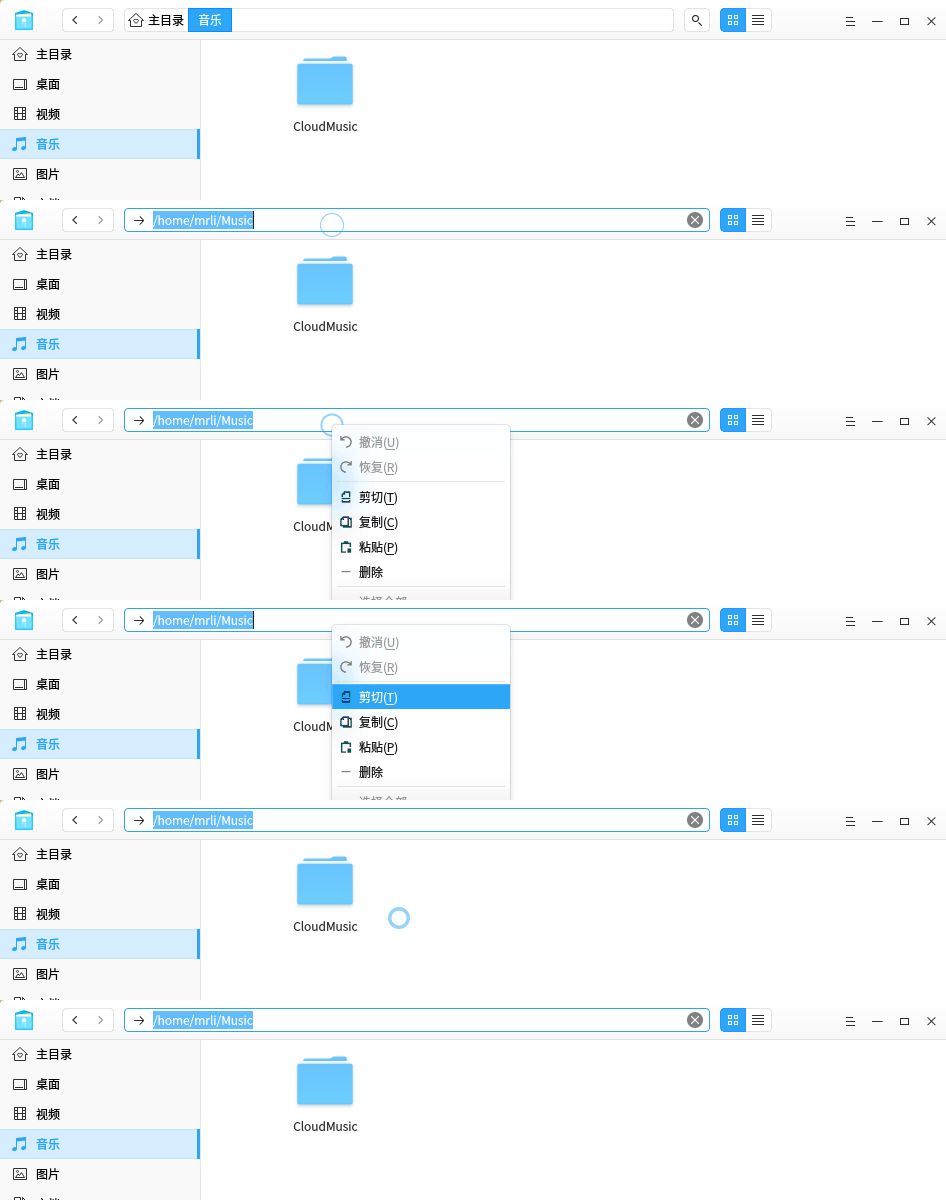
#7

这样挺直接的啊
Reply View the author
avatar
herdde
deepin
2017-07-23 23:41
#8

分为 文件/文件夹 名称/路径/全路径
Reply View the author
avatar
186******39
deepin
2018-01-23 23:05
#9
请使用doublecommander
Reply View the author
avatar
netzx
deepin
2018-01-24 20:10
#10
同8楼的方法。
Reply View the author