Home
Categories
WIKI
Topic
User
LANGUAGE:
中文
English
Win10 下安装 deepin 求助
Experiences and Insight
855
views ·
3
replies ·
To
floor
Go
keysarjan
deepin
2017-07-17 17:36
Author
我在笔记本上已经安装 Win10 系统,并且压缩出来了 50G 的空间。
也做好了U盘启动。
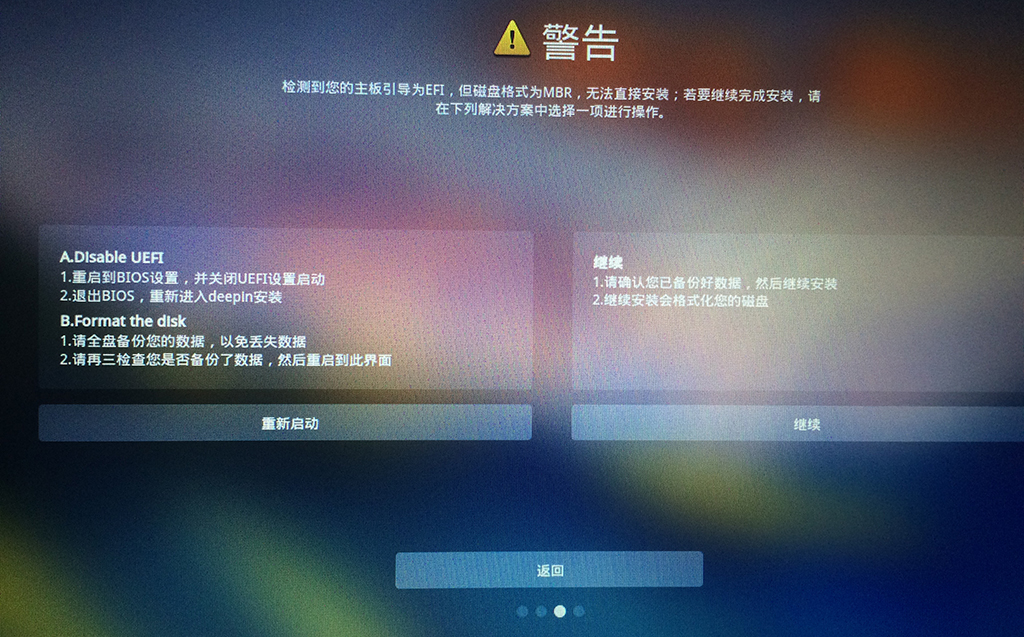
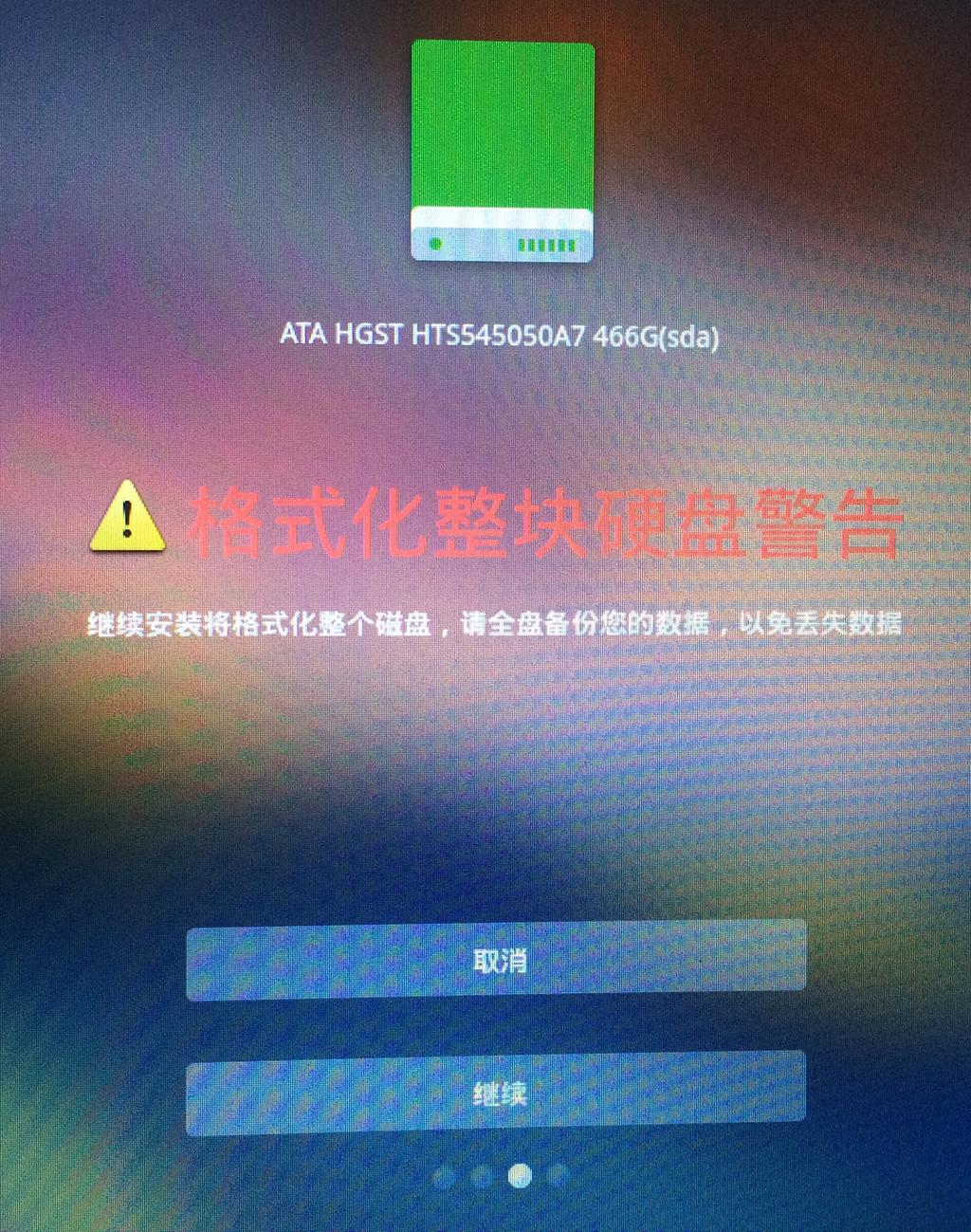
我开机进入 deepin 安装页面以后再选择压缩出来的空磁盘,下一步以后提示“格式化”磁盘的确认框,显示我的整个磁盘,而不是50G的空分区。
如果点击下一,会不会把我的整个硬盘格式化吗?文件会丢失吗?
Reply
Like 0
Favorite
View the author
All Replies
jingle
deepin
2017-07-17 18:11
#1
是的,截图看看。
https://bbs.deepin.org/user/31802
Reply
Like 0
View the author
xushaohua
deepin
2017-07-17 18:36
#2
重新启动电脑, 在启动时按下 F12 或者其它键, 列出所有的启动项.
会出现两个 U 盘启动项, 选择那个
不是
以 UEFI 开头的启动项.
或者, 直接修改主板 BIOS 设置, 把 UEFI 的兼容模式 (CSM) 关闭, 改为 只用 Legacy BIOS 模式启动.
Reply
Like 0
View the author
keysarjan
deepin
2017-07-17 18:53
#3
Reply
Like 0
View the author
Please
sign
in first
Featured Collection
Change
Nuntia - Modern IMAP/SMTP mail client for Deepin (Beta tester wanted!)
[Tutorial] deepin25 WSL Offline Installation Guide
UOS AI 2.8 Released! Three New Intelligent Agents & Major Evolution
Solid Q&A | deepin 25 Common Questions – The Immutable System Edition
New Thread
Popular Ranking
Change
Four agent skills for laptop power, sleep, and honest bug reports
Installing qemu-user breaks deepin
Adding a Dancing Spectrum Bar to the Deepin Taskbar | deepin-spectrum
Popular Events
More


 中文

 deepin deepin
 deepin
 deepin
 deepin


 Four agent skills for laptop power, sleep, and honest bug reports
也做好了U盘启动。
我开机进入 deepin 安装页面以后再选择压缩出来的空磁盘,下一步以后提示“格式化”磁盘的确认框,显示我的整个磁盘,而不是50G的空分区。
如果点击下一,会不会把我的整个硬盘格式化吗?文件会丢失吗?