

 中文

RedPanda deepin
2017-07-15 04:30 deepin https://bbs.deepin.org/post/142516
好吧,其实可以把那一大段放到外面的,看来不仅软件界面要美化,代码也要美化,毕竟这社区里大神多 ...
其实是我的强迫症犯了。。。看多了python的那套“优美代码”的理论后遗症。。。
Reply Like 0 View the author
 deepin
https://bbs.deepin.org/post/142516
好吧,其实可以把那一大段放到外面的,看来不仅软件界面要美化,代码也要美化,毕竟这社区里大神多 ...
deepin https://bbs.deepin.org/post/142516
好吧,其实可以把那一大段放到外面的,看来不仅软件界面要美化,代码也要美化,毕竟这社区里大神多 ...
 deepin
https://bbs.deepin.org/post/142516
话说加\r也不行吗?

 deepin deepin
https://bbs.deepin.org/post/142516
我用的pycharm,如果加\r的话,那行会很长,最后还是要被叠起来
 deepin deepin
https://bbs.deepin.org/post/142516
https://github.com/huhamhire/huhamhire-hosts 试试这个
deepin 
 deepin deepin
 deepin
 deepin
https://bbs.deepin.org/post/142516
为什么要一直更新hosts呢,配置一下xx-net,get一切文明上网
deepin deepin https://bbs.deepin.org/post/142516
使用前要先chmod 777?
这个有点可怕……可以用polkit动态提权么?
deepin https://bbs.deepin.org/post/142516
楼主,请原谅我是一枚小白;这hosts助手修改后 会有什么用途呢?
我可否理解为与windows 系统下的hosts一样 ...
deepin https://bbs.deepin.org/post/142516
改了hosts你就可以访问谷歌,非死不可等网站了
deepin 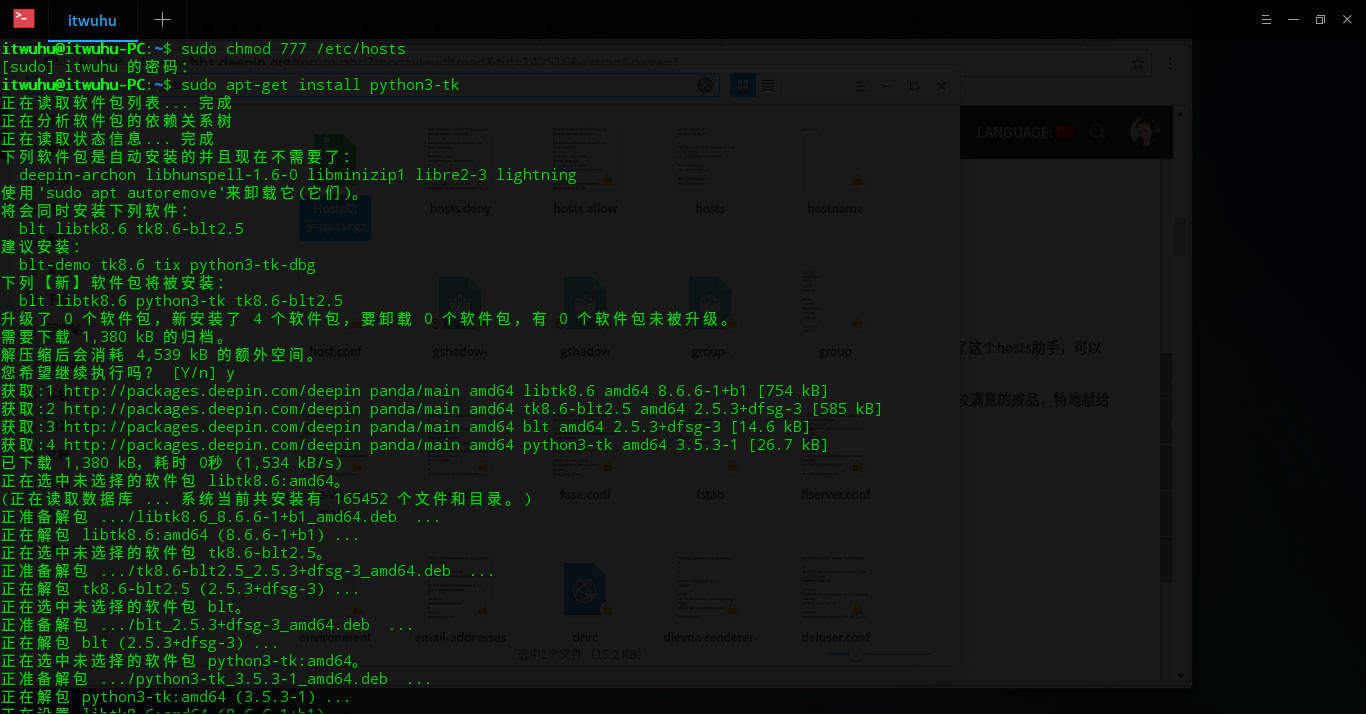
 deepin
https://bbs.deepin.org/post/142516
您这套工具已经具备翻越谷歌的条件啦!!
deepin https://bbs.deepin.org/post/142516
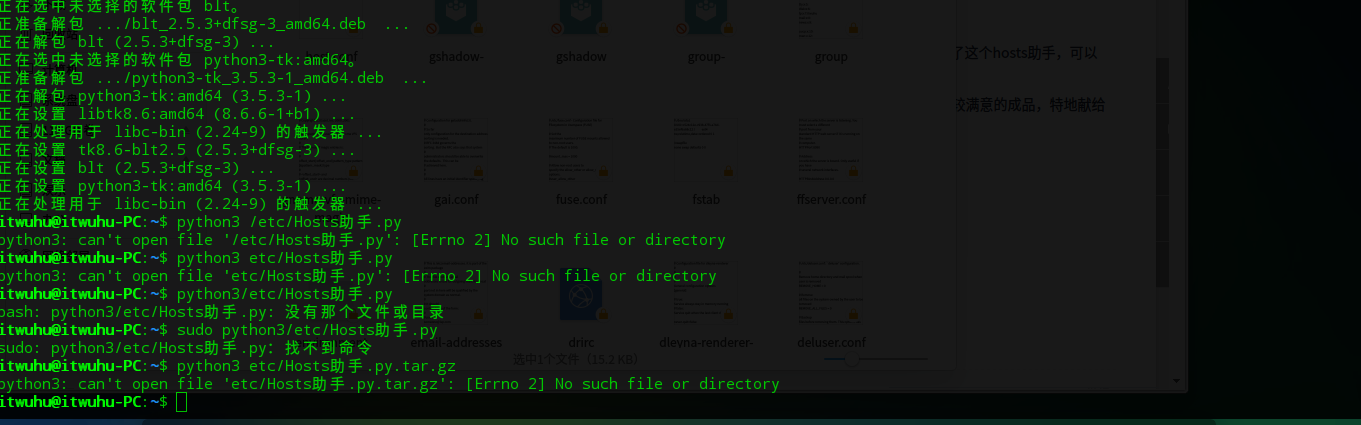
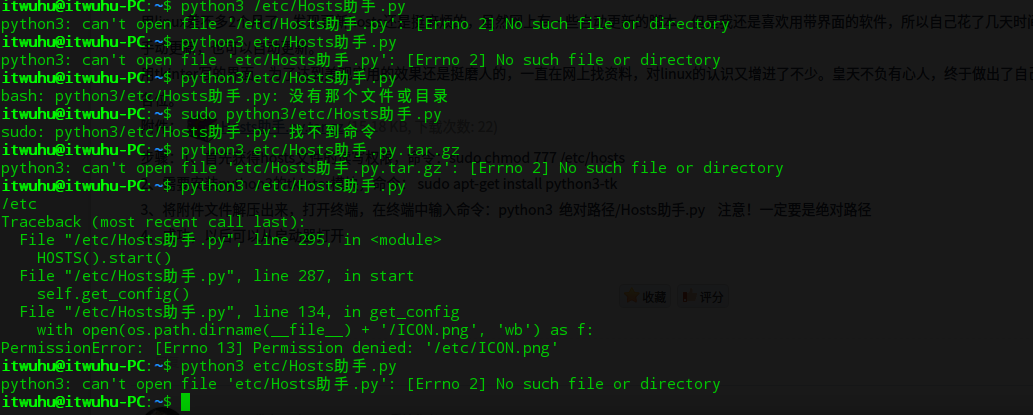
为嘛我运行一直都不成功呢?
我将hosts助手.py.tar.gz存放到 etc/下面;麻烦楼主看下;原谅我是一枚小白
deepin https://bbs.deepin.org/post/142516
为嘛我运行一直都不成功呢?
我将hosts助手.py.tar.gz存放到 etc/下面;麻烦楼主看下;原谅我是一枚小白
 这些文件夹下面都能放
Popular Events
More


 Four agent skills for laptop power, sleep, and honest bug reports
用linux差不多2个月了,发现更新hosts还是挺麻烦的,虽然网上有一些自动更新的脚本,但是我还是喜欢用带界面的软件,所以自己花了几天时间写了这个hosts助手,可以手动更新,也可以自动更新。
用tkinter写的界面,为了达到美观实用的效果还是挺磨人的,一直在网上找资料,对linux的认识又增进了不少。皇天不负有心人,终于做出了自己比较满意的成品,特地献给各位。
附件:Hosts助手.py.tar.gz
步骤:1、首先获得hosts文件的读写权限,命令:sudo chmod 777 /etc/hosts
2、需要安装python3的tkinter模块,命令: sudo apt-get install python3-tk
3、将附件文件解压出来,打开终端,在终端中输入命令:python3 绝对路径/Hosts助手.py 注意!一定要是绝对路径
4、成功,以后可以从启动器打开