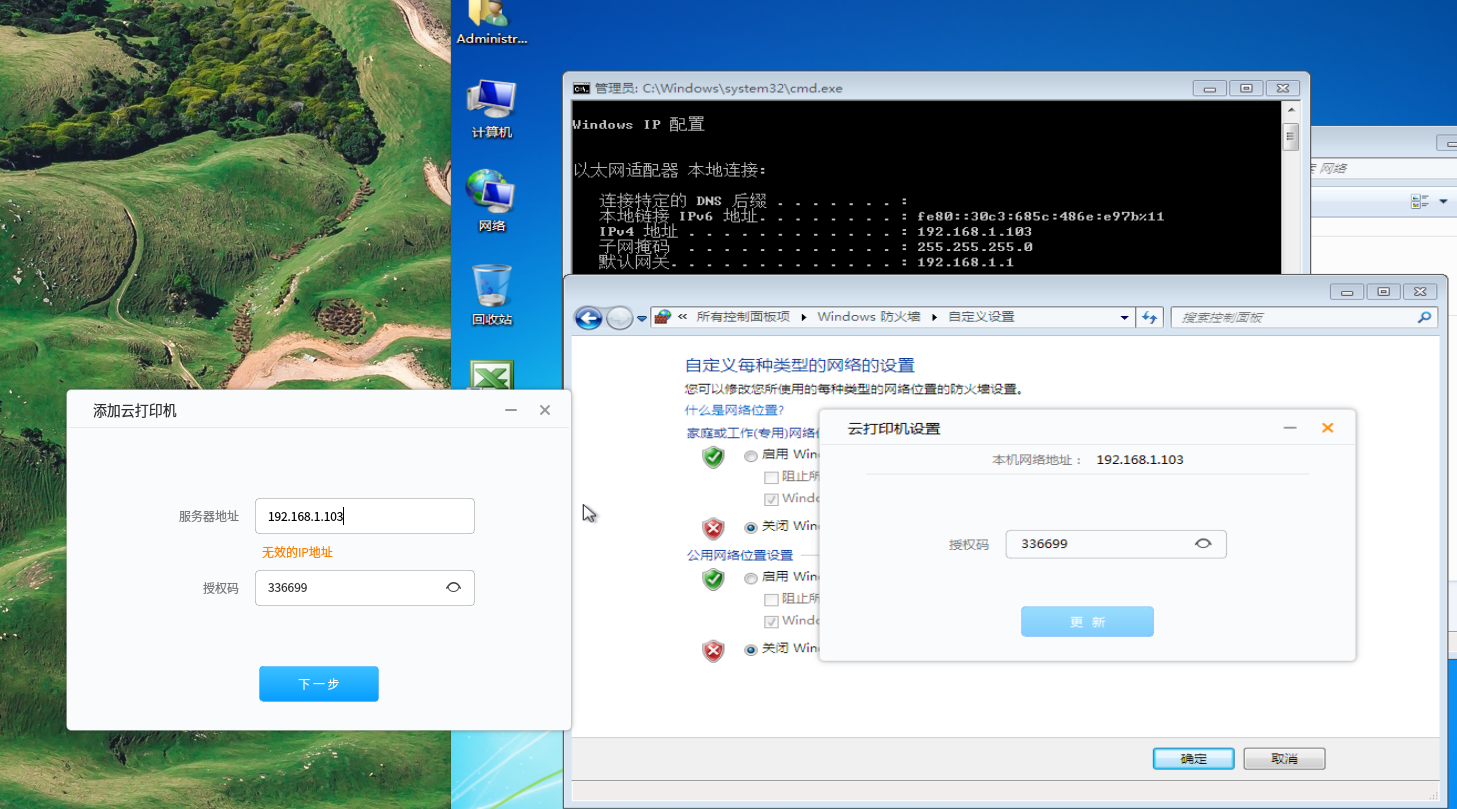
求助!云打印连不上打印机呀,WIN7防火墙已经关了。
Tofloor
poster avatar
lucndeepin
deepin
2017-06-29 20:14
Author
如题,用Deepin办公用,现在最大的问题就是打印机。怎么也连接不上,打印机是夏普的。如图,怎么点那个加号都连不上。晕死。

attach://38244.png
Reply Favorite View the author
All Replies
avatar
jingle
deepin
2017-06-29 20:29
#1
打印提示什么呢?上面那个就是你的型号?
Reply View the author
avatar
lucndeepin
deepin
2017-06-29 20:31
#2
对,上面是我打印机的型号,点云打印的+号,转一圈就又回到+ 号了。加不上打印机。 在打印机里也没有这个型号,我加上了也不能用。
Reply View the author
avatar
lucndeepin
deepin
2017-06-29 20:37
#3
你好,管理员,首先谢谢你的回复,我的环境是,在Deepin的虚似机上的win7_32位,安装的打印机。在虚拟机的WIN7上测试打印机好用。但云打印连不上。
Reply View the author
avatar
iceyer
deepin
2017-06-29 20:45
#4
https://bbs.deepin.org/post/141762
对,上面是我打印机的型号,点云打印的+号,转一圈就又回到+ 号了。加不上打印机。 在打印机里也没有这个型 ...

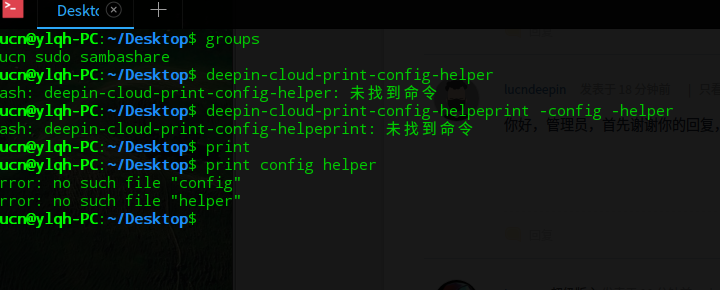
你在终端输入一下groups, 看看输出结果

另外可以在终端启动deepin-cloud-print-config-helper,看下输出
Reply View the author
avatar
lucndeepin
deepin
2017-06-29 21:01
#5
我刚刚使用和接触Linux,对内部命令也不太明白,目前小白一个。

我刚刚重新启动了一下电脑,可现在IP都提示不对。无错。请帮看看。

如下图:


Reply View the author
avatar
iceyer
deepin
2017-06-29 21:56
#6
https://bbs.deepin.org/post/141762
我刚刚使用和接触Linux,对内部命令也不太明白,目前小白一个。

我刚刚重新启动了一下电脑,可现在IP都提 ...

不能添加的问题:在命令行输入下面命令,然后重启就可以了
  1. sudo usermod -a -G lp,lpadmin iceyer
Copy the Code


ip不对应该是虚拟机的忘了配置有问题,你检查下虚拟机的网络是不是正常的。
Reply View the author
avatar
iceyer
deepin
2017-06-29 21:56
#7
https://bbs.deepin.org/post/141762
我刚刚使用和接触Linux,对内部命令也不太明白,目前小白一个。

我刚刚重新启动了一下电脑,可现在IP都提 ...

不能添加的问题:在命令行输入下面命令,然后重启就可以了
  1. sudo usermod -a -G lp,lpadmin iceyer
Copy the Code


ip不对应该是虚拟机的忘了配置有问题,你检查下虚拟机的网络是不是正常的。
Reply View the author
avatar
lucndeepin
deepin
2017-06-29 22:30
#8
谢谢管理员打印机已经成功安装了。非常感谢。
Reply View the author